
Java & AI Made Easy Core to Advanced Skills Java from Beginner to Professional with Modern Tools and Future Technologies
Java & AI Made Easy: Core to Advanced Skills Java from Beginner to Professional with Modern Tools and Future Technologies
CHAPTER STRUCTURE
PART 1: JAVA FOUNDATIONS (Core Basics)
Chapter 1: Introduction to Java & Programming Fundamentals
- What is Java?
- History & evolution
- Java vs other languages
- JDK, JRE, JVM overview
- Java editions (SE, EE, Jakarta)
Chapter 2: Java Program Structure & Execution
- Anatomy of a Java program
- Main method explained
- Compilation & execution flow
- JVM internals (bytecode, class loader)
- Lifecycle of a Java program
Chapter 3: Data Types, Variables & Memory Basics
- Primitive & reference types
- Variables & constants
- Type casting (implicit & explicit)
- Stack vs Heap memory
- Wrapper classes
Chapter 4: Operators & Expressions
- Arithmetic, relational, logical operators
- Bitwise operators
- Operator precedence
- Math operations
- Common pitfalls
Chapter 5: Control Flow Statements
- Conditional statements (if, switch)
- Loops (for, while, do-while)
- Enhanced for-loop
- Break & continue
- Pattern problems
Chapter 6: Arrays & Strings in Depth
- One-dimensional & multi-dimensional arrays
- Array operations
- String, StringBuilder, StringBuffer
- Immutability concept
- String methods & performance tips
PART 2: OBJECT-ORIENTED PROGRAMMING (OOP Mastery)
Chapter 7: OOP Concepts & Design Thinking
- Why OOP?
- Object & class philosophy
- Real-world modeling
- SOLID principles (intro)
Chapter 8: Classes, Objects & Methods
- Class structure
- Object creation
- Methods & parameters
- Method chaining
- Method overloading
Chapter 9: Encapsulation & Access Control
- Access modifiers
- Data hiding
- Getters & setters
- Best practices
Chapter 10: Inheritance & Polymorphism
- IS-A relationship
- Method overriding
- Runtime polymorphism
- super keyword
- Upcasting & downcasting
Chapter 11: Abstraction & Interfaces
- Abstract classes
- Interfaces (functional & marker)
- Multiple inheritance
- Default & static methods
Chapter 12: Special Class Types
- Static members
- Final keyword
- Nested & inner classes
- Anonymous classes
- Records (modern Java)
Chapter 13: Enums & Object Lifecycle
- Enum design
- Constructors in enums
- Object creation & destruction
- Garbage Collection basics
PART 3: CORE JAVA ADVANCED CONCEPTS
Chapter 14: Exception Handling & Error Management
- Checked vs unchecked exceptions
- try-catch-finally
- Custom exceptions
- Best practices
Chapter 15: Java Collections Framework
- List, Set, Map hierarchy
- ArrayList vs LinkedList
- HashMap vs TreeMap
- Queue, Deque, Stack
- Iterators
Chapter 16: Generics & Type Safety
- Why generics?
- Generic classes & methods
- Wildcards
- Type erasure
Chapter 17: Functional Programming in Java
- Lambda expressions
- Functional interfaces
- Method references
- High-order functions
Chapter 18: Stream API & Data Processing
- Stream creation
- Intermediate & terminal operations
- Filtering, mapping, reducing
- Parallel streams
Chapter 18A: Java in the AI Era – Concepts, Tools, and Opportunities
This chapter cover:
- What AI means for Java developers
- Java’s role in modern AI systems
- Java vs Python in AI (conceptual)
- Where Java is used in AI pipelines
- Career & skill roadmap
PART 4: CONCURRENCY & PERFORMANCE
Chapter 19: Multithreading Fundamentals
- Thread lifecycle
- Creating threads
- Synchronization
- Deadlocks
Chapter 20: Advanced Concurrency
- Executors framework
- Java Memory Model
- volatile keyword
- Virtual Threads (Project Loom)
- Performance tuning
PART 5: JAVA SYSTEM & UTILITY APIS
Chapter 21: File Handling & I/O Operations
- File API
- Streams
- NIO basics
- Serialization
Chapter 22: Date, Time & Utility APIs
- java.time package
- Formatting & parsing
- Time zones
Chapter 23: Regular Expressions & Text Processing
- Regex syntax
- Pattern & Matcher
- Real-world use cases
Chapter 24: Networking & Security Basics
- Sockets
- HTTP concepts
- Cryptography basics
- Secure coding practices
PART 6: BUILD TOOLS & PROJECT STRUCTURE
Chapter 25: Build Tools & Dependency Management
- Maven
- Gradle
- Project structure
- Versioning
Chapter 26: Documentation & Code Quality
- Javadoc
- Code conventions
- Static analysis tools
PART 7: DATABASE & ENTERPRISE JAVA
Chapter 27: JDBC & Database Connectivity
- JDBC architecture
- CRUD operations
- Transactions
Chapter 28: ORM & JPA
- Hibernate
- JPA concepts
- Entity mapping
- Spring Data JPA
PART 8: WEB & BACKEND DEVELOPMENT
Chapter 29: Introduction to Java Web Development
- Web architecture
- REST fundamentals
- JSON & APIs
Chapter 30: Spring Framework & Spring Boot
- Dependency Injection
- Spring Core
- Spring Boot auto-configuration
- REST APIs
Chapter 30A: Building AI-Enabled Applications Using Java
This chapter can include:
- Consuming AI/LLM APIs from Java
- Java + AI through REST services
- AI-powered chat, search, recommendation examples
- Secure API usage
- Mini AI project with Java
Chapter 31: Alternative Java Frameworks
- Quarkus
- Micronaut / Javalin
- Play Framework
PART 9: TESTING & LOGGING
Chapter 32: Testing Java Applications
- Unit testing (JUnit, TestNG)
- Integration testing
- Mocking with Mockito
- REST Assured
- Cucumber (BDD)
Chapter 33: Logging & Monitoring
- Logging principles
- Logback
- Log4j2
- SLF4J
PART 10: MODERN JAVA & AI-ERA SKILLS (EXTRA VALUE ⭐)
Chapter 34: Java in Cloud & DevOps
- Java in Docker
- CI/CD basics
- Cloud deployment overview
Chapter 34A: Modern Java Tools for AI, Cloud, and Automation
Covers:
- Java + Docker for AI services
- CI/CD for AI-enabled Java apps
- Java in cloud-based AI systems
- Automation tools
- Monitoring AI-backed apps
Chapter 35: Java & Artificial Intelligence Integration
- Java for AI/ML overview
- Java ML libraries (conceptual)
- Using Java with Python AI systems
- REST-based AI consumption
- LLM APIs usage from Java
Chapter 36: Secure, Scalable & Clean Java Design
- Design patterns
- Clean code
- Microservices basics
- Best practices
PART 11: CAREER & REAL-WORLD APPLICATIONS
Chapter 37: Real-World Java Projects
- Console project
- Backend REST project
- Database-driven application
Chapter 38: Java Interview Preparation
- Common interview questions
- MCQs
- Coding challenges
- System design basics
PART 12: APPENDICES
Appendix A: Java Keywords & Syntax Reference
Appendix B: Common Errors & Debugging Guide
Appendix C: Java Coding Standards
Appendix D: Learning Roadmap & Resources
📘 STANDARD CHAPTER FORMAT (WE WILL FOLLOW THIS ALWAYS)
Each chapter will contain:
1️⃣ Chapter Overview
- What the chapter is about
- Why it is important
- Where it is used in real life
2️⃣ Key Definitions & Terminology
- Simple definitions
- Technical meaning
- Industry usage
3️⃣ Core Concepts Explained
- Step-by-step explanation
- Beginner-friendly language
- Advanced notes where required
4️⃣ Illustrations & Diagrams (Text-Based Explanation)
- Clear explanation of diagrams
- Flowcharts / lifecycle explanation
- Memory diagrams where needed
5️⃣ Syntax & Coding Structure
- Basic syntax
- Standard format
- Rules to remember
6️⃣ Complete Coding Examples
- Simple examples
- Intermediate examples
- Real-world style examples
7️⃣ Concept Tricks & Shortcuts
- Easy ways to remember concepts
- Common confusion points cleared
- Exam & interview tricks
8️⃣ Advantages & Disadvantages
- Where this concept is useful
- Where it should NOT be used
9️⃣ Common Mistakes & Debugging Tips
- Beginner errors
- Runtime issues
- Best practices
🔟 Real-World Applications
- Industry usage
- Project-level relevance
1️⃣1️⃣ Important Notes & Best Practices
- Performance tips
- Clean code rules
1️⃣2️⃣ MCQs & Concept Check
- Objective questions
- Concept-based MCQs
1️⃣3️⃣ Practice Problems & Exercises
- Coding exercises
- Thinking-based problems
1️⃣4️⃣ Mini Task / Assignment
- Small hands-on task
- Project-related activity
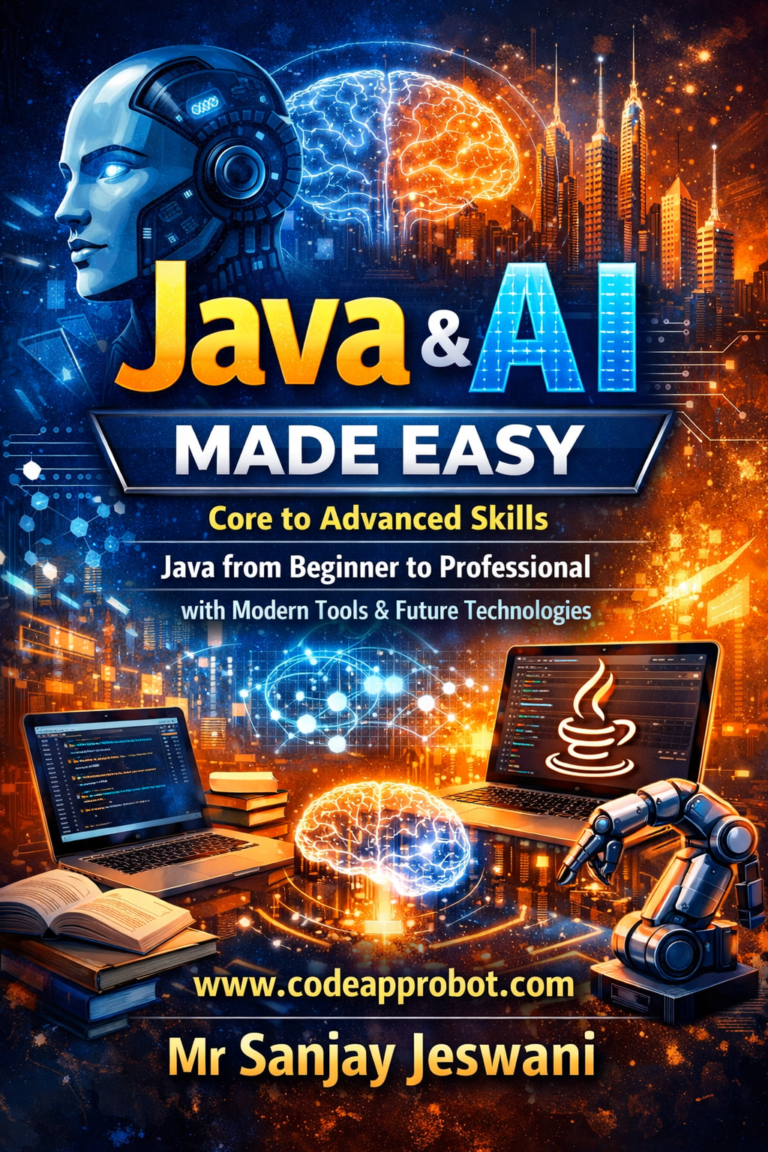
Java & AI Made Easy Core to Advanced Skills Java from Beginner to Professional with Modern Tools and Future Technologies
PART 1: JAVA FOUNDATIONS (Core Basics)
Chapter 1: Introduction to Java & Programming Fundamentals
- What is Java?
- History & evolution
- Java vs other languages
- JDK, JRE, JVM overview
- Java editions (SE, EE, Jakarta)
PART 1: JAVA FOUNDATIONS (Core Basics)
Chapter 1: Introduction to Java & Programming Fundamentals
1️⃣ Chapter Overview
Java is one of the most widely used programming languages in the world. It powers desktop software, web applications, mobile apps, enterprise systems, cloud platforms, and even modern AI-enabled services.
In this chapter, you will:
- Understand what Java is and why it exists
- Learn the history and evolution of Java
- Compare Java with other popular programming languages
- Understand JDK, JRE, and JVM clearly
- Learn about different Java editions
This chapter builds the foundation for everything you will learn in this book.
2️⃣ Key Definitions & Terminology
Programming Language
A formal language used to give instructions to a computer to perform tasks.
Java
Java is a high-level, object-oriented, platform-independent programming language developed by Sun Microsystems (now Oracle).
Platform Independent
A program written once can run on different operating systems without modification.
Bytecode
Intermediate code generated by the Java compiler, executed by the JVM.
Virtual Machine (JVM)
A software-based machine that runs Java bytecode.
3️⃣ Core Concepts Explained
🔹 What is Java?
Java is a general-purpose programming language designed with the philosophy:
“Write Once, Run Anywhere” (WORA)
This means a Java program can run on:
- Windows
- Linux
- macOS
- Mobile devices
- Servers
- Cloud platforms
Key Characteristics of Java
- Object-Oriented
- Secure
- Robust
- Platform Independent
- Multithreaded
- Portable
- High Performance (with JIT compiler)
🔹 History & Evolution of Java
- 1991 – Project started as Green Project
- 1995 – Java officially released by Sun Microsystems
- 2010 – Oracle acquired Sun Microsystems
- Java 8 – Major release (Lambda, Streams)
- Java 11 – Long Term Support (LTS)
- Java 17+ – Modern Java (records, virtual threads, performance improvements)
Java has continuously evolved to support:
- Cloud computing
- Microservices
- Big data
- AI-enabled systems
|
|
|
|
👉 Why Java?
Java provides the best balance between performance, security, portability, and maintainability.
🔹 JDK, JRE, and JVM Overview
This is one of the most important Java concepts.
JVM (Java Virtual Machine)
- Executes Java bytecode
- Manages memory
- Provides security
- Makes Java platform independent
JRE (Java Runtime Environment)
- JVM + Libraries
- Required to run Java programs
JDK (Java Development Kit)
- JRE + Compiler + Tools
- Required to develop Java programs
4️⃣ Illustrations & Concept Diagrams (Text-Based)
Java Program Execution Flow
Java Source Code (.java) ↓Java Compiler (javac) ↓Bytecode (.class) ↓Java Virtual Machine (JVM) ↓Operating System
👉 JVM hides OS differences, enabling portability.
5️⃣ Syntax & Coding Structure
Basic Java Program Structure
class HelloJava { public static void main(String[] args) { System.out.println(“Welcome to Java & AI Made Easy!”); }}
Rules to Remember
- Class name must match file name
- main method is mandatory
- Java is case-sensitive
- Every statement ends with ;
6️⃣ Complete Coding Examples
Example 1: Simple Java Program
class FirstProgram { public static void main(String[] args) { System.out.println(“Java Programming Started”); }}
Example 2: Using Variables
class Example { public static void main(String[] args) { int year = 2025; System.out.println(“Learning Java in ” + year); }}
7️⃣ Concept Tricks & Shortcuts
- JDK = Develop
- JRE = Run
- JVM = Execute
- Remember WORA → Write Once, Run Anywhere
- Think of JVM as a translator between Java and OS
8️⃣ Advantages & Disadvantages
✅ Advantages
- Platform independent
- Secure & reliable
- Huge community support
- Rich APIs & libraries
- Strong for backend & AI integration
❌ Disadvantages
- Slightly slower than C/C++
- More memory usage
- Verbose syntax compared to Python
9️⃣ Common Mistakes & Debugging Tips
❌ Forgetting main method
❌ Class name and file name mismatch
❌ Case sensitivity errors
❌ Missing semicolons
✅ Always read compiler error messages carefully
🔟 Real-World Applications
Java is used in:
- Banking systems
- Android apps
- Web servers
- Cloud platforms
- AI-backed backend services
- Enterprise and government systems
1️⃣1️⃣ Important Notes & Best Practices
- Always use meaningful class names
- Follow Java naming conventions
- Start learning with logic, not memorization
- Practice small programs daily
1️⃣2️⃣ MCQs & Concept Check
Java is platform independent because:
a) It is compiled
b) It uses JVM ✅
c) It is interpreted
d) It uses pointers
Correct Answer: b) It uses JVM
Explanation:
Java programs are compiled into bytecode, which is not specific to any operating system. The JVM converts this bytecode into machine-specific instructions, allowing the same program to run on different platforms. Other options are incorrect because compilation or interpretation alone does not guarantee platform independence.
- Which component executes bytecode?
- a) JDK
- b) JRE
- c) JVM ✅
- d) Compiler
✅ Correct Answer:
- c) JVM (Java Virtual Machine)
🧠 Detailed Explanation (Student-Friendly)
When a Java program is written, it goes through multiple stages:
- Java Compiler (javac)
- Converts .java source code into bytecode (.class)
- The compiler does NOT execute the program
- JVM (Java Virtual Machine) ✅
- Reads and executes the bytecode
- Converts bytecode into machine-specific instructions
- Handles memory management, garbage collection, and security
- This is why Java is platform independent
- JRE (Java Runtime Environment)
- Contains JVM + libraries
- Helps in running Java programs
- But execution is done by JVM, not JRE itself
- JDK (Java Development Kit)
- Used for developing Java programs
- Contains compiler, debugger, tools, and JRE
- It does not execute bytecode directly
❌ Why the Other Options Are Wrong
- a) JDK ❌
JDK is used for development, not execution. - b) JRE ❌
JRE provides the environment, but execution is done by JVM inside it. - d) Compiler ❌
Compiler only converts source code to bytecode; it never executes it.
1️⃣3️⃣ Practice Problems & Exercises
- Write a program to print your name.
- Modify the program to print current year.
- Try running the same program on different OS.
1️⃣4️⃣ Mini Task / Assignment
Mini Assignment:
Create a Java program that prints:
- Your name
- Course name
- Reason for learning Java
Chapter 2: Java Program Structure & Execution
1️⃣ Chapter Overview
In this chapter, we will understand how a Java program is written, structured, compiled, and executed.
This chapter answers one of the most important questions for beginners:
“What actually happens when we run a Java program?”
By the end of this chapter, you will clearly understand:
- The structure of a Java program
- The role of the main method
- How Java code is compiled and executed
- How JVM internally works
- The complete lifecycle of a Java program
2️⃣ Key Definitions & Terminology
Source Code (.java)
Human-readable Java code written by a programmer.
Compiler (javac)
A program that converts Java source code into bytecode.
Bytecode (.class)
Platform-independent intermediate code executed by the JVM.
Class Loader
A JVM component that loads .class files into memory.
JIT Compiler
Just-In-Time compiler that improves performance by compiling bytecode into machine code at runtime.
3️⃣ Core Concepts Explained
🔹 Anatomy of a Java Program
A basic Java program consists of:
- Class declaration
- main method
- Statements
Example Structure:
class SampleProgram { public static void main(String[] args) { System.out.println(“Java Program Structure”); }}
Each part of this program has a specific role.
🔹 The main Method Explained
public static void main(String[] args)
Breakdown:
- public → JVM can access it from anywhere
- static → No object needed to run the method
- void → No return value
- main → Entry point of execution
- String[] args → Command-line arguments
👉 Without the main method, a Java program cannot start execution.
🔹 Compilation & Execution Flow
Java follows a two-step execution process:
1️⃣ Compilation
.java → javac → .class
2️⃣ Execution
.class → JVM → Output
4️⃣ Illustrations & Concept Diagrams (Text-Based)
Java Execution Flow Diagram
Java Source Code (.java) ↓Compiler (javac) ↓Bytecode (.class) ↓Class Loader ↓Bytecode Verifier ↓Execution Engine (JIT) ↓Output
5️⃣ Syntax & Coding Structure
Correct Java Program Template
class ClassName { public static void main(String[] args) { // code here }}
Rules to Remember:
- Only one public class per file
- File name must match public class name
- main method signature must be exact
6️⃣ Complete Coding Examples
Example 1: Basic Execution Example
class ExecutionDemo { public static void main(String[] args) { System.out.println(“Java Execution Flow”); }}
Explanation:
- JVM searches for main
- Statements execute line by line
- Output printed on console
Example 2: Command Line Arguments
class ArgsDemo { public static void main(String[] args) { System.out.println(“First argument: ” + args[0]); }}
Explanation:
- args stores input values
- Useful for dynamic input
7️⃣ Concept Tricks & Shortcuts
- JVM always starts from main
- .java = source | .class = bytecode
- static means no object required
- Remember: Compile once, run anywhere
8️⃣ Advantages & Disadvantages
✅ Advantages
- Platform independent execution
- Strong security via bytecode verification
- Better performance with JIT compiler
❌ Disadvantages
- Initial startup time
- Slight memory overhead
9️⃣ Common Mistakes & Debugging Tips
❌ Incorrect main signature
❌ Missing static keyword
❌ Wrong file name
❌ ArrayIndexOutOfBounds in arguments
✅ Always check error messages carefully
🔟 Real-World Applications
- Backend services
- Desktop applications
- Microservices
- AI-powered Java applications
1️⃣1️⃣ Important Notes & Best Practices
- Keep class names meaningful
- Follow Java naming conventions
- Understand execution flow before coding
1️⃣2️⃣ MCQs & Concept Check
MCQ 1:
Which method is the entry point of a Java program?
- a) start()
b) run()
c) main()
d) execute()
✅ Correct Answer: c) main()
Explanation:
The JVM looks for the main() method to start execution. Without it, the program cannot run.
MCQ 2:
What is the output of the compilation phase?
- a) Machine code
b) Bytecode
c) Executable file
d) Source code
✅ Correct Answer: b) Bytecode
Explanation:
The Java compiler converts source code into bytecode, which is platform independent.
1️⃣3️⃣ Practice Problems & Exercises
- Write a Java program that prints your college name.
- Modify the program to accept input via command line.
- Remove static and observe the error.
Expected Learning:
Understanding execution rules and JVM behavior.
1️⃣4️⃣ Mini Task / Assignment
Mini Assignment:
Create a Java program that:
- Accepts two command-line arguments
- Prints their sum
Hint: Convert strings to integers using Integer.parseInt().
Java & AI Made Easy Core to Advanced Skills Java from Beginner to Professional with Modern Tools and Future Technologies
Chapter 3: Data Types, Variables & Memory Basics
1️⃣ Chapter Overview
In this chapter, we will learn how Java stores data in memory and how programmers work with that data using variables and data types.
This chapter is extremely important because:
- Every Java program works with data
- Memory understanding helps avoid bugs
- It builds the base for performance, logic, and AI-related data handling later
By the end of this chapter, you will understand:
- Types of data in Java
- How variables work
- Memory allocation (Stack vs Heap)
- Type casting
- Wrapper classes
2️⃣ Key Definitions & Terminology
Data Type
A data type defines the kind of value a variable can store.
Variable
A variable is a named memory location used to store data.
Primitive Data Type
Stores simple values like numbers and characters.
Reference Data Type
Stores references (addresses) of objects in memory.
Memory Allocation
Process of reserving memory for variables and objects.
3️⃣ Core Concepts Explained
🔹 Primitive Data Types in Java
Java has 8 primitive data types:
Data Type | Size | Example | Use |
byte | 1 byte | byte b = 10; | Small numbers |
short | 2 bytes | short s = 100; | Medium numbers |
int | 4 bytes | int x = 1000; | Most used |
long | 8 bytes | long l = 10000L; | Large numbers |
float | 4 bytes | float f = 10.5f; | Decimal |
double | 8 bytes | double d = 20.99; | Precision decimals |
char | 2 bytes | char c = ‘A’; | Characters |
boolean | 1 bit | boolean flag = true; | True/False |
🔹 Reference Data Types
Examples:
- String
- Arrays
- Objects
- Classes
- Interfaces
These store addresses, not actual values.
🔹 Variables & Constants
Variable Declaration:
int age = 20;
Constant:
final int MAX = 100;
👉 final makes a variable unchangeable.
🔹 Type Casting
Implicit Casting (Widening)
int a = 10;double b = a;
✔ Safe
✔ Automatic
Explicit Casting (Narrowing)
double x = 10.5;int y = (int) x;
❌ Data loss possible
✔ Manual casting required
🔹 Wrapper Classes
Each primitive has a corresponding wrapper class:
Primitive | Wrapper |
int | Integer |
double | Double |
char | Character |
boolean | Boolean |
Used in:
- Collections
- Generics
- Object-oriented features
4️⃣ Illustrations & Concept Diagrams (Text-Based)
Stack vs Heap Memory
STACK MEMORY HEAP MEMORY—————- —————-Primitive variables ObjectsMethod calls ArraysLocal variables StringsFast access Shared memory
👉 Stack = Fast & temporary
👉 Heap = Dynamic & object storage
5️⃣ Syntax & Coding Structure
Variable Syntax
dataType variableName = value;
Naming Rules:
- Must start with letter, _, or $
- Cannot start with a number
- Case-sensitive
6️⃣ Complete Coding Examples
Example 1: Primitive Variables
class PrimitiveDemo { public static void main(String[] args) { int marks = 85; double price = 99.99; boolean pass = true; System.out.println(marks); System.out.println(price); System.out.println(pass); }}
Explanation:
Each variable stores a different data type in memory.
Example 2: Type Casting
class CastingDemo { public static void main(String[] args) { double value = 12.75; int result = (int) value; System.out.println(result); }}
Output:
12
Explanation:
Decimal part is lost during narrowing.
7️⃣ Concept Tricks & Shortcuts
- Use int by default
- Use double for decimals
- Wrapper = Object version of primitive
- Stack = method execution
- Heap = object storage
8️⃣ Advantages & Disadvantages
✅ Advantages
- Efficient memory usage
- Strong type safety
- Automatic memory management
❌ Disadvantages
- Fixed size primitives
- Casting can cause data loss
- Slight overhead with wrappers
9️⃣ Common Mistakes & Debugging Tips
❌ Using wrong data type
❌ Forgetting casting
❌ NullPointerException (reference types)
❌ Overflow errors
✅ Choose correct data type
✅ Understand memory usage
🔟 Real-World Applications
- Banking calculations
- Student records
- AI data preprocessing
- Sensor data handling
- Backend logic
1️⃣1️⃣ Important Notes & Best Practices
- Use meaningful variable names
- Avoid unnecessary casting
- Prefer primitives for performance
- Use wrappers only when required
1️⃣2️⃣ MCQs & Concept Check
MCQ 1:
Which data type is used to store decimal values with high precision?
- a) float
b) int
c) double
d) long
✅ Correct Answer: c) double
Explanation:
double provides higher precision and range than float, making it suitable for decimal calculations.
MCQ 2:
Where are objects stored in Java?
- a) Stack
b) Heap
c) Register
d) Cache
✅ Correct Answer: b) Heap
Explanation:
Objects and arrays are stored in heap memory, while references are stored in stack.
1️⃣3️⃣ Practice Problems & Exercises
- Declare variables for name, age, and marks.
- Convert double to int and observe output.
- Create a constant for PI value.
Expected Learning:
Understanding data storage and memory behavior.
1️⃣4️⃣ Mini Task / Assignment
Mini Assignment:
Write a Java program that:
- Declares variables for student name, roll number, and marks
- Prints them using out.println
Chapter 4: Operators & Expressions
1️⃣ Chapter Overview
Operators and expressions are fundamental building blocks of Java programs. They allow you to:
- Perform arithmetic and logical operations
- Compare values
- Manipulate data
- Build complex expressions for decision-making
By the end of this chapter, you will understand:
- Different types of operators in Java
- Operator precedence and associativity
- Bitwise operations
- How to write and evaluate expressions
- Common pitfalls in using operators
2️⃣ Key Definitions & Terminology
Operator
A symbol that performs a specific operation on one, two, or more operands.
Operand
The value or variable on which the operator acts.
Expression
A combination of operators and operands that evaluates to a single value.
Operator Precedence
The rules that define the order in which operators are evaluated in an expression.
Associativity
Rules that define how operators of the same precedence are evaluated (left-to-right or right-to-left).
3️⃣ Core Concepts Explained
🔹 Types of Operators in Java
- Arithmetic Operators
| Operator | Description | Example |
|———-|————-|———|
| + | Addition | a + b |
| – | Subtraction | a – b |
| * | Multiplication | a * b |
| / | Division | a / b |
| % | Modulus | a % b | - Relational Operators
| Operator | Description | Example |
|———-|————-|———|
| == | Equal to | a == b |
| != | Not equal to | a != b |
| > | Greater than | a > b |
| < | Less than | a < b |
| >= | Greater than or equal | a >= b |
| <= | Less than or equal | a <= b | - Logical Operators
| Operator | Description | Example |
|———-|————-|———|
| && | Logical AND | a && b |
| || | Logical OR | a || b |
| ! | Logical NOT | !a | - Bitwise Operators
| Operator | Description | Example |
|———-|————-|———|
| & | AND | a & b |
| | | OR | a | b |
| ^ | XOR | a ^ b |
| ~ | Complement | ~a |
| << | Left shift | a << 2 |
| >> | Right shift | a >> 1 |
| >>> | Unsigned right shift | a >>> 1 | - Assignment Operators
| Operator | Example | Meaning |
|———-|——–|——–|
| = | a = 10 | Assign 10 to a |
| += | a += 5 | a = a + 5 |
| -= | a -= 5 | a = a – 5 |
| *= | a *= 5 | a = a * 5 |
| /= | a /= 5 | a = a / 5 |
| %= | a %= 5 | a = a % 5 | - Unary Operators
| Operator | Example | Meaning |
|———-|——–|——–|
| ++ | a++ | Increment by 1 |
| — | a– | Decrement by 1 |
| + | +a | Positive sign |
| – | -a | Negative sign |
| ! | !a | Logical NOT |
🔹 Operator Precedence & Associativity
Operators are evaluated in order of precedence:
Precedence | Operators | Associativity |
1 | () | Left → Right |
2 | ++, –, +, – (unary) | Right → Left |
3 | *, /, % | Left → Right |
4 | +, – | Left → Right |
5 | <, <=, >, >= | Left → Right |
6 | ==, != | Left → Right |
7 | && | Left → Right |
8 | || | Left → Right |
9 | =, +=, -=, *=, /=, %= | Right → Left |
4️⃣ Illustrations & Concept Diagrams (Text-Based)
Operator Precedence Example
int a = 10, b = 5, c = 2;int result = a + b * c; // Multiplication happens first
Calculation:
b * c = 5 * 2 = 10
a + 10 = 20
Bitwise Operation Example
a = 5 → 0101b = 3 → 0011a & b → 0001 → 1a | b → 0111 → 7a ^ b → 0110 → 6
5️⃣ Syntax & Coding Structure
// Arithmeticint sum = a + b; // Relationalboolean check = a > b; // Logicalboolean result = (a > b) && (b < c); // Assignmenta += 5;
6️⃣ Complete Coding Examples
Example 1: Arithmetic Operators
class ArithmeticDemo { public static void main(String[] args) { int a = 10, b = 3; System.out.println(“Sum: ” + (a + b)); System.out.println(“Division: ” + (a / b)); System.out.println(“Modulus: ” + (a % b)); }}
Output:
Sum: 13Division: 3Modulus: 1
Example 2: Logical and Relational Operators
class LogicDemo { public static void main(String[] args) { int x = 10, y = 20; System.out.println(x < y && y > 15); // true System.out.println(x == y || y > 15); // true System.out.println(!(x < y)); // false }}
7️⃣ Concept Tricks & Shortcuts
- Multiplication/Division before addition/subtraction
- Use parentheses to override precedence
- Bitwise for efficient calculations and flags
- Logical operators short-circuit evaluation (&& stops if false)
8️⃣ Advantages & Disadvantages
✅ Advantages
- Enables complex calculations
- Makes conditional checks easy
- Bitwise operations increase performance in certain cases
❌ Disadvantages
- Confusing without parentheses
- Overuse of bitwise operators can reduce readability
9️⃣ Common Mistakes & Debugging Tips
❌ Forgetting operator precedence
❌ Using assignment = instead of comparison ==
❌ Misusing logical operators in conditions
✅ Always use parentheses to clarify complex expressions
🔟 Real-World Applications
- Financial calculations
- Conditional decision making
- AI preprocessing (bit manipulation, logical operations)
- Game programming (score, flags, masks)
1️⃣1️⃣ Important Notes & Best Practices
- Always group operations with parentheses if complex
- Avoid chaining multiple logical conditions without clarity
- Use constants for magic numbers
1️⃣2️⃣ MCQs & Concept Check
MCQ 1:
What is the output of int a = 5; int b = 2; System.out.println(a / b);?
- a) 2.5
b) 2 ✅
c) 3
d) 0
Explanation:
Both a and b are integers. Integer division truncates the decimal part. Hence, 5/2 = 2. To get decimals, one must cast to double.
MCQ 2:
Which operator is used for logical AND in Java?
- a) &
b) && ✅
c) ||
d) !
Explanation:
&& is the logical AND operator used in conditions. & can also work but does not short-circuit, and is mainly for bitwise operations.
1️⃣3️⃣ Practice Problems & Exercises
- Write a program to calculate the area of a rectangle.
- Check if a number is even using modulus operator.
- Compare two numbers using relational operators.
- Use logical operators to check if a number is positive and even.
1️⃣4️⃣ Mini Task / Assignment
Mini Assignment:
Write a Java program that:
- Takes two integers from user input
- Performs all arithmetic operations (+, -, *, /, %)
- Checks if the numbers are equal using relational operators
- Prints whether both numbers are positive using logical operators
Java & AI Made Easy Core to Advanced Skills Java from Beginner to Professional with Modern Tools and Future Technologies
Chapter 5: Control Flow Statements
1️⃣ Chapter Overview
Control flow statements allow a program to make decisions, repeat tasks, and control the execution order.
Without control statements, a program would execute line by line in sequence, limiting its functionality.
By the end of this chapter, you will understand:
- Conditional statements (if, if-else, switch)
- Loops (for, while, do-while, enhanced for)
- How break and continue affect loops
- How to use control flow for problem-solving
- Common mistakes and best practices
2️⃣ Key Definitions & Terminology
Control Flow
The order in which individual statements, instructions, or function calls are executed in a program.
Conditional Statement
Executes a block of code only if a specific condition is true.
Loop / Iteration
Repeats a block of code multiple times until a condition is false.
Break Statement
Exits the nearest enclosing loop or switch immediately.
Continue Statement
Skips the current iteration and moves to the next iteration of the loop.
3️⃣ Core Concepts Explained
🔹 Conditional Statements
- if Statement
if (condition) { // code executes if condition is true}
- if-else Statement
if (condition) { // executes if true} else { // executes if false}
- if-else-if Ladder
if (condition1) { // code1} else if (condition2) { // code2} else { // code3}
- switch Statement
switch (variable) { case 1: // code; break; case 2: // code; break; default: // code;}
- switch works with int, char, String, enum
🔹 Loops (Iteration)
- for Loop
for(int i=0; i<5; i++){ System.out.println(i);}
- while Loop
int i = 0;while(i < 5){ System.out.println(i); i++;}
- do-while Loop
int i = 0;do { System.out.println(i); i++;} while(i < 5);
- Enhanced for Loop (for-each)
int[] arr = {1,2,3};for(int num : arr){ System.out.println(num);}
🔹 Break and Continue
for(int i=0; i<5; i++){ if(i==3) break; // exits loop System.out.println(i);} for(int i=0; i<5; i++){ if(i==2) continue; // skips this iteration System.out.println(i);}
4️⃣ Illustrations & Concept Diagrams (Text-Based)
Flowchart Example: if-else
Condition? ├─ Yes → Execute block A └─ No → Execute block B
Flowchart Example: for loop
Start → Initialize → Condition true? → Execute → Update → Condition? └─ No → End
5️⃣ Syntax & Coding Structure
- Always use {} even for single-line blocks (best practice)
- Condition must be boolean
- Loop variable scope is limited to the loop if declared inside
6️⃣ Complete Coding Examples
Example 1: if-else
class GradeChecker { public static void main(String[] args) { int marks = 75; if(marks >= 90) { System.out.println(“Grade A”); } else if(marks >= 75) { System.out.println(“Grade B”); } else { System.out.println(“Grade C”); } }}
Output:
Grade B
Explanation:
The marks >= 75 condition is true, so the corresponding block executes.
Example 2: for Loop with Break
class BreakDemo { public static void main(String[] args) { for(int i=1; i<=5; i++){ if(i==3) break; System.out.println(i); } }}
Output:
12
Explanation:
When i==3, break stops the loop immediately.
Example 3: while Loop with Continue
class ContinueDemo { public static void main(String[] args) { int i=0; while(i<5){ i++; if(i==3) continue; System.out.println(i); } }}
Output:
1245
Explanation:
i==3 is skipped due to continue.
7️⃣ Concept Tricks & Shortcuts
- Use switch for multiple equality checks
- Use for-each for arrays and collections
- Remember break stops loop, continue skips iteration
- For nested loops, break/continue affects only innermost loop
8️⃣ Advantages & Disadvantages
✅ Advantages
- Control flow enables decision-making and repetition
- Improves code flexibility and readability
- Reduces repetitive code with loops
❌ Disadvantages
- Overusing nested loops reduces readability
- Complex conditions can be error-prone
- Infinite loops can crash programs if not careful
9️⃣ Common Mistakes & Debugging Tips
❌ Using = instead of == in conditions
❌ Forgetting loop update statements
❌ Infinite loops (condition never becomes false)
❌ Misplacing break or continue
✅ Always trace loops manually if logic fails
✅ Use IDE debugging tools
🔟 Real-World Applications
- Grading systems
- Banking transaction checks
- Game loops
- Repetitive data processing
- AI data pipelines (loops to process datasets)
1️⃣1️⃣ Important Notes & Best Practices
- Prefer if-else for small decisions, switch for multiple options
- Avoid deeply nested loops
- Always validate loop exit conditions
1️⃣2️⃣ MCQs & Concept Check
MCQ 1:
What is the output of the following code?
int i = 0;while(i<3){ System.out.println(i);}
- a) 0 1 2
b) 0 1 2 3
c) Infinite loop ✅
d) 1 2 3
Explanation:
The loop variable i is never incremented, so i<3 is always true → infinite loop.
MCQ 2:
Which statement skips the current iteration in a loop?
- a) break
b) continue ✅
c) return
d) exit
Explanation:
continue skips the remaining code in the current iteration and moves to the next iteration.
1️⃣3️⃣ Practice Problems & Exercises
- Write a program to print all even numbers from 1 to 20.
- Use switch to print the day of the week based on a number.
- Create a loop that sums numbers from 1 to 100.
- Write a program that prints numbers 1-10, but skips 5 using continue.
1️⃣4️⃣ Mini Task / Assignment
Mini Assignment:
Write a program that:
- Accepts a number from user input
- Checks if it is positive, negative, or zero
- Prints numbers from 1 to the input using a loop
- Skips multiples of 3 using continue
Chapter 6: Arrays & Strings in Depth
1️⃣ Chapter Overview
Arrays and strings are fundamental data structures in Java.
They allow you to store, organize, and manipulate multiple values efficiently.
By the end of this chapter, you will understand:
- One-dimensional and multi-dimensional arrays
- Array operations (insert, update, delete, traverse)
- Strings, StringBuilder, and StringBuffer
- Immutability of strings
- Useful string methods and best practices
2️⃣ Key Definitions & Terminology
Array
A collection of elements of the same data type stored in contiguous memory locations.
Index
The position of an element in an array, starting from 0.
One-Dimensional Array
A linear array, like a list of numbers.
Two-Dimensional Array
A table-like structure, with rows and columns.
String
A sequence of characters enclosed in double quotes.
Immutability
Once created, the value of a string cannot be changed.
StringBuilder / StringBuffer
Mutable versions of strings that allow modification without creating new objects.
3️⃣ Core Concepts Explained
🔹 One-Dimensional Arrays
Declaration and Initialization
int[] numbers = new int[5]; // default values = 0int[] primes = {2, 3, 5, 7, 11};
Accessing Elements
int first = primes[0]; // 2primes[1] = 17; // Update value at index 1
🔹 Two-Dimensional Arrays
Declaration and Initialization
int[][] matrix = { {1, 2, 3}, {4, 5, 6}, {7, 8, 9}};
Accessing Elements
int value = matrix[1][2]; // 6
🔹 Array Operations
- Traversal
for(int i = 0; i < primes.length; i++){ System.out.println(primes[i]);}
- Updating an Element
primes[0] = 13;
- Searching for a Value
for(int num : primes){ if(num == 5) System.out.println(“Found”);}
- Array Length
int len = primes.length;
🔹 Strings in Java
String name = “Java”;String greeting = “Hello ” + name;
- Strings are immutable
- Every operation creates a new string object
- Use StringBuilder or StringBuffer for modifications
🔹 StringBuilder / StringBuffer
StringBuilder sb = new StringBuilder(“Hello”);sb.append(” Java”); // mutableSystem.out.println(sb); // Hello Java
Difference:
- StringBuilder → Not thread-safe, faster
- StringBuffer → Thread-safe, slower
🔹 Useful String Methods
Method | Description | Example |
length() | Returns length | s.length() |
charAt() | Returns char at index | s.charAt(0) |
substring() | Returns substring | s.substring(0,3) |
equals() | Compares content | s1.equals(s2) |
equalsIgnoreCase() | Ignores case | s1.equalsIgnoreCase(s2) |
concat() | Concatenates | s1.concat(s2) |
toUpperCase() / toLowerCase() | Change case | s.toUpperCase() |
4️⃣ Illustrations & Concept Diagrams (Text-Based)
One-Dimensional Array Memory Layout
Index: 0 1 2 3 4Value: 2 3 5 7 11
Two-Dimensional Array Memory Layout
matrix[0][0] = 1 matrix[0][1] = 2 matrix[0][2] = 3matrix[1][0] = 4 matrix[1][1] = 5 matrix[1][2] = 6matrix[2][0] = 7 matrix[2][1] = 8 matrix[2][2] = 9
5️⃣ Syntax & Coding Structure
- Arrays: dataType[] arrayName = new dataType[size];
- Strings: String name = “Java”;
- StringBuilder: StringBuilder sb = new StringBuilder(“text”);
6️⃣ Complete Coding Examples
Example 1: One-Dimensional Array
class ArrayDemo { public static void main(String[] args) { int[] numbers = {10, 20, 30, 40, 50}; for(int i = 0; i < numbers.length; i++){ System.out.println(numbers[i]); } }}
Example 2: Two-Dimensional Array
class MatrixDemo { public static void main(String[] args) { int[][] matrix = {{1,2},{3,4}}; for(int i = 0; i < matrix.length; i++){ for(int j = 0; j < matrix[i].length; j++){ System.out.print(matrix[i][j] + ” “); } System.out.println(); } }}
Example 3: StringBuilder Usage
class StringDemo { public static void main(String[] args) { StringBuilder sb = new StringBuilder(“Java”); sb.append(” Programming”); System.out.println(sb); // Java Programming }}
7️⃣ Concept Tricks & Shortcuts
- Use enhanced for loop for traversal
- Use length property for arrays, length() method for strings
- Prefer StringBuilder for frequent modifications
- 2D arrays are useful for tables and matrices
8️⃣ Advantages & Disadvantages
✅ Advantages
- Arrays: Efficient storage, easy access by index
- Strings: Immutable → thread-safe
- StringBuilder: Mutable → faster for modifications
❌ Disadvantages
- Array size fixed at creation
- Strings are immutable → repeated concatenation inefficient
- Memory overhead for large 2D arrays
9️⃣ Common Mistakes & Debugging Tips
❌ IndexOutOfBoundsException (wrong index)
❌ Forgetting array length
❌ Using == for string content comparison
❌ NullPointerException with StringBuilder if object not initialized
✅ Always check indexes
✅ Use .equals() for string comparison
🔟 Real-World Applications
- Arrays: Scores, sensor readings, tables
- 2D arrays: Chess board, matrices, image pixels
- Strings: User input, file parsing, database records
- StringBuilder: Logging, dynamic text building
1️⃣1️⃣ Important Notes & Best Practices
- Always check array bounds
- Initialize strings properly
- Use constants for fixed-size arrays
- Prefer StringBuilder for repeated string concatenation
1️⃣2️⃣ MCQs & Concept Check
MCQ 1:
What is the output of the following code?
String s1 = “Java”;String s2 = “Java”;System.out.println(s1 == s2);
- a) true ✅
b) false
Explanation:
String literals in Java are stored in the string pool, so both s1 and s2 point to the same object → true. For objects created with new String(), use .equals() for content comparison.
MCQ 2:
Which of the following is mutable?
- a) String
b) StringBuilder ✅
c) String literal
d) char[]
Explanation:
StringBuilder objects can be modified without creating a new object. Strings are immutable.
1️⃣3️⃣ Practice Problems & Exercises
- Create an array of 5 integers and find the sum.
- Create a 3×3 matrix and print the diagonal elements.
- Concatenate three strings using StringBuilder and print result.
- Compare two strings for equality ignoring case.
1️⃣4️⃣ Mini Task / Assignment
Mini Assignment:
Write a Java program that:
- Creates an array of student marks
- Finds the highest and lowest mark
- Converts student names to uppercase using StringBuilder
PART 2: OBJECT-ORIENTED PROGRAMMING (OOP Mastery)
Chapter 7: OOP Concepts & Design Thinking
1️⃣ Chapter Overview
Object-Oriented Programming (OOP) is the core paradigm of modern Java. It allows developers to model real-world entities as objects, making code:
- Modular
- Reusable
- Scalable
- Maintainable
In this chapter, you will learn:
- What OOP is and why it is important
- Core principles of OOP: Encapsulation, Inheritance, Polymorphism, Abstraction
- How real-world modeling translates into Java code
- Introduction to SOLID principles (design best practices)
2️⃣ Key Definitions & Terminology
Object
An instance of a class that has state (attributes) and behavior (methods).
Class
A blueprint or template for creating objects.
Encapsulation
The concept of hiding internal details and providing controlled access via methods.
Inheritance
Mechanism by which one class acquires the properties and behavior of another class.
Polymorphism
Ability of an object to take many forms — compile-time (overloading) and runtime (overriding).
Abstraction
Hiding implementation details while showing only essential features.
SOLID Principles
A set of five design principles to make code more maintainable and scalable:
- Single Responsibility Principle
- Open/Closed Principle
- Liskov Substitution Principle
- Interface Segregation Principle
- Dependency Inversion Principle
3️⃣ Core Concepts Explained
🔹 Why OOP?
- Real-world problem modeling
- Code reusability and modularity
- Easier maintenance and testing
- Foundation for Java frameworks like Spring
🔹 Real-World Analogy
- Class → Blueprint (e.g., Car blueprint)
- Object → Actual Car built from blueprint
- Attributes → Color, model, speed
- Methods → start(), accelerate(), brake()
🔹 OOP Principles in Java
- Encapsulation
class Person { private String name; public void setName(String n) { name = n; } public String getName() { return name; }}
- Hides name from outside direct access
- Controlled access via getter/setter
- Inheritance
class Vehicle { void start() { System.out.println(“Vehicle starts”); }}class Car extends Vehicle { void honk() { System.out.println(“Car honks”); }}
- Car inherits behavior from Vehicle
- Polymorphism
- Compile-time (Method Overloading)
class Calculator { int add(int a, int b) { return a+b; } double add(double a, double b) { return a+b; }}
- Runtime (Method Overriding)
class Animal { void sound() { System.out.println(“Animal sound”); }}class Dog extends Animal { void sound() { System.out.println(“Bark”); }}
- Abstraction
- Using abstract class or interface
abstract class Shape { abstract void draw();}class Circle extends Shape { void draw() { System.out.println(“Draw Circle”); }}
4️⃣ Illustrations & Concept Diagrams (Text-Based)
Class: CarAttributes: color, speed, modelMethods: start(), stop(), honk() Object1: Car1 (Red, 100)Object2: Car2 (Blue, 120)
OOP Mapping:
Class -> BlueprintObject -> InstanceAttribute -> StateMethod -> Behavior
5️⃣ Syntax & Coding Structure
- Class declaration:
class ClassName { // attributes // methods}
- Object creation:
ClassName obj = new ClassName();
- Method call:
obj.methodName();
6️⃣ Complete Coding Examples
Example 1: Encapsulation
class Student { private String name; private int rollNo; public void setName(String n) { name = n; } public String getName() { return name; }} class TestEncap { public static void main(String[] args) { Student s = new Student(); s.setName(“Alice”); System.out.println(s.getName()); // Alice }}
Example 2: Inheritance & Polymorphism
class Vehicle { void start() { System.out.println(“Vehicle starts”); }}class Car extends Vehicle { void start() { System.out.println(“Car starts”); }} class TestInheritance { public static void main(String[] args) { Vehicle v = new Car(); v.start(); // Car starts (Runtime polymorphism) }}
7️⃣ Concept Tricks & Shortcuts
- Think Class = Blueprint, Object = Actual item
- Use method overloading for multiple input types
- Use inheritance for code reuse
- Use abstraction for modular design
8️⃣ Advantages & Disadvantages
✅ Advantages
- Code reusability via inheritance
- Easy maintenance and scalability
- Real-world modeling makes programming intuitive
- Supports modular architecture
❌ Disadvantages
- Slightly complex for beginners
- More memory usage for objects
- Improper design can lead to tight coupling
9️⃣ Common Mistakes & Debugging Tips
❌ Overusing inheritance → tight coupling
❌ Exposing private data without getters/setters
❌ Confusing compile-time vs runtime polymorphism
❌ Forgetting to implement abstract methods
✅ Always design small, single-responsibility classes
✅ Use IDE suggestions for overriding methods
🔟 Real-World Applications
- Banking systems (Account, Customer, Transaction)
- E-commerce platforms (Product, Cart, Order)
- AI systems (DataProcessor, Model, Prediction)
- Mobile apps (Activity, Fragment, UI component)
1️⃣1️⃣ Important Notes & Best Practices
- Always follow SOLID principles
- Keep methods short and focused
- Avoid deep inheritance hierarchies
- Use abstraction and interfaces for flexibility
1️⃣2️⃣ MCQs & Concept Check
MCQ 1:
Which OOP concept allows an object to take multiple forms?
- a) Inheritance
b) Polymorphism ✅
c) Encapsulation
d) Abstraction
Explanation:
Polymorphism allows methods or objects to behave differently based on context — e.g., method overriding and overloading.
MCQ 2:
Which keyword is used to define an abstract class in Java?
- a) interface
b) abstract ✅
c) final
d) class
Explanation:
The abstract keyword creates a class that cannot be instantiated directly and may contain abstract methods.
1️⃣3️⃣ Practice Problems & Exercises
- Create a class Animal with method sound(). Extend it with Dog and Cat. Demonstrate runtime polymorphism.
- Design a BankAccount class with private fields and access methods.
- Implement an abstract Shape class with subclasses Circle and Rectangle.
1️⃣4️⃣ Mini Task / Assignment
Mini Assignment:
Design a simple Library Management System:
- Classes: Book, Member, Library
- Implement basic attributes and methods
- Demonstrate encapsulation, inheritance, and polymorphism
Chapter 8: Classes, Objects & Methods
1️⃣ Chapter Overview
In Java, classes and objects form the backbone of programming.
This chapter explains how to:
- Create classes and objects
- Define attributes (fields) and behaviors (methods)
- Use constructors for object initialization
- Understand method overloading and calling
- Apply concepts for real-world problem solving
By the end of this chapter, you will be able to design functional classes and objects in Java and use methods efficiently.
2️⃣ Key Definitions & Terminology
Class
A blueprint or template for creating objects, containing fields (attributes) and methods (behaviors).
Object
An instance of a class with its own state.
Method
A block of code that performs a specific task.
Constructor
A special method used to initialize objects when they are created.
Method Overloading
Defining multiple methods in a class with the same name but different parameters.
State
The data stored in an object’s attributes.
Behavior
The actions an object can perform using methods.
3️⃣ Core Concepts Explained
🔹 Defining a Class
class Car { String color; String model; void start() { System.out.println(“Car is starting”); } void displayInfo() { System.out.println(“Model: ” + model + “, Color: ” + color); }}
Explanation:
- Car is a class with two attributes: color and model
- Two methods: start() and displayInfo()
🔹 Creating Objects
class TestCar { public static void main(String[] args) { Car myCar = new Car(); // object creation myCar.color = “Red”; myCar.model = “Tesla”; myCar.start(); myCar.displayInfo(); }}
Output:
Car is startingModel: Tesla, Color: Red
Explanation:
- myCar is an object of class Car
- Each object has its own state
🔹 Constructors
class Car { String model; String color; Car(String m, String c) { model = m; color = c; } void display() { System.out.println(model + ” – ” + color); }} class TestConstructor { public static void main(String[] args) { Car car1 = new Car(“Tesla”, “Red”); car1.display(); }}
Output:
Tesla – Red
Explanation:
- Constructor initializes the object at creation
- No return type in constructors
🔹 Method Overloading
class Calculator { int add(int a, int b) { return a + b; } double add(double a, double b) { return a + b; }}
Explanation:
- Same method name, different parameters → compile-time polymorphism
- Improves readability and reusability
🔹 Accessing Object Methods
class Student { String name; void printName() { System.out.println(“Student: ” + name); }} class TestStudent { public static void main(String[] args) { Student s = new Student(); s.name = “Alice”; s.printName(); }}
Output:
Student: Alice
4️⃣ Illustrations & Concept Diagrams (Text-Based)
Class & Object Mapping
Class: CarAttributes: model, colorMethods: start(), displayInfo() Object1: car1 -> Tesla, RedObject2: car2 -> BMW, Blue
Flow:
Class (Blueprint) → Object1 (State1) → Object2 (State2)
5️⃣ Syntax & Coding Structure
- Class declaration:
class ClassName { // attributes // methods}
- Object creation:
ClassName obj = new ClassName();
- Constructor:
ClassName(parameters) { // initialize attributes}
- Method call:
obj.methodName();
6️⃣ Complete Coding Examples
Example 1: Basic Class & Object
class Person { String name; int age; void display() { System.out.println(name + ” is ” + age + ” years old.”); }} class TestPerson { public static void main(String[] args) { Person p1 = new Person(); p1.name = “John”; p1.age = 20; p1.display(); }}
Output:
John is 20 years old.
Example 2: Constructor Usage
class Employee { String name; int id; Employee(String n, int i) { name = n; id = i; } void display() { System.out.println(“Employee: ” + name + “, ID: ” + id); }} class TestEmployee { public static void main(String[] args) { Employee e = new Employee(“Alice”, 101); e.display(); }}
Example 3: Method Overloading
class MathOps { int multiply(int a, int b) { return a * b; } double multiply(double a, double b) { return a * b; }} class TestMathOps { public static void main(String[] args) { MathOps m = new MathOps(); System.out.println(m.multiply(2,3)); // 6 System.out.println(m.multiply(2.5,3.5));// 8.75 }}
7️⃣ Concept Tricks & Shortcuts
- Constructor name = Class name
- Overload methods to handle different input types
- Object stores state; method stores behavior
- Always initialize objects before calling methods
8️⃣ Advantages & Disadvantages
✅ Advantages
- Organizes code in reusable objects
- Reduces code duplication
- Supports real-world modeling
❌ Disadvantages
- Slightly higher memory usage
- Beginners may confuse objects and classes
9️⃣ Common Mistakes & Debugging Tips
❌ Forgetting to initialize objects
❌ Incorrect constructor signature
❌ Misusing method overloading
❌ Accessing attributes before assignment
✅ Always check for NullPointerException
✅ Use IDE autocomplete for methods and constructors
🔟 Real-World Applications
- Student Management System (Student objects)
- Employee Payroll System
- Banking Transactions (Account objects)
- AI Modules (DataProcessor objects)
1️⃣1️⃣ Important Notes & Best Practices
- Prefer constructors for initialization
- Keep methods focused on single responsibility
- Avoid redundant object creation
- Use method overloading for readability
1️⃣2️⃣ MCQs & Concept Check
MCQ 1:
Which of the following is used to initialize an object in Java?
- a) Method
b) Constructor ✅
c) Class
d) Variable
Explanation:
A constructor is a special method invoked automatically when an object is created to initialize its state.
MCQ 2:
Which is an example of method overloading?
- a) Two methods with same name and same parameters
b) Two methods with same name but different parameters ✅
c) Two classes with same name
d) Two objects with same attributes
Explanation:
Method overloading requires same method name with different parameter lists.
1️⃣3️⃣ Practice Problems & Exercises
- Create a class Book with attributes title and author. Write a method to display details.
- Implement a constructor in Book to initialize values.
- Create a class Calculator with add method overloaded for int and double.
1️⃣4️⃣ Mini Task / Assignment
Mini Assignment:
Design a Student class:
- Attributes: name, rollNo, marks
- Constructor for initialization
- Methods: display(), calculateGrade()
- Create 2 objects and display their details
Java & AI Made Easy Core to Advanced Skills Java from Beginner to Professional with Modern Tools and Future Technologies
Chapter 9: Encapsulation & Access Control
1️⃣ Chapter Overview
Encapsulation and access control are key principles of Object-Oriented Programming in Java. They ensure:
- Data security
- Controlled access to object data
- Modular and maintainable code
In this chapter, you will learn:
- What encapsulation is and why it is important
- How to use access modifiers in Java
- The role of getters and setters
- Best practices and common mistakes
2️⃣ Key Definitions & Terminology
Encapsulation
The practice of hiding internal state of an object and providing controlled access through methods.
Access Modifiers
Keywords that define visibility of classes, methods, and variables.
Private
Accessible only within the same class.
Default (Package-private)
Accessible only within the same package.
Protected
Accessible within same package and subclasses.
Public
Accessible from anywhere.
Getter Method
A method that retrieves the value of a private variable.
Setter Method
A method that modifies the value of a private variable.
3️⃣ Core Concepts Explained
🔹 Why Encapsulation?
- Protects internal state from invalid data
- Reduces system complexity
- Allows controlled updates and validation
- Supports modular and maintainable code
🔹 Using Access Modifiers
- Private
class Student { private int rollNo; // cannot be accessed outside}
- Default / Package-Private
class Student { int age; // accessible in same package}
- Protected
class Student { protected String name; // accessible in package & subclasses}
- Public
class Student { public String course; // accessible everywhere}
🔹 Getters and Setters
class Student { private int rollNo; // Setter public void setRollNo(int r) { if(r > 0) rollNo = r; // validation } // Getter public int getRollNo() { return rollNo; }} class TestStudent { public static void main(String[] args) { Student s = new Student(); s.setRollNo(101); System.out.println(“Roll No: ” + s.getRollNo()); }}
Output:
Roll No: 101
Explanation:
- Private variable rollNo is protected from direct access
- Setters and getters provide controlled access
4️⃣ Illustrations & Concept Diagrams (Text-Based)
Encapsulation Diagram
+—————–+| Student |+—————–+| – rollNo | <- private (hidden)| – name |+—————–+| + getRollNo() | <- public getter| + setRollNo() | <- public setter+—————–+
5️⃣ Syntax & Coding Structure
- Private variables for data hiding
- Public/protected getters and setters for controlled access
- Validation can be applied inside setters
6️⃣ Complete Coding Examples
Example 1: Basic Encapsulation
class Account { private double balance; public void setBalance(double amount) { if(amount >= 0) balance = amount; } public double getBalance() { return balance; }} class TestAccount { public static void main(String[] args) { Account a = new Account(); a.setBalance(5000); System.out.println(“Balance: ” + a.getBalance()); }}
Output:
Balance: 5000.0
Example 2: Using Protected Modifier
class Parent { protected String msg = “Hello”;} class Child extends Parent { void printMessage() { System.out.println(msg); }} class TestChild { public static void main(String[] args) { Child c = new Child(); c.printMessage(); }}
Output:
Hello
Explanation:
Protected allows subclass access while still hiding from unrelated classes.
7️⃣ Concept Tricks & Shortcuts
- Always keep fields private
- Use getters/setters for validation
- Protected for subclass access only
- Public for API access
8️⃣ Advantages & Disadvantages
✅ Advantages
- Data hiding improves security
- Reduces unwanted modifications
- Supports modular and maintainable code
❌ Disadvantages
- Extra code for getters/setters
- Can be slightly verbose
9️⃣ Common Mistakes & Debugging Tips
❌ Making fields public and exposing internal state
❌ Forgetting to apply validation in setters
❌ Misusing protected and default access levels
✅ Always think about who should access your data
✅ Keep API clear for object usage
🔟 Real-World Applications
- Bank Account management systems
- Student grading systems
- Employee records
- AI module parameters encapsulation
1️⃣1️⃣ Important Notes & Best Practices
- Keep all attributes private by default
- Use setters for updates and validation
- Getters only return data
- Avoid exposing internal objects directly
1️⃣2️⃣ MCQs & Concept Check
MCQ 1:
Which access modifier allows a variable to be accessed only within the same class?
- a) public
b) protected
c) private ✅
d) default
Explanation:
private restricts access to the same class only.
MCQ 2:
What is the main purpose of getters and setters?
- a) To execute methods
b) To hide internal data and control access ✅
c) To create objects
d) To implement inheritance
Explanation:
Getters and setters provide controlled access to private fields and allow validation, maintaining encapsulation.
1️⃣3️⃣ Practice Problems & Exercises
- Create a Book class with private fields title and price. Implement getters and setters.
- Create a BankAccount class with balance. Prevent negative balance using setters.
- Experiment with protected and default fields across packages.
1️⃣4️⃣ Mini Task / Assignment
Mini Assignment:
Design a Student class:
- Private fields: name, rollNo, marks
- Public setters and getters with validation (marks cannot be negative)
- Create multiple objects and display their details
Chapter 10: Inheritance & Polymorphism
1️⃣ Chapter Overview
Inheritance and polymorphism are core pillars of Object-Oriented Programming (OOP) in Java. They allow developers to:
- Reuse code efficiently
- Create hierarchical relationships between classes
- Enable objects to take multiple forms
By the end of this chapter, you will understand:
- What inheritance is and why it is used
- Different types of inheritance in Java
- Polymorphism: compile-time and runtime
- How super and this keywords work
- Upcasting and downcasting concepts
2️⃣ Key Definitions & Terminology
Inheritance
Mechanism by which one class (child/subclass) acquires the properties and methods of another class (parent/superclass).
Superclass / Parent Class
The class whose properties and methods are inherited.
Subclass / Child Class
The class that inherits properties and methods from the parent class.
Polymorphism
Ability of an object to behave in multiple forms.
Compile-time Polymorphism
Achieved through method overloading.
Runtime Polymorphism
Achieved through method overriding.
Upcasting
Treating a subclass object as an object of its superclass.
Downcasting
Converting a superclass reference back to a subclass object.
super Keyword
Refers to the parent class members.
this Keyword
Refers to current class members.
3️⃣ Core Concepts Explained
🔹 Why Inheritance?
- Promotes code reuse
- Reduces redundancy
- Represents real-world hierarchy
- Simplifies maintenance
🔹 Types of Inheritance in Java
Type | Description |
Single | One child inherits from one parent |
Multilevel | A class inherits from a child class |
Hierarchical | Multiple classes inherit from one parent |
Multiple | Not supported directly (use interfaces) |
🔹 Syntax of Inheritance
class Parent { void display() { System.out.println(“Parent class method”); }} class Child extends Parent { void show() { System.out.println(“Child class method”); }} class TestInheritance { public static void main(String[] args) { Child c = new Child(); c.display(); // Inherited method c.show(); // Child method }}
Output:
Parent class methodChild class method
🔹 Polymorphism
Compile-Time (Method Overloading)
class Calculator { int add(int a, int b) { return a+b; } double add(double a, double b) { return a+b; }}
Runtime (Method Overriding)
class Animal { void sound() { System.out.println(“Animal sound”); }} class Dog extends Animal { void sound() { System.out.println(“Bark”); }} class TestPolymorphism { public static void main(String[] args) { Animal a = new Dog(); // Upcasting a.sound(); // Bark (Runtime polymorphism) }}
🔹 super and this Keywords
- method() → Calls parent class method
- variable → Access parent class attribute
- variable → Access current class attribute
- this() → Call another constructor in same class
🔹 Upcasting & Downcasting
class Parent { void show() { System.out.println(“Parent”); } }class Child extends Parent { void show() { System.out.println(“Child”); } } Parent p = new Child(); // Upcastingp.show(); // Child (runtime polymorphism) Child c = (Child) p; // Downcastingc.show(); // Child
4️⃣ Illustrations & Concept Diagrams (Text-Based)
Inheritance Hierarchy Example
Animal (Parent) | +– Dog (Child) +– Cat (Child)
Polymorphism Example
Animal a = new Dog(); // Upcastinga.sound() -> Bark
5️⃣ Syntax & Coding Structure
- class Child extends Parent
- methodName() for behavior
- super for parent reference
- Overloaded methods = same name, different parameters
6️⃣ Complete Coding Examples
Example 1: Single Inheritance
class Vehicle { void start() { System.out.println(“Vehicle starts”); }} class Car extends Vehicle { void honk() { System.out.println(“Car honks”); }} class TestVehicle { public static void main(String[] args) { Car c = new Car(); c.start(); c.honk(); }}
Output:
Vehicle startsCar honks
Example 2: Runtime Polymorphism
class Shape { void draw() { System.out.println(“Drawing shape”); }} class Circle extends Shape { void draw() { System.out.println(“Drawing circle”); }} class TestShape { public static void main(String[] args) { Shape s = new Circle(); s.draw(); // Drawing circle }}
Example 3: Upcasting & Downcasting
class Parent { void greet() { System.out.println(“Hello Parent”); } }class Child extends Parent { void greet() { System.out.println(“Hello Child”); } } class TestCast { public static void main(String[] args) { Parent p = new Child(); // Upcasting p.greet(); // Hello Child Child c = (Child) p; // Downcasting c.greet(); // Hello Child }}
7️⃣ Concept Tricks & Shortcuts
- Use inheritance for shared attributes
- Upcasting = general reference
- Downcasting = specific reference
- Method overriding = runtime polymorphism
- Method overloading = compile-time polymorphism
8️⃣ Advantages & Disadvantages
✅ Advantages
- Reuse code efficiently
- Supports hierarchical modeling
- Enables polymorphic behavior
❌ Disadvantages
- Deep hierarchies are complex
- Improper use can lead to tight coupling
9️⃣ Common Mistakes & Debugging Tips
❌ Forgetting extends keyword
❌ Misunderstanding upcasting vs downcasting
❌ Overriding static methods (not allowed)
❌ Using private methods in child classes
✅ Always check method signatures while overriding
✅ Use @Override annotation to avoid mistakes
🔟 Real-World Applications
- Vehicle Management System (Car, Bike, Truck classes)
- Employee Hierarchy in Company
- UI Components (Button, TextBox, Label)
- AI models: BaseModel → SpecializedModel classes
1️⃣1️⃣ Important Notes & Best Practices
- Use inheritance for is-a relationships
- Prefer interfaces for multiple inheritance
- Use polymorphism for flexible design
- Avoid unnecessary deep class hierarchy
1️⃣2️⃣ MCQs & Concept Check
MCQ 1:
Which type of polymorphism is achieved through method overriding?
- a) Compile-time
b) Runtime ✅
c) Operator overloading
d) None
Explanation:
Method overriding allows the subclass to provide its own implementation at runtime → runtime polymorphism.
MCQ 2:
What does super keyword refer to?
- a) Current class method
b) Parent class method or variable ✅
c) Object reference
d) Constructor return type
Explanation:
super allows access to parent class members and constructors.
1️⃣3️⃣ Practice Problems & Exercises
- Create a BankAccount superclass and SavingAccount Demonstrate inheritance and method overriding.
- Create a Shape class and subclasses Rectangle and Circle. Demonstrate polymorphism.
- Experiment with upcasting and downcasting between parent and child classes.
1️⃣4️⃣ Mini Task / Assignment
Mini Assignment:
Design a Company Employee System:
- Employee superclass: name, id
- Manager subclass: department
- Developer subclass: language
- Demonstrate inheritance, method overriding, and upcasting/downcasting
Chapter 11: Abstraction & Interfaces
1️⃣ Chapter Overview
Abstraction and interfaces allow developers to hide unnecessary details and focus on essential functionality.
These are core principles of OOP, widely used in Java for modular, maintainable, and flexible design.
By the end of this chapter, you will understand:
- The concept of abstraction
- Abstract classes vs interfaces
- How to implement abstraction in Java
- Default and static methods in interfaces
- Best practices and use cases
2️⃣ Key Definitions & Terminology
Abstraction
The process of hiding implementation details and exposing only essential features.
Abstract Class
A class declared with the abstract keyword that cannot be instantiated and may contain abstract methods.
Abstract Method
A method without a body; must be implemented in a subclass.
Interface
A collection of abstract methods that define a contract for classes.
Default Method
A method with a body inside an interface (introduced in Java 8).
Static Method in Interface
A method inside an interface that belongs to the interface itself.
3️⃣ Core Concepts Explained
🔹 Why Abstraction?
- Simplifies complex systems
- Allows code flexibility
- Reduces dependency on implementation details
- Supports polymorphism
🔹 Abstract Class Syntax
abstract class Vehicle { abstract void start(); // abstract method void stop() { // concrete method System.out.println(“Vehicle stopped”); }} class Car extends Vehicle { void start() { System.out.println(“Car started”); }} class TestVehicle { public static void main(String[] args) { Vehicle v = new Car(); v.start(); v.stop(); }}
Output:
Car startedVehicle stopped
Explanation:
- Abstract class allows partial implementation
- Car provides specific implementation for start()
🔹 Interface Syntax
interface Drawable { void draw(); // abstract method} class Circle implements Drawable { public void draw() { System.out.println(“Drawing Circle”); }} class TestDrawable { public static void main(String[] args) { Drawable d = new Circle(); d.draw(); }}
Output:
Drawing Circle
Explanation:
- Interface defines contract
- Implementing class must define all abstract methods
🔹 Default and Static Methods in Interfaces
interface Vehicle { void start(); default void honk() { System.out.println(“Honking”); } static void info() { System.out.println(“Vehicle interface”); }} class Bike implements Vehicle { public void start() { System.out.println(“Bike started”); }} class TestInterface { public static void main(String[] args) { Bike b = new Bike(); b.start(); // Bike started b.honk(); // Honking Vehicle.info(); // Vehicle interface }}
🔹 Abstract Class vs Interface
Feature | Abstract Class | Interface |
Multiple inheritance | No | Yes (via implements) |
Methods with body | Yes | Default/Static only |
Variables | Can have instance variables | Only constants (public static final) |
Constructor | Yes | No |
Access Modifiers | Can use all | All methods public by default |
4️⃣ Illustrations & Concept Diagrams (Text-Based)
Abstraction Example
Abstract Class: Vehicle – start() : abstract – stop() : concrete Child Classes: Car, Bike – Implement start() method
Interface Example
Interface: Drawable – draw() : abstract Implementing Classes: Circle, Rectangle – Must implement draw()
5️⃣ Syntax & Coding Structure
- Abstract class: abstract class ClassName {}
- Interface: interface InterfaceName {}
- Implements: class ClassName implements InterfaceName
- Abstract method: abstract returnType methodName();
- Default method: default void methodName() {}
6️⃣ Complete Coding Examples
Example 1: Abstract Class
abstract class Animal { abstract void sound(); void sleep() { System.out.println(“Animal sleeps”); }} class Dog extends Animal { void sound() { System.out.println(“Dog barks”); }} class TestAnimal { public static void main(String[] args) { Animal a = new Dog(); a.sound(); a.sleep(); }}
Output:
Dog barksAnimal sleeps
Example 2: Interface Implementation
interface Payment { void pay(double amount);} class CreditCard implements Payment { public void pay(double amount) { System.out.println(“Paid $” + amount + ” with credit card”); }} class TestPayment { public static void main(String[] args) { Payment p = new CreditCard(); p.pay(500); }}
Output:
Paid $500 with credit card
Example 3: Default Method
interface Alarm { default void ring() { System.out.println(“Alarm ringing”); }} class Mobile implements Alarm {} class TestAlarm { public static void main(String[] args) { Mobile m = new Mobile(); m.ring(); // Alarm ringing }}
7️⃣ Concept Tricks & Shortcuts
- Abstract class = partial implementation
- Interface = contract
- Default methods allow backward compatibility
- Use interfaces for multiple inheritance
8️⃣ Advantages & Disadvantages
✅ Advantages
- Encourages modular design
- Reduces code dependency
- Supports multiple inheritance via interfaces
- Facilitates flexible and maintainable systems
❌ Disadvantages
- Slightly more complex for beginners
- Too many interfaces may confuse design
- Abstract class cannot be instantiated
9️⃣ Common Mistakes & Debugging Tips
❌ Forgetting to implement abstract/interface methods
❌ Mixing abstract classes and interfaces incorrectly
❌ Using private methods in interface before Java 9
❌ Confusing default and static methods
✅ Always use @Override annotation
✅ Check method signatures carefully
🔟 Real-World Applications
- Payment gateways (Interface Payment)
- Drawing applications (Drawable)
- Vehicle management systems (Abstract class Vehicle)
- AI modules (Abstract base class for models)
1️⃣1️⃣ Important Notes & Best Practices
- Use abstract classes for shared behavior with partial implementation
- Use interfaces for flexibility and multiple inheritance
- Keep methods focused and readable
- Apply default methods for backward compatibility
1️⃣2️⃣ MCQs & Concept Check
MCQ 1:
Which of the following cannot be instantiated in Java?
- a) Concrete class
b) Abstract class ✅
c) Interface
d) Object
Explanation:
Abstract classes cannot be instantiated directly. Only concrete subclasses can create objects.
MCQ 2:
What is the purpose of a default method in an interface?
- a) Enforce method implementation
b) Provide method body for backward compatibility ✅
c) Override abstract class method
d) Create a constructor
Explanation:
Default methods allow interfaces to have method implementations while maintaining compatibility with existing code.
1️⃣3️⃣ Practice Problems & Exercises
- Create an abstract class Shape with abstract method area(). Implement subclasses Circle and Rectangle.
- Create an interface Playable with method play(). Implement it in Song and Video
- Demonstrate usage of default and static methods in an interface.
1️⃣4️⃣ Mini Task / Assignment
Mini Assignment:
Design a Payment System:
- Abstract class: Transaction
- Interface: PaymentMethod
- Implement at least two concrete payment methods (CreditCard, PayPal)
- Include default and static methods in the interface
Java & AI Made Easy Core to Advanced Skills Java from Beginner to Professional with Modern Tools and Future Technologies
Chapter 12: Special Class Types
1️⃣ Chapter Overview
In Java, special class types such as static classes, final classes, nested classes, anonymous classes, and records are used to enhance functionality, encapsulation, and readability.
This chapter covers how and when to use these classes effectively.
By the end of this chapter, you will understand:
- Static classes and members
- Final classes and methods
- Nested and inner classes
- Anonymous classes
- Java Records (modern feature)
2️⃣ Key Definitions & Terminology
Static Class / Member
Belongs to the class, not to any specific object.
Final Class
Cannot be extended; prevents inheritance.
Nested Class
A class defined inside another class.
Inner Class
Non-static nested class that has access to outer class members.
Anonymous Class
A class without a name, used for one-time object creation.
Record
A special class introduced in Java 14 to model immutable data objects.
3️⃣ Core Concepts Explained
🔹 Static Class / Member
- Static members are shared among all objects of the class.
class Counter { static int count = 0; Counter() { count++; }} class TestCounter { public static void main(String[] args) { Counter c1 = new Counter(); Counter c2 = new Counter(); System.out.println(Counter.count); // 2 }}
Explanation:
- count is shared among all instances.
- Changes reflect across all objects.
🔹 Final Class & Final Method
final class Utility { final void show() { System.out.println(“Utility method”); }} // class ExtendedUtility extends Utility {} // ❌ Error
Explanation:
- Final class cannot be subclassed.
- Final method cannot be overridden.
Use Cases:
- Security-critical classes
- Immutable utility classes
🔹 Nested and Inner Classes
class Outer { int data = 10; class Inner { void display() { System.out.println(“Data: ” + data); } }} class TestInner { public static void main(String[] args) { Outer o = new Outer(); Outer.Inner i = o.new Inner(); i.display(); // Data: 10 }}
Explanation:
- Inner class can access outer class members.
- Static nested classes do not require an instance.
🔹 Anonymous Class
interface Greeting { void sayHello();} class TestAnonymous { public static void main(String[] args) { Greeting g = new Greeting() { public void sayHello() { System.out.println(“Hello World”); } }; g.sayHello(); }}
Explanation:
- One-time use class
- Useful in GUI event handlers, threads
🔹 Records (Java 14+)
record Student(String name, int rollNo) {} class TestRecord { public static void main(String[] args) { Student s = new Student(“Alice”, 101); System.out.println(s.name() + ” – ” + s.rollNo()); }}
Explanation:
- Records are immutable
- Automatically generate constructor, getters, equals(), hashCode(), and toString()
4️⃣ Illustrations & Concept Diagrams (Text-Based)
Special Class Types Overview
Static Class / Member -> Shared across all objectsFinal Class / Method -> Cannot be extended or overriddenNested / Inner Class -> Defined inside another classAnonymous Class -> No name, one-time useRecord -> Immutable data holder
5️⃣ Syntax & Coding Structure
- Static members: static int count;
- Final class: final class ClassName {}
- Inner class: class Outer { class Inner {} }
- Anonymous class: new InterfaceOrClass() { … };
- Record: record ClassName(field1, field2) {}
6️⃣ Complete Coding Examples
Example 1: Static Member
class Employee { static int companyCode = 1001;} class TestEmployee { public static void main(String[] args) { System.out.println(Employee.companyCode); // 1001 }}
Example 2: Final Method
class Parent { final void greet() { System.out.println(“Hello from Parent”); }} class Child extends Parent { // void greet() {} // ❌ Error: Cannot override final method}
Example 3: Inner Class
class House { String color = “Blue”; class Room { void showColor() { System.out.println(color); } }} class TestHouse { public static void main(String[] args) { House h = new House(); House.Room r = h.new Room(); r.showColor(); // Blue }}
Example 4: Anonymous Class
Runnable r = new Runnable() { public void run() { System.out.println(“Thread running”); }};new Thread(r).start();
Example 5: Record
record Book(String title, double price) {} class TestBook { public static void main(String[] args) { Book b = new Book(“Java Guide”, 299.99); System.out.println(b.title() + ” – ” + b.price()); }}
7️⃣ Concept Tricks & Shortcuts
- Use static for shared constants and utility methods
- Final for security and immutability
- Inner classes to encapsulate related behavior
- Anonymous classes for one-off implementation
- Records for immutable data objects
8️⃣ Advantages & Disadvantages
✅ Advantages
- Static members reduce memory usage
- Final classes/methods ensure security and stability
- Inner/anonymous classes organize code
- Records simplify immutable objects
❌ Disadvantages
- Too many nested classes reduce readability
- Anonymous classes can be hard to debug
- Final classes cannot be extended
- Records cannot be modified
9️⃣ Common Mistakes & Debugging Tips
❌ Trying to extend final classes
❌ Accessing inner class without outer class instance
❌ Misusing static members for non-shared data
❌ Forgetting to implement abstract methods in anonymous classes
✅ Follow proper rules for each special class type
🔟 Real-World Applications
- Utility classes (Math, Collections) → static/final
- GUI event handlers → anonymous classes
- Immutable data transfer objects → records
- Encapsulated modules → nested/inner classes
1️⃣1️⃣ Important Notes & Best Practices
- Use static only for shared data
- Prefer final classes for immutable utility classes
- Records are ideal for DTOs and simple data models
- Inner classes should represent logical grouping
1️⃣2️⃣ MCQs & Concept Check
MCQ 1:
Which keyword prevents a class from being subclassed?
- a) static
b) abstract
c) final ✅
d) private
Explanation:
final keyword prevents any class from being extended.
MCQ 2:
Which of the following is immutable by default?
- a) StringBuilder
b) Record ✅
c) Array
d) Anonymous class
Explanation:
Records are immutable data carriers; fields cannot be modified after initialization.
1️⃣3️⃣ Practice Problems & Exercises
- Create a final class Constants with static members.
- Implement an inner class inside Car to represent Engine.
- Use an anonymous class to implement Runnable
- Create a record Student with name and roll number.
1️⃣4️⃣ Mini Task / Assignment
Mini Assignment:
Design a Library Book System:
- Record for Book
- Inner class for Author details
- Anonymous class for Notification system
- Static members for library code
Chapter 13: Enums & Object Lifecycle
1️⃣ Chapter Overview
Enums and the object lifecycle are essential features of Java that help in code clarity, type safety, and efficient memory management.
In this chapter, you will learn:
- What enums are and why they are used
- Enum syntax and methods
- How objects are created and destroyed in Java
- Constructor calls, garbage collection, and finalize method
- Practical applications of enums and understanding object lifecycle
2️⃣ Key Definitions & Terminology
Enum (Enumeration)
A special Java type used to define a collection of constants.
Object Lifecycle
The sequence of states an object passes through during its existence in memory.
Constructor
Special method called when an object is created.
Garbage Collection (GC)
Automatic memory management process that removes objects no longer in use.
Finalize Method
A method called before an object is destroyed (deprecated in modern Java).
Heap Memory
Memory area where objects are stored at runtime.
3️⃣ Core Concepts Explained
🔹 What is Enum?
Enums provide:
- Type safety
- Readability
- Prevent invalid values
enum Day { MONDAY, TUESDAY, WEDNESDAY, THURSDAY, FRIDAY, SATURDAY, SUNDAY} class TestEnum { public static void main(String[] args) { Day today = Day.MONDAY; System.out.println(“Today is ” + today); }}
Output:
Today is MONDAY
🔹 Enum Features
- Enums can have constructors, fields, and methods:
enum Size { SMALL(1), MEDIUM(2), LARGE(3); private int value; Size(int value) { this.value = value; } public int getValue() { return value; }} class TestSize { public static void main(String[] args) { System.out.println(Size.MEDIUM.getValue()); // 2 }}
- Enum values are immutable
- Enums can implement interfaces
🔹 Object Lifecycle
Steps:
- Memory allocation → Object created using new keyword
- Constructor call → Initializes object state
- Usage → Access fields and methods
- No longer referenced → Eligible for Garbage Collection
- Garbage Collector → Frees memory
- Finalize → Called before destruction (optional, deprecated)
class Sample { Sample() { System.out.println(“Object created”); } protected void finalize() { System.out.println(“Object destroyed”); }} class TestLifecycle { public static void main(String[] args) { Sample s = new Sample(); s = null; // Eligible for GC System.gc(); // Request GC }}
Output:
Object createdObject destroyed (may vary)
Explanation:
- GC timing is managed by JVM; finalize() may not always be called immediately.
4️⃣ Illustrations & Concept Diagrams (Text-Based)
Enum Example
enum Day { MONDAY, TUESDAY, … SUNDAY } Usage:Day today = Day.MONDAY
Object Lifecycle Diagram
Creation (new) → Constructor → Usage → Eligible for GC → Garbage Collection → Object destroyed
5️⃣ Syntax & Coding Structure
- Enum Declaration: enum EnumName { CONSTANT1, CONSTANT2 }
- Constructor in Enum: EnumName(parameters) { … }
- Object Creation: ClassName obj = new ClassName();
- Finalize Method: protected void finalize() { … }
6️⃣ Complete Coding Examples
Example 1: Simple Enum
enum Color { RED, GREEN, BLUE} class TestColor { public static void main(String[] args) { Color c = Color.RED; System.out.println(c); }}
Example 2: Enum with Fields & Methods
enum Planet { EARTH(5.97), MARS(0.64); private double mass; Planet(double m) { mass = m; } public double getMass() { return mass; }} class TestPlanet { public static void main(String[] args) { System.out.println(Planet.EARTH.getMass()); // 5.97 }}
Example 3: Object Lifecycle
class Demo { Demo() { System.out.println(“Constructor called”); } protected void finalize() { System.out.println(“Finalize called”); }} class TestDemo { public static void main(String[] args) { Demo d1 = new Demo(); d1 = null; System.gc(); // Request garbage collection }}
7️⃣ Concept Tricks & Shortcuts
- Use enums for fixed sets of constants
- Enums can replace magic numbers or strings
- Always remember JVM manages GC, do not rely on finalize()
- Use gc() only to request, not guarantee collection
8️⃣ Advantages & Disadvantages
✅ Advantages
- Enums: Type safety, readability, maintainability
- Object lifecycle: Automatic memory management
- Finalize (if used) allows cleanup
❌ Disadvantages
- Enums: Cannot modify values at runtime
- Finalize: Deprecated, not reliable for cleanup
- GC timing is unpredictable
9️⃣ Common Mistakes & Debugging Tips
❌ Using integers or strings instead of enums for fixed options
❌ Relying on finalize() for critical cleanup
❌ Forgetting to nullify objects when memory intensive
❌ Confusing enum constants with variables
✅ Prefer enums over constants
✅ Use try-with-resources or explicit cleanup instead of finalize
🔟 Real-World Applications
- Days of the week, months, states → Enums
- Role-based access control → Enums
- Object lifecycle → memory-efficient AI or data-intensive programs
- Game state management → Enums
1️⃣1️⃣ Important Notes & Best Practices
- Always use enums instead of magic values
- Keep objects reachable only when needed
- Avoid overusing finalize, rely on GC
- Enums can have methods, constructors, and implement interfaces
1️⃣2️⃣ MCQs & Concept Check
MCQ 1:
Which of the following is immutable?
- a) Enum ✅
b) Class object
c) Array
d) StringBuilder
Explanation:
Enum constants cannot be modified once defined, making them immutable.
MCQ 2:
What is true about Java object lifecycle?
- a) Programmer must destroy objects manually
b) JVM handles memory allocation and garbage collection ✅
c) finalize() always executes immediately
d) Objects do not require memory
Explanation:
Java manages memory automatically using garbage collection; finalize() is optional and timing is unpredictable.
1️⃣3️⃣ Practice Problems & Exercises
- Create an enum Direction with values NORTH, SOUTH, EAST, WEST.
- Create a record StudentRecord and try to mutate a field.
- Create an object and demonstrate garbage collection by nullifying it.
1️⃣4️⃣ Mini Task / Assignment
Mini Assignment:
Design a Traffic Light System:
- Enum for LightColor (RED, YELLOW, GREEN)
- Method to return action (STOP, READY, GO)
- Create a demo to simulate light change
Chapter 14: Exception Handling & Debugging
1️⃣ Chapter Overview
Exception handling is a critical concept in Java that allows programs to gracefully handle runtime errors and maintain stability.
Debugging complements exception handling by helping developers identify and fix errors efficiently.
By the end of this chapter, you will understand:
- Types of exceptions in Java
- The try-catch-finally mechanism
- Throwing exceptions with throw and throws
- Custom exception creation
- Common debugging techniques
2️⃣ Key Definitions & Terminology
Exception
An event that occurs during program execution that disrupts the normal flow.
Checked Exception
Must be declared or handled at compile-time (e.g., IOException).
Unchecked Exception
Occurs at runtime; handling is optional (e.g., ArithmeticException).
try Block
Code that may generate an exception is placed here.
catch Block
Handles exceptions thrown by the try block.
finally Block
Code that always executes, regardless of exceptions.
throw Keyword
Used to explicitly throw an exception.
throws Keyword
Used in method signature to declare exceptions that may be thrown.
3️⃣ Core Concepts Explained
🔹 Types of Exceptions
- Checked Exceptions → compile-time
- FileNotFoundException
- IOException
- Unchecked Exceptions → runtime
- ArithmeticException
- NullPointerException
- ArrayIndexOutOfBoundsException
🔹 try-catch-finally Syntax
try { // code that may throw exception} catch(ExceptionType e) { // handle exception} finally { // always executes}
Example:
class TestTryCatch { public static void main(String[] args) { try { int result = 10 / 0; } catch (ArithmeticException e) { System.out.println(“Cannot divide by zero”); } finally { System.out.println(“Execution complete”); } }}
Output:
Cannot divide by zeroExecution complete
🔹 throw & throws
class TestThrow { static void checkAge(int age) throws Exception { if(age < 18) throw new Exception(“Age must be 18+”); } public static void main(String[] args) { try { checkAge(16); } catch(Exception e) { System.out.println(e.getMessage()); } }}
Output:
Age must be 18+
🔹 Custom Exceptions
class MyException extends Exception { MyException(String msg) { super(msg); }} class TestCustom { public static void main(String[] args) { try { throw new MyException(“Custom error occurred”); } catch(MyException e) { System.out.println(e.getMessage()); } }}
Output:
Custom error occurred
4️⃣ Illustrations & Concept Diagrams (Text-Based)
Exception Flow
Normal Execution | vException occurs? | Yes | No | Try Block | Catch Block | Finally Block (optional) | Resume Execution
5️⃣ Syntax & Coding Structure
- try → contains risky code
- catch(ExceptionType e) → handle specific exception
- finally → optional, always executed
- throw → throw exception
- throws → declare exception in method signature
6️⃣ Complete Coding Examples
Example 1: Multiple Catch Blocks
class TestMultipleCatch { public static void main(String[] args) { try { int[] arr = {1,2,3}; System.out.println(arr[5]); } catch (ArrayIndexOutOfBoundsException e) { System.out.println(“Index out of bounds”); } catch (Exception e) { System.out.println(“General exception”); } }}
Output:
Index out of bounds
Example 2: Nested try-catch
class TestNested { public static void main(String[] args) { try { int a = 10 / 0; try { int[] arr = new int[5]; arr[5] = 10; } catch(ArrayIndexOutOfBoundsException e) { System.out.println(“Inner catch: Index error”); } } catch(ArithmeticException e) { System.out.println(“Outer catch: Division by zero”); } }}
Output:
Outer catch: Division by zero
Example 3: Using finally
class TestFinally { public static void main(String[] args) { try { int a = 10; int b = 5; System.out.println(a/b); } catch(ArithmeticException e) { System.out.println(“Exception caught”); } finally { System.out.println(“Finally block executed”); } }}
Output:
2Finally block executed
7️⃣ Concept Tricks & Shortcuts
- Always handle specific exceptions before generic ones
- Use finally for resource cleanup
- try-with-resources for automatic resource management
- Custom exceptions improve code readability
8️⃣ Advantages & Disadvantages
✅ Advantages
- Prevents program crashes
- Improves reliability and robustness
- Enables modular error handling
- Allows clean resource management
❌ Disadvantages
- Overusing try-catch blocks reduces readability
- Can mask the real error if not logged
- Slight runtime overhead
9️⃣ Common Mistakes & Debugging Tips
❌ Catching Exception without specificity
❌ Ignoring exceptions in catch block
❌ Forgetting to close resources
❌ Relying on finally for critical operations
✅ Use logging for debugging
✅ Apply try-with-resources for streams, files
🔟 Real-World Applications
- File I/O handling
- Network communication (Socket exceptions)
- Database transactions (SQLException)
- AI pipelines (handling null, type, or data errors)
1️⃣1️⃣ Important Notes & Best Practices
- Always catch specific exceptions first
- Use custom exceptions for meaningful error messages
- Close resources in finally or use try-with-resources
- Log exceptions for debugging
1️⃣2️⃣ MCQs & Concept Check
MCQ 1:
Which block always executes regardless of exception?
- a) try
b) catch
c) finally ✅
d) throw
Explanation:
The finally block always executes to perform cleanup, whether an exception occurs or not.
MCQ 2:
What is true about unchecked exceptions?
- a) Must be handled at compile-time
b) Occur at runtime ✅
c) Can never be caught
d) Are checked by compiler
Explanation:
Unchecked exceptions (RuntimeException and subclasses) occur at runtime; handling is optional.
1️⃣3️⃣ Practice Problems & Exercises
- Write a program to divide two numbers and handle ArithmeticException.
- Read a file and handle IOException.
- Create a custom exception InvalidAgeException and throw it when age < 18.
1️⃣4️⃣ Mini Task / Assignment
Mini Assignment:
Design a Bank Transaction System:
- Handle InsufficientFundsException
- Use multiple catch blocks for ArithmeticException and NullPointerException
- Include finally to close resources like database connections
Chapter 15: Generics & Collections Framework
1️⃣ Chapter Overview
Generics and the Collections Framework are essential features in modern Java for type-safe, efficient, and scalable data management.
In this chapter, you will learn:
- What generics are and why they are used
- Generic classes, methods, and interfaces
- Java Collections Framework: List, Set, Map, Queue
- Iterating and manipulating collections
- Best practices and performance considerations
2️⃣ Key Definitions & Terminology
Generics
A feature that allows you to parameterize types to achieve type safety at compile-time.
Collection
A container that stores multiple objects in a structured way.
List
An ordered collection allowing duplicate elements.
Set
A collection that does not allow duplicates.
Map
Stores key-value pairs; keys are unique.
Queue
A collection that follows FIFO (First In First Out) order.
Iterator
An object used to traverse elements in a collection.
3️⃣ Core Concepts Explained
🔹 Generics
Generic Class
class Box<T> { private T content; public void set(T content) { this.content = content; } public T get() { return content; }} class TestBox { public static void main(String[] args) { Box<String> b = new Box<>(); b.set(“Java”); System.out.println(b.get()); // Java }}
Explanation:
- T is a type parameter
- Provides type safety without casting
Generic Method
class Util { public static <T> void print(T data) { System.out.println(data); }} class TestUtil { public static void main(String[] args) { Util.print(“Hello”); Util.print(123); }}
🔹 Collections Framework Overview
- List (Ordered, Duplicates Allowed)
- ArrayList → Dynamic array, fast random access
- LinkedList → Doubly-linked list, fast insertion/deletion
- Set (No Duplicates)
- HashSet → Unordered
- TreeSet → Ordered
- LinkedHashSet → Insertion order
- Map (Key-Value Pairs)
- HashMap → Fast lookup
- TreeMap → Sorted keys
- LinkedHashMap → Maintains insertion order
- Queue
- PriorityQueue → Priority-based
- LinkedList → Can act as queue
🔹 Example: List Operations
import java.util.ArrayList; class TestList { public static void main(String[] args) { ArrayList<String> fruits = new ArrayList<>(); fruits.add(“Apple”); fruits.add(“Banana”); fruits.add(“Apple”); // Duplicate allowed for(String f : fruits) { System.out.println(f); } }}
Output:
AppleBananaApple
🔹 Example: Set Operations
import java.util.HashSet; class TestSet { public static void main(String[] args) { HashSet<String> set = new HashSet<>(); set.add(“Apple”); set.add(“Banana”); set.add(“Apple”); // Duplicate ignored for(String s : set) { System.out.println(s); } }}
Output:
AppleBanana
🔹 Example: Map Operations
import java.util.HashMap; class TestMap { public static void main(String[] args) { HashMap<Integer, String> map = new HashMap<>(); map.put(1, “Alice”); map.put(2, “Bob”); map.put(1, “Charlie”); // Overwrites previous for(Integer key : map.keySet()) { System.out.println(key + ” -> ” + map.get(key)); } }}
Output:
1 -> Charlie2 -> Bob
🔹 Iterating Collections
import java.util.ArrayList;import java.util.Iterator; class TestIterator { public static void main(String[] args) { ArrayList<String> list = new ArrayList<>(); list.add(“Java”); list.add(“Python”); list.add(“C++”); Iterator<String> it = list.iterator(); while(it.hasNext()) { System.out.println(it.next()); } }}
4️⃣ Illustrations & Concept Diagrams (Text-Based)
Collections Hierarchy
Collection |— List (ArrayList, LinkedList) |— Set (HashSet, TreeSet, LinkedHashSet) |— Queue (PriorityQueue, LinkedList)Map |— HashMap, TreeMap, LinkedHashMap
5️⃣ Syntax & Coding Structure
- Generic Class: class ClassName<T> {}
- Generic Method: public static <T> void method(T param)
- Collections: ArrayList<Type> list = new ArrayList<>();
- Map: HashMap<Key, Value> map = new HashMap<>();
- Iterator: Iterator<Type> it = collection.iterator();
6️⃣ Complete Coding Examples
Example 1: Generic Box Class
class Box<T> { private T item; public void set(T item) { this.item = item; } public T get() { return item; }} class TestBox { public static void main(String[] args) { Box<Integer> intBox = new Box<>(); intBox.set(100); System.out.println(intBox.get()); // 100 Box<String> strBox = new Box<>(); strBox.set(“Hello”); System.out.println(strBox.get()); // Hello }}
Example 2: ArrayList Operations
import java.util.ArrayList; class TestArrayList { public static void main(String[] args) { ArrayList<String> colors = new ArrayList<>(); colors.add(“Red”); colors.add(“Green”); colors.add(“Blue”); colors.remove(“Green”); System.out.println(colors); // [Red, Blue] }}
Example 3: HashMap Operations
import java.util.HashMap; class TestHashMap { public static void main(String[] args) { HashMap<Integer, String> map = new HashMap<>(); map.put(1, “One”); map.put(2, “Two”); map.put(3, “Three”); System.out.println(map.get(2)); // Two map.remove(3); System.out.println(map); // {1=One, 2=Two} }}
7️⃣ Concept Tricks & Shortcuts
- Use generics to avoid casting and runtime errors
- Use ArrayList for dynamic arrays
- Use HashSet to remove duplicates quickly
- Use HashMap for key-value fast lookup
- Use Iterator for safe traversal during modification
8️⃣ Advantages & Disadvantages
✅ Advantages
- Type-safe collections
- Easy to read and maintain
- Prebuilt methods for sorting, searching, filtering
- Flexible and scalable for large datasets
❌ Disadvantages
- Slight overhead for generic checks
- Collections can have higher memory footprint
- Incorrect iterator usage may cause exceptions
9️⃣ Common Mistakes & Debugging Tips
❌ Mixing raw types and generics
❌ Forgetting to import java.util package
❌ Modifying collection while iterating without iterator
❌ Using wrong collection type for requirement
✅ Use generics consistently
✅ Always prefer enhanced for loop or iterator for traversal
🔟 Real-World Applications
- Storing and processing user data (Lists)
- Maintaining unique records (Set)
- Lookup tables, caching (Map)
- Task scheduling (Queue)
- AI model data preprocessing
1️⃣1️⃣ Important Notes & Best Practices
- Always use specific collection types instead of raw types
- Use generics for compile-time type safety
- Prefer ArrayList over Vector (legacy)
- Use HashMap unless order matters, then use LinkedHashMap
1️⃣2️⃣ MCQs & Concept Check
MCQ 1:
Which collection allows duplicate elements?
- a) Set
b) List ✅
c) Map
d) Queue
Explanation:
List allows duplicate elements and maintains insertion order.
MCQ 2:
Which of the following is type-safe at compile-time?
- a) Raw ArrayList
b) ArrayList<Integer> ✅
c) HashMap without generics
d) Object[]
Explanation:
Generics ensure type safety and avoid casting at runtime.
1️⃣3️⃣ Practice Problems & Exercises
- Create an ArrayList of student names and print in reverse order.
- Use HashSet to remove duplicate numbers from an array.
- Create a HashMap of employee IDs and names. Retrieve a name using an ID.
1️⃣4️⃣ Mini Task / Assignment
Mini Assignment:
Design a Library Management System:
- Use ArrayList to store book names
- Use HashSet to maintain unique authors
- Use HashMap to map book ID to book details
- Implement iteration to print all books
Chapter 16: File Handling & I/O Streams
1️⃣ Chapter Overview
File handling and I/O streams allow Java programs to read from and write to files, interact with external data, and handle input/output efficiently.
In this chapter, you will learn:
- Java File I/O basics
- File class and operations
- Byte streams and character streams
- Buffered streams for performance
- Reading/writing files using modern techniques
- Exception handling with I/O
2️⃣ Key Definitions & Terminology
File
A physical entity on disk that stores data.
File I/O
Input and output operations on files.
Byte Stream
Reads/writes data byte by byte (useful for binary files).
Character Stream
Reads/writes data character by character (useful for text files).
Buffered Stream
Streams that use internal buffer to improve I/O performance.
Reader/Writer
Classes for character input/output.
InputStream/OutputStream
Classes for byte input/output.
3️⃣ Core Concepts Explained
🔹 File Class
- Represents a file or directory in Java.
- Common methods:
- exists() → Check existence
- createNewFile() → Create new file
- delete() → Delete file
- length() → File size
import java.io.File;import java.io.IOException; class TestFile { public static void main(String[] args) throws IOException { File file = new File(“sample.txt”); if(file.createNewFile()) { System.out.println(“File created: ” + file.getName()); } else { System.out.println(“File already exists.”); } System.out.println(“File exists? ” + file.exists()); System.out.println(“File length: ” + file.length()); }}
🔹 Byte Streams (InputStream & OutputStream)
- For reading/writing binary files
import java.io.FileOutputStream;import java.io.FileInputStream;import java.io.IOException; class TestByteStream { public static void main(String[] args) throws IOException { String data = “Hello Java I/O”; // Write bytes FileOutputStream out = new FileOutputStream(“output.txt”); out.write(data.getBytes()); out.close(); // Read bytes FileInputStream in = new FileInputStream(“output.txt”); int ch; while((ch = in.read()) != -1) { System.out.print((char) ch); } in.close(); }}
Output:
Hello Java I/O
🔹 Character Streams (Reader & Writer)
- For reading/writing text files
import java.io.FileWriter;import java.io.FileReader;import java.io.IOException; class TestCharStream { public static void main(String[] args) throws IOException { FileWriter writer = new FileWriter(“text.txt”); writer.write(“Java File Handling”); writer.close(); FileReader reader = new FileReader(“text.txt”); int c; while((c = reader.read()) != -1) { System.out.print((char)c); } reader.close(); }}
🔹 Buffered Streams
- Improves performance by reducing physical I/O operations
import java.io.BufferedReader;import java.io.FileReader;import java.io.IOException; class TestBuffered { public static void main(String[] args) throws IOException { BufferedReader br = new BufferedReader(new FileReader(“text.txt”)); String line; while((line = br.readLine()) != null) { System.out.println(line); } br.close(); }}
🔹 File Handling Best Practices
- Always close streams using close() or try-with-resources
- Handle exceptions with try-catch
- Use buffered streams for large files
- Avoid hard-coded file paths for portability
4️⃣ Illustrations & Concept Diagrams (Text-Based)
File I/O Flow
Program → FileOutputStream/FileWriter → Disk (Write)Program ← FileInputStream/FileReader ← Disk (Read)Buffered Stream → Improves performance using memory buffer
5️⃣ Syntax & Coding Structure
- Byte Stream: FileOutputStream, FileInputStream
- Character Stream: FileWriter, FileReader
- Buffered: BufferedReader, BufferedWriter
- Use try-with-resources for automatic closing
6️⃣ Complete Coding Examples
Example 1: Write and Read Text File
import java.io.FileWriter;import java.io.FileReader;import java.io.IOException; class FileExample { public static void main(String[] args) throws IOException { FileWriter fw = new FileWriter(“demo.txt”); fw.write(“Java File Handling Example”); fw.close(); FileReader fr = new FileReader(“demo.txt”); int c; while((c = fr.read()) != -1) { System.out.print((char)c); } fr.close(); }}
Output:
Java File Handling Example
Example 2: Using BufferedReader
import java.io.BufferedReader;import java.io.FileReader;import java.io.IOException; class BufferedExample { public static void main(String[] args) throws IOException { BufferedReader br = new BufferedReader(new FileReader(“demo.txt”)); String line; while((line = br.readLine()) != null) { System.out.println(line); } br.close(); }}
Example 3: Exception Handling with File I/O
import java.io.File;import java.io.FileReader;import java.io.IOException; class FileException { public static void main(String[] args) { File file = new File(“nofile.txt”); try { FileReader fr = new FileReader(file); } catch(IOException e) { System.out.println(“File not found: ” + e.getMessage()); } }}
7️⃣ Concept Tricks & Shortcuts
- Use try-with-resources to auto-close streams
- Prefer BufferedReader/Writer for large text files
- Use separator for cross-platform file paths
- Handle exceptions properly to prevent program crash
8️⃣ Advantages & Disadvantages
✅ Advantages
- Read/write files efficiently
- Handle exceptions gracefully
- Supports both binary and text files
- Buffered streams improve performance
❌ Disadvantages
- File I/O is slower than memory operations
- Improper handling can lead to memory leaks
- Streams must always be closed
9️⃣ Common Mistakes & Debugging Tips
❌ Forgetting to close streams
❌ Reading beyond EOF
❌ Mixing byte and character streams incorrectly
❌ Hard-coded file paths causing platform issues
✅ Always use try-with-resources
✅ Check file existence before reading
🔟 Real-World Applications
- Reading/writing configuration files
- Logging applications
- AI data preprocessing from CSV/Text files
- Storing user data, reports, and export files
1️⃣1️⃣ Important Notes & Best Practices
- Always close streams or use try-with-resources
- Use buffered streams for performance
- Handle exceptions properly
- Avoid absolute file paths for portability
1️⃣2️⃣ MCQs & Concept Check
MCQ 1:
Which class is used to read text line by line?
- a) FileReader
b) BufferedReader ✅
c) FileOutputStream
d) InputStream
Explanation:
BufferedReader provides the readLine() method to read a file line by line efficiently.
MCQ 2:
Which is byte stream class?
- a) FileReader
b) FileWriter
c) FileInputStream ✅
d) BufferedReader
Explanation:
FileInputStream reads raw bytes from files, suitable for binary data.
1️⃣3️⃣ Practice Problems & Exercises
- Create a file txt and write 5 student names.
- Read the file line by line using BufferedReader.
- Handle missing file exceptions gracefully.
- Copy content from one file to another using FileReader/FileWriter.
1️⃣4️⃣ Mini Task / Assignment
Mini Assignment:
Build a Student Grade Tracker:
- Input student names and grades into a file
- Read and display all students with grades
- Handle exceptions for file not found or I/O errors
Chapter 17: Multithreading & Concurrency
1️⃣ Chapter Overview
Multithreading and concurrency allow Java programs to perform multiple tasks simultaneously, improving performance and responsiveness.
In this chapter, you will learn:
- What threads are and how they work
- Creating and managing threads
- Thread lifecycle
- Synchronization and thread safety
- Executors, concurrency utilities, and best practices
2️⃣ Key Definitions & Terminology
Thread
A lightweight unit of execution within a process.
Multithreading
Executing multiple threads simultaneously.
Runnable Interface
Defines a task for a thread to run.
Thread Class
Provides methods to create and control threads.
Thread Lifecycle
States: New → Runnable → Running → Waiting → Terminated
Synchronization
Controlling access to shared resources to prevent data inconsistency.
ExecutorService
High-level API for managing threads and tasks in a thread pool.
3️⃣ Core Concepts Explained
🔹 Creating Threads
1. Extending Thread Class
class MyThread extends Thread { public void run() { System.out.println(“Thread running”); }} class TestThread { public static void main(String[] args) { MyThread t1 = new MyThread(); t1.start(); // Calls run() in new thread }}
2. Implementing Runnable Interface
class MyRunnable implements Runnable { public void run() { System.out.println(“Runnable Thread running”); }} class TestRunnable { public static void main(String[] args) { Thread t = new Thread(new MyRunnable()); t.start(); }}
🔹 Thread Lifecycle
- New → Thread object created
- Runnable → Ready to run (after start())
- Running → Executing run()
- Waiting/Blocked → Paused, waiting for resource
- Terminated → Execution completed
Diagram:
New → Runnable → Running → Waiting/Blocked → Terminated
🔹 Thread Methods
Method | Description |
start() | Start new thread |
run() | Contains thread code |
sleep(ms) | Pause thread for specified time |
join() | Wait for thread completion |
setPriority() | Set thread priority |
yield() | Suggest scheduler to switch thread |
🔹 Synchronization
class Counter { int count = 0; synchronized void increment() { count++; }} class TestSync { public static void main(String[] args) throws InterruptedException { Counter c = new Counter(); Thread t1 = new Thread(() -> { for(int i=0;i<1000;i++) c.increment(); }); Thread t2 = new Thread(() -> { for(int i=0;i<1000;i++) c.increment(); }); t1.start(); t2.start(); t1.join(); t2.join(); System.out.println(“Count: ” + c.count); }}
Explanation:
- Synchronization prevents race conditions when multiple threads access shared resources.
🔹 Executors and Concurrency Utilities
import java.util.concurrent.ExecutorService;import java.util.concurrent.Executors; class Task implements Runnable { public void run() { System.out.println(“Task executed by: ” + Thread.currentThread().getName()); }} class TestExecutor { public static void main(String[] args) { ExecutorService executor = Executors.newFixedThreadPool(3); for(int i=0;i<5;i++) { executor.execute(new Task()); } executor.shutdown(); }}
Explanation:
- ExecutorService manages thread pools, reducing overhead of creating threads manually.
4️⃣ Illustrations & Concept Diagrams (Text-Based)
Thread Lifecycle
[New] → start() → [Runnable] → scheduler → [Running] → wait/notify → [Terminated]
Multithreading Example
Thread1 → Task1Thread2 → Task2Thread3 → Task3Executed simultaneously
5️⃣ Syntax & Coding Structure
- Extend Thread: class MyThread extends Thread → override run()
- Implement Runnable: class MyTask implements Runnable → implement run()
- Start thread: start()
- Synchronize: synchronized method {}
- Thread pool: ExecutorService executor = Executors.newFixedThreadPool(n);
6️⃣ Complete Coding Examples
Example 1: Simple Thread
class SimpleThread extends Thread { public void run() { System.out.println(“Thread is running”); }} class TestSimpleThread { public static void main(String[] args) { SimpleThread t = new SimpleThread(); t.start(); }}
Example 2: Runnable Thread
class MyTask implements Runnable { public void run() { System.out.println(“Runnable task executed”); }} class TestRunnableThread { public static void main(String[] args) { Thread t = new Thread(new MyTask()); t.start(); }}
Example 3: Thread Synchronization
class SharedCounter { private int count = 0; synchronized void increment() { count++; } int getCount() { return count; }} class TestSyncCounter { public static void main(String[] args) throws InterruptedException { SharedCounter c = new SharedCounter(); Thread t1 = new Thread(() -> { for(int i=0;i<1000;i++) c.increment(); }); Thread t2 = new Thread(() -> { for(int i=0;i<1000;i++) c.increment(); }); t1.start(); t2.start(); t1.join(); t2.join(); System.out.println(“Final Count: ” + c.getCount()); }}
7️⃣ Concept Tricks & Shortcuts
- Use Runnable when extending another class is needed
- Use synchronized to prevent race conditions
- Prefer ExecutorService for thread pool management
- Always use join() to wait for threads before accessing shared data
8️⃣ Advantages & Disadvantages
✅ Advantages
- Parallel task execution improves performance
- Efficient CPU utilization
- Thread pools reduce overhead of creating multiple threads
❌ Disadvantages
- Improper synchronization leads to race conditions
- Deadlocks can occur if threads wait on each other
- Multithreading is harder to debug
9️⃣ Common Mistakes & Debugging Tips
❌ Forgetting to synchronize shared resources
❌ Using run() instead of start()
❌ Deadlocks due to circular waits
❌ Ignoring exceptions in threads
✅ Use synchronized or locks
✅ Use Thread.setName() for easier debugging
✅ Utilize Executors for better management
🔟 Real-World Applications
- Concurrent AI model training
- Background data processing
- Web servers handling multiple requests
- GUI applications for responsive UI
- Parallel simulations and tasks in enterprise apps
1️⃣1️⃣ Important Notes & Best Practices
- Always synchronize shared data
- Prefer ExecutorService over manual thread creation
- Avoid blocking operations in main thread
- Keep thread tasks small and focused
1️⃣2️⃣ MCQs & Concept Check
MCQ 1:
Which method starts a new thread in Java?
- a) run()
b) start() ✅
c) execute()
d) init()
Explanation:
start() creates a new thread and calls run() internally. Calling run() directly runs the code in the current thread.
MCQ 2:
What is the main purpose of synchronized?
- a) Start a thread
b) Pause a thread
c) Prevent concurrent access to shared resources ✅
d) Execute thread in background
Explanation:
synchronized ensures that only one thread can access a method or block at a time.
1️⃣3️⃣ Practice Problems & Exercises
- Create two threads to print numbers 1-10 concurrently.
- Implement a shared counter with and without synchronization. Observe the difference.
- Use ExecutorService to execute 5 tasks in a thread pool of size 3.
1️⃣4️⃣ Mini Task / Assignment
Mini Assignment:
Design a Bank Transaction Simulator:
- Two threads representing deposit and withdrawal
- Shared account balance with proper synchronization
- Use ExecutorService to handle multiple transaction tasks
Chapter 18: Lambda Expressions & Stream API
1️⃣ Chapter Overview
Lambda expressions and the Stream API are modern Java features introduced in Java 8 to make code more concise, readable, and functional.
In this chapter, you will learn:
- What lambda expressions are and their syntax
- Functional interfaces
- The Stream API for processing collections efficiently
- Common stream operations: filter, map, reduce, collect
- Best practices for functional programming in Java
2️⃣ Key Definitions & Terminology
Lambda Expression
A concise way to represent an anonymous function with parameters and a body.
Functional Interface
An interface with exactly one abstract method. Lambda expressions implement functional interfaces.
Stream
A sequence of elements supporting functional-style operations.
Intermediate Operations
Operations like filter(), map(), sorted() that produce another stream.
Terminal Operations
Operations like collect(), forEach(), reduce() that produce a result or side-effect.
3️⃣ Core Concepts Explained
🔹 Lambda Expression Syntax
(parameters) -> expression(parameters) -> { statements; }
Example 1: No parameters
() -> System.out.println(“Hello Lambda”);
Example 2: Single parameter
x -> x * x
Example 3: Multiple parameters
(a, b) -> a + b
🔹 Functional Interface Examples
@FunctionalInterfaceinterface MathOperation { int operation(int a, int b);} class TestLambda { public static void main(String[] args) { MathOperation add = (a, b) -> a + b; System.out.println(add.operation(5, 3)); // 8 }}
Explanation:
- Lambda expression (a, b) -> a + b implements the abstract method of MathOperation.
🔹 Stream API Overview
- Stream is not a data structure; it operates on collections.
- Example: List, Set, Map → Stream → operations
import java.util.*;import java.util.stream.*; class TestStream { public static void main(String[] args) { List<Integer> numbers = Arrays.asList(1, 2, 3, 4, 5); numbers.stream() .filter(n -> n % 2 == 0) .forEach(System.out::println); }}
Output:
24
🔹 Stream Operations
Intermediate Operations (lazy evaluation)
- filter() → filter elements
- map() → transform elements
- sorted() → sort elements
Terminal Operations (trigger execution)
- forEach() → perform action on each element
- collect() → collect into a collection
- reduce() → aggregate elements
List<String> names = Arrays.asList(“Alice”, “Bob”, “Charlie”);List<String> filtered = names.stream() .filter(s -> s.startsWith(“A”)) .collect(Collectors.toList());System.out.println(filtered); // [Alice]
🔹 Combining Lambda & Stream
List<Integer> numbers = Arrays.asList(10, 20, 30, 40, 50); int sum = numbers.stream() .filter(n -> n > 20) .map(n -> n * 2) .reduce(0, Integer::sum); System.out.println(sum); // 240
Explanation:
- Filter numbers > 20 → [30, 40, 50]
- Map to double → [60, 80, 100]
- Reduce sum → 240
4️⃣ Illustrations & Concept Diagrams (Text-Based)
Lambda Expression
(a, b) -> a + b | | parameters expression
Stream Pipeline
Collection → Stream → Intermediate Ops → Terminal Op → Result
5️⃣ Syntax & Coding Structure
- Lambda: (parameters) -> expression_or_block
- Functional Interface: @FunctionalInterface interface Name { method(); }
- Stream: stream().filter(…).map(…).collect(…)
6️⃣ Complete Coding Examples
Example 1: Simple Lambda
interface Greeting { void sayHello();} class TestSimpleLambda { public static void main(String[] args) { Greeting g = () -> System.out.println(“Hello, Lambda!”); g.sayHello(); }}
Example 2: Stream Filter & Map
import java.util.*;import java.util.stream.*; class StreamExample { public static void main(String[] args) { List<Integer> nums = Arrays.asList(1, 2, 3, 4, 5); List<Integer> squared = nums.stream() .map(n -> n * n) .collect(Collectors.toList()); System.out.println(squared); // [1, 4, 9, 16, 25] }}
Example 3: Reduce Operation
import java.util.*;import java.util.stream.*; class ReduceExample { public static void main(String[] args) { List<Integer> nums = Arrays.asList(2, 4, 6); int sum = nums.stream().reduce(0, Integer::sum); System.out.println(sum); // 12 }}
7️⃣ Concept Tricks & Shortcuts
- Use method references: out::println
- Stream pipeline = lazy evaluation
- Lambda for single-method interfaces
- Chain multiple intermediate operations efficiently
8️⃣ Advantages & Disadvantages
✅ Advantages
- Concise and readable code
- Functional programming style
- Efficient collection processing
- Parallel streams for concurrency
❌ Disadvantages
- Can be complex for beginners
- Debugging lambda expressions is harder
- Overusing streams may reduce readability
9️⃣ Common Mistakes & Debugging Tips
❌ Using lambda without functional interface
❌ Forgetting terminal operation (collect(), forEach())
❌ Modifying collection while streaming
❌ Using stateful lambda expressions
✅ Always use stateless operations
✅ Use method references for clarity
🔟 Real-World Applications
- Filtering user data in applications
- Sorting and mapping collections
- AI data preprocessing pipelines
- Financial calculations and aggregations
1️⃣1️⃣ Important Notes & Best Practices
- Prefer lambda expressions for single-method interfaces
- Use streams for collection manipulation
- Avoid side effects inside lambda expressions
- Use parallel streams only for CPU-intensive tasks
1️⃣2️⃣ MCQs & Concept Check
MCQ 1:
What type of interface can a lambda expression implement?
- a) Any interface
b) Functional interface ✅
c) Abstract class
d) Concrete class
Explanation:
Lambda expressions can only implement functional interfaces (one abstract method).
MCQ 2:
Which is a terminal operation in Stream API?
- a) filter()
b) map()
c) collect() ✅
d) sorted()
Explanation:
collect() terminates the stream pipeline and produces a result.
1️⃣3️⃣ Practice Problems & Exercises
- Create a list of names and filter those starting with “A” using streams.
- Use map() to convert a list of integers to their squares.
- Find the sum of all numbers greater than 10 using reduce().
1️⃣4️⃣ Mini Task / Assignment
Mini Assignment:
Design a Student Score Analyzer:
- List of student scores
- Filter scores > 75
- Map to grade letters (A, B, C)
- Use collect() to store results in a list
- Print all high-scoring students
Chapter 18A: Java in the AI Era – Concepts, Tools, and Opportunities
1️⃣ Chapter Overview
Artificial Intelligence (AI) is transforming software development, and Java developers have unique opportunities in this era.
This chapter helps you understand:
- How AI impacts Java development
- Java’s role compared to other languages like Python
- Tools and frameworks for AI in Java
- Career opportunities and skill roadmap
2️⃣ Key Definitions & Terminology
Artificial Intelligence (AI)
Systems that simulate human intelligence and decision-making.
Machine Learning (ML)
Subset of AI that learns patterns from data.
Deep Learning (DL)
Advanced ML using neural networks.
Large Language Models (LLMs)
AI models trained on massive text corpora for NLP tasks.
Data Pipeline
Series of processes to ingest, process, and deliver data for AI models.
3️⃣ Core Concepts Explained
🔹 What AI Means for Java Developers
- Opportunities: Java can be used for AI backend services, enterprise AI systems, and cloud-based AI pipelines.
- Integration: Java integrates AI models via APIs, SDKs, and microservices.
- Enterprise Ready: Java’s strong ecosystem, stability, and performance make it ideal for AI applications in enterprises.
🔹 Java’s Role in Modern AI Systems
- Backend Development: Serve AI models through REST APIs.
- Data Processing: Build pipelines using Java frameworks like Apache Spark or Flink.
- Enterprise AI: Integrate AI into existing Java-based enterprise apps.
- AI Orchestration: Manage AI workflows and inference pipelines.
🔹 Java vs Python in AI (Conceptual)
Feature | Java | Python |
Ecosystem | Strong enterprise & backend | Rich ML libraries |
Speed | Faster runtime | Slower, but flexible |
Community | Enterprise-focused | AI-focused |
Integration | Easy with backend & cloud | Easy for prototyping |
Deployment | Easy for microservices | Often requires extra wrappers |
Explanation:
- Python is great for experimentation
- Java excels in production, scalable, and enterprise AI systems
🔹 Where Java is Used in AI Pipelines
AI Pipeline Stages and Java Role:
Stage | Java’s Role |
Data Ingestion | Kafka, Spark, Flink |
Data Preprocessing | Apache Spark Java API, Streams API |
Model Inference | Java REST APIs, TensorFlow Java, DL4J |
Deployment | Spring Boot, Docker, Kubernetes |
Monitoring | Logging, metrics, and observability in production |
Diagram (Text-Based):
Data Source → Java Pipeline → AI Model → REST API → Client / Application
🔹 Tools and Frameworks for AI in Java
Tool / Library | Use Case |
Deeplearning4j | Deep learning & neural networks |
Weka | Machine learning algorithms |
Tribuo | Statistical & ML modeling |
Apache Spark | Large-scale data processing |
TensorFlow Java | Model inference in Java |
ND4J | N-dimensional arrays for AI calculations |
4️⃣ Career & Skill Roadmap
🔹 Skill Areas for Java + AI
- Core Java & Advanced Java: OOP, concurrency, JVM tuning.
- Data Handling: JDBC, data structures, pipelines.
- Spring Boot & Microservices: For AI deployment.
- AI Integration: REST APIs to call Python/LLM models or DL4J for Java-native AI.
- Cloud & DevOps: AWS, GCP, Docker, Kubernetes for AI apps.
- Observability & Security: Logging, monitoring, and securing AI endpoints.
🔹 Career Opportunities
Role | Description |
Java AI Backend Engineer | Build AI REST APIs, integrate models |
Enterprise AI Developer | Add AI features to enterprise apps |
Data Pipeline Engineer | Process & deliver data for AI models |
AI Cloud Engineer | Deploy AI systems on cloud with Java |
ML Integration Specialist | Combine Java and Python models for production |
5️⃣ Advantages & Disadvantages
✅ Advantages
- Strong integration with enterprise systems
- High performance and scalability
- Easy deployment of AI services
- Extensive tooling & monitoring ecosystem
❌ Disadvantages
- Not as many AI libraries as Python
- Slower for experimentation/prototyping
- Requires bridging with Python or other ML frameworks for complex models
6️⃣ Common Mistakes & Tips
❌ Ignoring Python + Java hybrid approach
❌ Building AI models fully in Java without using optimized libraries
❌ Not using microservices for AI deployment
❌ Overlooking monitoring/logging of AI services
✅ Use Java for production & integration
✅ Use Python for research and experimentation
✅ Build scalable AI pipelines
✅ Secure and monitor AI endpoints
7️⃣ Illustrations & Concept Diagrams (Text-Based)
Java in AI Ecosystem
Data → Java Pipeline → AI Model (DL4J / TensorFlow Java) → REST API → Enterprise App / Client
8️⃣ MCQs & Concept Check
MCQ 1:
Which stage in AI pipelines can Java handle efficiently?
- a) Experimentation only
b) Deployment & backend integration ✅
c) Training neural networks from scratch
d) None of the above
Explanation:
Java excels at deploying AI models and integrating them into production systems.
MCQ 2:
Which Java library is best for deep learning?
- a) Weka
b) Deeplearning4j ✅
c) JDBC
d) Logback
Explanation:
Deeplearning4j supports neural networks and deep learning in Java.
9️⃣ Practice Exercises
- Build a Java REST API that calls a pre-trained AI model.
- Use Deeplearning4j to load and run an inference model in Java.
- Create a data pipeline in Java to preprocess data for AI models.
- Compare Java vs Python AI API performance.
🔟 Mini Task / Assignment
Mini Assignment:
Build a Java AI Integration Project:
- REST API backend in Java
- Integrate a simple ML model (Java-native or Python via API)
- Log AI predictions and monitor performance
- Deploy using Docker or Kubernetes
Chapter 19: Java Networking & Sockets
1️⃣ Chapter Overview
Networking in Java allows applications to communicate over a network, such as the Internet or a local network.
Sockets are the core building blocks of Java networking and are widely used in client-server applications, distributed systems, and AI-powered services.
In this chapter, you will learn:
- Basics of computer networking
- Java networking architecture
- Working with IP addresses and URLs
- Socket programming (client & server)
- TCP vs UDP concepts
- Real-world networking use cases
2️⃣ Key Definitions & Terminology
Network
A collection of interconnected computers that share data.
Protocol
A set of rules for communication (e.g., HTTP, TCP/IP).
IP Address
A unique identifier for a device on a network.
Port
A logical endpoint for communication.
Socket
An endpoint for two-way communication between programs.
Client
A program that requests services.
Server
A program that provides services.
3️⃣ Core Concepts Explained
🔹 Java Networking Architecture
Java provides networking support through the java.net package.
Key classes:
- InetAddress
- URL
- URLConnection
- Socket
- ServerSocket
- DatagramSocket
🔹 InetAddress (IP Address Handling)
import java.net.InetAddress; class TestInet { public static void main(String[] args) throws Exception { InetAddress ip = InetAddress.getLocalHost(); System.out.println(“Host Name: ” + ip.getHostName()); System.out.println(“IP Address: ” + ip.getHostAddress()); }}
Explanation:
- InetAddress represents an IP address.
- getLocalHost() fetches local machine details.
🔹 Working with URLs
import java.net.URL; class TestURL { public static void main(String[] args) throws Exception { URL url = new URL(“https://www.example.com”); System.out.println(“Protocol: ” + url.getProtocol()); System.out.println(“Host: ” + url.getHost()); System.out.println(“Port: ” + url.getPort()); System.out.println(“File: ” + url.getFile()); }}
Explanation:
- URL class parses web addresses into components.
4️⃣ Socket Programming (Core Concept)
🔹 TCP Socket Communication
Server Program
import java.io.*;import java.net.*; class Server { public static void main(String[] args) throws IOException { ServerSocket serverSocket = new ServerSocket(5000); System.out.println(“Server started. Waiting for client…”); Socket socket = serverSocket.accept(); DataInputStream in = new DataInputStream(socket.getInputStream()); String message = in.readUTF(); System.out.println(“Client says: ” + message); serverSocket.close(); }}
Client Program
import java.io.*;import java.net.*; class Client { public static void main(String[] args) throws IOException { Socket socket = new Socket(“localhost”, 5000); DataOutputStream out = new DataOutputStream(socket.getOutputStream()); out.writeUTF(“Hello Server!”); out.flush(); socket.close(); }}
Explanation:
- Server listens on a port
- Client connects using IP + port
- Data exchanged using streams
5️⃣ UDP Communication (Datagram)
import java.net.*; class UDPExample { public static void main(String[] args) throws Exception { DatagramSocket socket = new DatagramSocket(); String msg = “Hello UDP”; DatagramPacket packet = new DatagramPacket(msg.getBytes(), msg.length(), InetAddress.getLocalHost(), 4000); socket.send(packet); socket.close(); }}
Explanation:
- UDP is connectionless and faster
- No guarantee of delivery
6️⃣ Illustrations & Concept Diagrams (Text-Based)
Client–Server Communication
Client → Request → ServerClient ← Response ← Server
TCP vs UDP
TCP: Reliable | Ordered | SlowerUDP: Fast | Unreliable | No connection
7️⃣ Syntax & Coding Structure
- IP Handling: getByName()
- URL: new URL(“http://…”)
- ServerSocket: new ServerSocket(port)
- Socket: new Socket(host, port)
- Streams: InputStream, OutputStream
8️⃣ Advantages & Disadvantages
✅ Advantages
- Enables distributed applications
- Supports client-server architecture
- Essential for web, cloud, and AI systems
❌ Disadvantages
- Network failures must be handled
- Security concerns if not configured properly
- Slower than local method calls
9️⃣ Common Mistakes & Debugging Tips
❌ Forgetting to close sockets
❌ Using wrong port numbers
❌ Blocking calls without timeout
❌ Not handling IOException
✅ Always close sockets in finally
✅ Use proper exception handling
✅ Test server before client
🔟 Real-World Applications
- Chat applications
- Online games
- REST APIs and microservices
- AI model serving over network
- Distributed enterprise systems
1️⃣1️⃣ Important Notes & Best Practices
- Always validate input data
- Use secure protocols (HTTPS)
- Handle timeouts and failures
- Prefer TCP for reliability, UDP for speed
1️⃣2️⃣ MCQs & Concept Check
MCQ 1:
Which class is used to create a server socket?
- a) Socket
b) ServerSocket ✅
c) DatagramSocket
d) URL
Explanation:
ServerSocket listens for client connections on a specific port.
MCQ 2:
Which protocol is connectionless?
- a) TCP
b) HTTP
c) UDP ✅
d) FTP
Explanation:
UDP does not establish a connection and does not guarantee delivery.
1️⃣3️⃣ Practice Problems & Exercises
- Write a client-server program to exchange messages.
- Display IP address of a given website.
- Modify socket program to send response from server to client.
1️⃣4️⃣ Mini Task / Assignment
Mini Assignment:
Create a Simple Chat Application:
- One server
- Multiple clients (use threads)
- Exchange text messages
- Handle disconnection gracefully
Chapter 20: JDBC & Database Connectivity
1️⃣ Chapter Overview
JDBC (Java Database Connectivity) enables Java applications to connect, query, and manipulate databases.
It is a core skill for enterprise applications, backend systems, and AI-based data-driven applications.
In this chapter, you will learn:
- What JDBC is and why it is needed
- JDBC architecture and components
- Steps to connect Java with a database
- CRUD operations using JDBC
- PreparedStatement vs Statement
- Best practices for database handling
2️⃣ Key Definitions & Terminology
JDBC
An API that allows Java programs to interact with relational databases.
Driver
A software component that enables Java applications to communicate with databases.
Connection
A session between Java application and database.
Statement
Used to execute SQL queries.
PreparedStatement
A precompiled SQL statement with parameters.
ResultSet
Stores data retrieved from database queries.
CRUD Operations
Create, Read, Update, Delete operations on database records.
3️⃣ Core Concepts Explained
🔹 JDBC Architecture
JDBC follows a driver-based architecture.
Main Components:
- Java Application
- JDBC API
- JDBC Driver
- Database
Java App → JDBC API → JDBC Driver → Database
🔹 Types of JDBC Drivers
- Type 1 – JDBC-ODBC Bridge (Deprecated)
- Type 2 – Native API Driver
- Type 3 – Network Protocol Driver
- Type 4 – Thin Driver ✅ (Most used)
4️⃣ Steps to Connect Java with Database
Step 1: Load Driver
Class.forName(“com.mysql.cj.jdbc.Driver”);
Step 2: Establish Connection
Connection con = DriverManager.getConnection( “jdbc:mysql://localhost:3306/testdb”, “root”, “password”);
Step 3: Create Statement
Statement stmt = con.createStatement();
Step 4: Execute Query
ResultSet rs = stmt.executeQuery(“SELECT * FROM student”);
Step 5: Process Result
while(rs.next()) { System.out.println(rs.getInt(1) + ” ” + rs.getString(2));}
Step 6: Close Connection
con.close();
5️⃣ Coding Examples (Complete & Explained)
🔹 Example 1: Fetch Records (SELECT)
import java.sql.*; class FetchData { public static void main(String[] args) { try { Class.forName(“com.mysql.cj.jdbc.Driver”); Connection con = DriverManager.getConnection( “jdbc:mysql://localhost:3306/testdb”, “root”, “password”); Statement stmt = con.createStatement(); ResultSet rs = stmt.executeQuery(“SELECT * FROM student”); while(rs.next()) { System.out.println( rs.getInt(“id”) + ” ” + rs.getString(“name”) + ” ” + rs.getInt(“marks”) ); } con.close(); } catch(Exception e) { System.out.println(e); } }}
Explanation:
- Connects Java to MySQL
- Executes SELECT query
- Reads data using ResultSet
🔹 Example 2: Insert Record (INSERT)
import java.sql.*; class InsertData { public static void main(String[] args) { try { Connection con = DriverManager.getConnection( “jdbc:mysql://localhost:3306/testdb”, “root”, “password”); Statement stmt = con.createStatement(); stmt.executeUpdate( “INSERT INTO student VALUES (1, ‘Amit’, 85)”); System.out.println(“Record inserted”); con.close(); } catch(Exception e) { System.out.println(e); } }}
🔹 Example 3: PreparedStatement (Best Practice)
import java.sql.*; class PreparedExample { public static void main(String[] args) { try { Connection con = DriverManager.getConnection( “jdbc:mysql://localhost:3306/testdb”, “root”, “password”); PreparedStatement ps = con.prepareStatement(“INSERT INTO student VALUES (?, ?, ?)”); ps.setInt(1, 2); ps.setString(2, “Neha”); ps.setInt(3, 90); ps.executeUpdate(); System.out.println(“Record inserted safely”); con.close(); } catch(Exception e) { System.out.println(e); } }}
Why PreparedStatement is better:
- Prevents SQL Injection
- Faster execution
- More secure
6️⃣ Statement vs PreparedStatement
Feature | Statement | PreparedStatement |
SQL Injection | ❌ Vulnerable | ✅ Safe |
Performance | Slower | Faster |
Reusability | No | Yes |
Parameters | No | Yes |
7️⃣ Illustrations & Concept Diagrams (Text-Based)
JDBC Flow
Load Driver → Create Connection → Execute SQL → Process Result → Close Connection
8️⃣ Advantages & Disadvantages
✅ Advantages
- Platform-independent database access
- Supports multiple databases
- Secure with PreparedStatement
❌ Disadvantages
- Boilerplate code
- Requires database drivers
- Poor resource handling without best practices
9️⃣ Common Mistakes & Debugging Tips
❌ Forgetting to close connection
❌ Hardcoding credentials
❌ Using Statement instead of PreparedStatement
❌ Not handling SQLExceptions
✅ Use try-with-resources
✅ Externalize DB credentials
🔟 Real-World Applications
- Student management systems
- Banking and financial software
- Enterprise backend systems
- AI applications storing training data
- Web applications (Spring + JDBC)
1️⃣1️⃣ Important Notes & Best Practices
- Always use PreparedStatement
- Close resources properly
- Use connection pooling in enterprise apps
- Never expose database credentials
1️⃣2️⃣ MCQs & Concept Check
MCQ 1:
Which interface is used to execute parameterized queries?
- a) Statement
b) ResultSet
c) PreparedStatement ✅
d) Connection
Explanation:
PreparedStatement allows parameterized SQL queries and prevents SQL injection.
MCQ 2:
Which JDBC driver is most commonly used today?
- a) Type 1
b) Type 2
c) Type 3
d) Type 4 ✅
Explanation:
Type 4 (Thin Driver) communicates directly with the database using Java.
1️⃣3️⃣ Practice Problems & Exercises
- Create a table employee and insert records using JDBC.
- Fetch all records and display them.
- Update employee salary using PreparedStatement.
- Delete a record by ID.
1️⃣4️⃣ Mini Task / Assignment
Mini Assignment:
Build a Student Result Management System:
- Insert student data
- Retrieve all records
- Update marks
- Delete records
- Use PreparedStatement for all operations
Chapter 21: Java Modules, Build Tools & Project Structure (Maven & Gradle)
1️⃣ Chapter Overview
Modern Java applications are not just about writing code—they require structured project organization, dependency management, and build automation.
This chapter introduces:
- Java Module System (JPMS)
- Standard Java project structure
- Build tools: Maven and Gradle
- Dependency management
- Best practices for enterprise-grade Java projects
2️⃣ Key Definitions & Terminology
Module (JPMS)
A self-describing collection of packages introduced in Java 9.
Build Tool
Software that automates compiling, testing, packaging, and deploying code.
Dependency
An external library required by a project.
Maven
A widely-used Java build and dependency management tool using XML (pom.xml).
Gradle
A modern build tool using Groovy or Kotlin DSL, known for speed and flexibility.
Artifact
The output of a build (JAR/WAR).
3️⃣ Core Concepts Explained
🔹 Java Module System (JPMS)
Introduced in Java 9, modules:
- Improve encapsulation
- Reduce classpath issues
- Define explicit dependencies
Module Descriptor (module-info.java)
module com.mycompany.app { requires java.sql; exports com.mycompany.app.service;}
Explanation:
- requires → declares dependency
- exports → makes package accessible to other modules
🔹 Standard Java Project Structure
project-name/ ├── src/ │ ├── main/ │ │ ├── java/ │ │ └── resources/ │ └── test/ │ ├── java/ │ └── resources/ ├── pom.xml / build.gradle └── target/ or build/
Explanation:
- Separates production code and test code
- Helps tools automate builds efficiently
4️⃣ Maven Build Tool
🔹 What is Maven?
- Convention-over-configuration
- Uses xml
- Handles dependencies automatically
🔹 Maven Project Object Model (pom.xml)
<project> <modelVersion>4.0.0</modelVersion> <groupId>com.example</groupId> <artifactId>myapp</artifactId> <version>1.0</version> <dependencies> <dependency> <groupId>mysql</groupId> <artifactId>mysql-connector-j</artifactId> <version>8.3.0</version> </dependency> </dependencies></project>
Explanation:
- groupId → organization
- artifactId → project name
- dependencies → required libraries
🔹 Common Maven Commands
Command | Purpose |
mvn clean | Clean previous build |
mvn compile | Compile source code |
mvn test | Run tests |
mvn package | Create JAR/WAR |
mvn install | Install artifact locally |
5️⃣ Gradle Build Tool
🔹 What is Gradle?
- Faster than Maven
- Uses Groovy/Kotlin DSL
- Highly customizable
🔹 Gradle Build File (build.gradle)
plugins { id ‘java’} group = ‘com.example’version = ‘1.0’ repositories { mavenCentral()} dependencies { implementation ‘mysql:mysql-connector-j:8.3.0’ testImplementation ‘junit:junit:4.13.2’}
Explanation:
- Cleaner syntax than XML
- Faster builds using incremental compilation
🔹 Common Gradle Commands
Command | Purpose |
gradle build | Build project |
gradle test | Run tests |
gradle clean | Clean build |
gradle run | Run application |
6️⃣ Maven vs Gradle Comparison
Feature | Maven | Gradle |
Configuration | XML | Groovy/Kotlin |
Speed | Moderate | Faster |
Learning Curve | Easy | Moderate |
Flexibility | Limited | High |
Industry Usage | Very High | Growing |
7️⃣ Illustrations & Concept Diagrams (Text-Based)
Build Process Flow
Source Code → Build Tool → Compile → Test → Package → Deploy
Dependency Resolution
Project → pom.xml / build.gradle → Maven Central → Libraries
8️⃣ Advantages & Disadvantages
✅ Advantages
- Automated builds
- Dependency management
- Standard project structure
- Essential for enterprise applications
❌ Disadvantages
- Initial setup complexity
- Requires build tool knowledge
- Debugging build errors can be tricky
9️⃣ Common Mistakes & Debugging Tips
❌ Wrong dependency versions
❌ Missing repositories
❌ Incorrect module exports
❌ Mixing Maven and Gradle concepts
✅ Use Maven Central
✅ Follow standard project structure
✅ Check dependency conflicts
🔟 Real-World Applications
- Enterprise Java applications
- Microservices architecture
- CI/CD pipelines
- AI & ML Java-based projects
- Large-scale distributed systems
1️⃣1️⃣ Important Notes & Best Practices
- Prefer Maven for beginners, Gradle for advanced use
- Use JPMS for large applications
- Avoid unnecessary dependencies
- Keep project structure clean
1️⃣2️⃣ MCQs & Concept Check
MCQ 1:
Which file defines dependencies in Maven?
- a) build.gradle
b) module-info.java
c) pom.xml ✅
d) settings.xml
Explanation:
pom.xml contains project metadata and dependency definitions.
MCQ 2:
Which Java version introduced the module system?
- a) Java 7
b) Java 8
c) Java 9 ✅
d) Java 11
Explanation:
Java Module System (JPMS) was introduced in Java 9.
1️⃣3️⃣ Practice Problems & Exercises
- Create a Maven project and add MySQL dependency.
- Convert Maven project to Gradle.
- Create a simple module with module-info.java.
- Build and package the project using Maven or Gradle.
1️⃣4️⃣ Mini Task / Assignment
Mini Assignment:
Build a Modular Student Management System:
- Use Java modules
- Build with Maven or Gradle
- Add database dependency
- Package as executable JAR
Chapter 22: Java Web Development (Servlets, JSP & REST Basics)
1️⃣ Chapter Overview
Java Web Development allows Java applications to run on servers, handle HTTP requests, and serve dynamic web content.
This chapter forms the foundation of enterprise and cloud-based Java applications, and it is essential before learning Spring, Microservices, and AI-backed web systems.
In this chapter, you will learn:
- Basics of web applications
- HTTP protocol fundamentals
- Java Servlets
- JSP (JavaServer Pages)
- MVC pattern
- REST API basics using Java
2️⃣ Key Definitions & Terminology
Web Application
An application that runs on a server and is accessed via a browser.
HTTP
HyperText Transfer Protocol used for communication between client and server.
Servlet
A Java class that handles client requests and generates responses.
JSP (JavaServer Pages)
Technology to create dynamic web pages using HTML + Java.
Container
A web server (Tomcat) that manages servlets.
REST
Architectural style for designing networked applications.
3️⃣ Core Concepts Explained
🔹 Web Application Architecture
Browser (Client) ↓ HTTP RequestWeb Server (Tomcat) ↓Servlet / JSP ↓Database / Business Logic ↑ HTTP ResponseBrowser
🔹 HTTP Basics
Common HTTP Methods:
- GET → Fetch data
- POST → Submit data
- PUT → Update data
- DELETE → Remove data
HTTP Status Codes:
- 200 → OK
- 404 → Not Found
- 500 → Server Error
4️⃣ Java Servlets
🔹 What is a Servlet?
- A server-side Java program
- Runs inside a Servlet Container
- Handles requests using doGet() and doPost()
🔹 Simple Servlet Example
import java.io.*;import javax.servlet.*;import javax.servlet.http.*; public class HelloServlet extends HttpServlet { protected void doGet(HttpServletRequest req, HttpServletResponse res) throws ServletException, IOException { res.setContentType(“text/html”); PrintWriter out = res.getWriter(); out.println(“<h1>Hello from Servlet</h1>”); }}
Explanation:
- doGet() handles GET requests
- Servlet generates HTML dynamically
🔹 Servlet Lifecycle
- init() → Called once
- service() → Handles requests
- destroy() → Cleanup
Load → init → service → destroy
5️⃣ JSP (JavaServer Pages)
🔹 What is JSP?
- Simplifies UI creation
- Separates presentation from logic
- Translated into Servlet internally
🔹 JSP Example
<html><body><h2>Welcome JSP</h2><% String name = request.getParameter(“name”); out.println(“Hello ” + name);%></body></html>
Explanation:
- <% %> → Scriptlet
- JSP internally becomes a servlet
🔹 JSP Tags
Tag | Purpose |
<% %> | Java code |
<%= %> | Output |
<%@ %> | Directive |
6️⃣ MVC Pattern in Java Web Apps
Model → Business logic & database
View → JSP
Controller → Servlet
User → Controller → Model → View → User
Why MVC?
- Clean separation of concerns
- Easy maintenance
- Scalable enterprise design
7️⃣ REST API Basics (Java Perspective)
🔹 What is REST?
- Stateless communication
- Uses HTTP methods
- Returns JSON or XML
🔹 Simple REST-like Servlet Example
protected void doGet(HttpServletRequest req, HttpServletResponse res) throws IOException { res.setContentType(“application/json”); PrintWriter out = res.getWriter(); out.print(“{\”message\”:\”Hello REST\”}”);}
Explanation:
- REST APIs usually return JSON
- Used by web, mobile, and AI clients
8️⃣ Illustrations & Concept Diagrams (Text-Based)
Servlet Request Flow
Browser → HTTP Request → Servlet → Response → Browser
JSP Execution
JSP → Servlet → Bytecode → Response
9️⃣ Advantages & Disadvantages
✅ Advantages
- Platform-independent web apps
- Powerful backend logic
- Widely used in enterprise systems
❌ Disadvantages
- Boilerplate code
- JSP scriptlets reduce readability
- Manual configuration without frameworks
🔟 Common Mistakes & Debugging Tips
❌ Mixing business logic in JSP
❌ Forgetting servlet mappings
❌ Not handling POST/GET separately
❌ Ignoring security (input validation)
✅ Use MVC pattern
✅ Prefer JSTL over scriptlets
✅ Validate user input
1️⃣1️⃣ Real-World Applications
- Online banking systems
- E-commerce websites
- REST APIs for mobile apps
- AI services exposed via HTTP
1️⃣2️⃣ Important Notes & Best Practices
- Use Servlets for controller logic
- Keep JSP for presentation only
- Follow MVC strictly
- Prepare for Spring framework
1️⃣3️⃣ MCQs & Concept Check
MCQ 1:
Which method handles HTTP GET requests?
- a) doPost()
b) service()
c) doGet() ✅
d) init()
Explanation:
doGet() processes HTTP GET requests sent by clients.
MCQ 2:
JSP is converted into which component internally?
- a) HTML
b) Java class
c) Servlet ✅
d) Applet
Explanation:
JSP pages are compiled into servlets by the container.
1️⃣4️⃣ Practice Problems & Exercises
- Create a servlet to display student details.
- Create a JSP form to accept user input.
- Connect JSP and Servlet using MVC.
- Return JSON response from servlet.
1️⃣5️⃣ Mini Task / Assignment
Mini Assignment:
Build a Student Web Portal:
- JSP for UI
- Servlet as controller
- JDBC for database
- REST-style endpoint for student list
Chapter 23: Spring Framework & Spring Boot (Modern Enterprise Java)
1️⃣ Chapter Overview
Spring is the most widely used Java framework for building enterprise-grade, scalable, and modern applications.
Spring Boot simplifies Spring by removing boilerplate configuration and enabling rapid application development.
This chapter is extremely important because:
- Almost all real-world Java jobs require Spring / Spring Boot
- AI, cloud, and microservices projects heavily rely on Spring Boot
- It is the backbone of modern Java backend systems
You will learn:
- Spring framework fundamentals
- Dependency Injection (DI) & Inversion of Control (IoC)
- Spring Boot basics
- REST API development with Spring Boot
- How Spring fits into enterprise & AI systems
2️⃣ Key Definitions & Terminology
Spring Framework
A lightweight framework providing infrastructure support for Java applications.
Spring Boot
An extension of Spring that simplifies configuration and deployment.
IoC (Inversion of Control)
Object creation and management is handled by the framework, not the programmer.
Dependency Injection (DI)
Dependencies are injected automatically instead of being created manually.
Bean
An object managed by the Spring container.
ApplicationContext
The Spring IoC container.
3️⃣ Core Concepts Explained
🔹 Why Spring?
Problems without Spring:
- Tight coupling
- Hard-to-maintain code
- Complex configuration
Spring provides:
- Loose coupling
- Easy testing
- Enterprise-ready architecture
🔹 Inversion of Control (IoC)
Traditional approach (without Spring):
Car car = new Car(new Engine());
Spring approach:
@AutowiredEngine engine;
Explanation:
Spring creates and injects objects automatically.
🔹 Dependency Injection Types
- Constructor Injection (Recommended)
- Setter Injection
- Field Injection
🔹 Spring Annotations (Core)
Annotation | Purpose |
@Component | Marks class as Spring bean |
@Service | Business logic |
@Repository | Data access |
@Controller | MVC controller |
@Autowired | Inject dependency |
@Configuration | Configuration class |
@Bean | Bean definition |
4️⃣ Spring Boot Basics
🔹 Why Spring Boot?
- No XML configuration
- Embedded server (Tomcat)
- Auto-configuration
- Production-ready
🔹 Spring Boot Project Structure
project/ ├── src/main/java │ └── com.example.demo │ └── DemoApplication.java ├── src/main/resources │ ├── application.properties └── pom.xml
🔹 Main Spring Boot Class
import org.springframework.boot.SpringApplication;import org.springframework.boot.autoconfigure.SpringBootApplication; @SpringBootApplicationpublic class DemoApplication { public static void main(String[] args) { SpringApplication.run(DemoApplication.class, args); }}
Explanation:
- @SpringBootApplication combines:
- @Configuration
- @EnableAutoConfiguration
- @ComponentScan
5️⃣ Building REST APIs with Spring Boot
🔹 REST Controller Example
import org.springframework.web.bind.annotation.*; @RestController@RequestMapping(“/api”)public class HelloController { @GetMapping(“/hello”) public String hello() { return “Hello Spring Boot”; }}
Output (Browser / Postman):
http://localhost:8080/api/hello→ Hello Spring Boot
🔹 REST with JSON Response
@RestControllerpublic class StudentController { @GetMapping(“/student”) public Student getStudent() { return new Student(1, “Amit”, 85); }}class Student { int id; String name; int marks; // constructor + getters}
Explanation:
- Spring automatically converts objects to JSON
- Used heavily in AI & frontend apps
6️⃣ Spring Boot + Database (JPA Overview)
@Entityclass Student { @Id int id; String name; int marks;}@Repositoryinterface StudentRepository extends JpaRepository<Student, Integer> {}
Explanation:
- JPA eliminates boilerplate JDBC code
- Used in almost all enterprise apps
7️⃣ Illustrations & Concept Diagrams (Text-Based)
Spring Architecture
Controller → Service → Repository → Database
Spring Boot Flow
Client → REST API → Business Logic → DB → JSON Response
8️⃣ Advantages & Disadvantages
✅ Advantages
- Rapid development
- Loose coupling
- Embedded servers
- Enterprise-ready
❌ Disadvantages
- Steep learning curve initially
- Hidden complexity (auto-config)
- Overkill for small apps
9️⃣ Common Mistakes & Debugging Tips
❌ Using field injection everywhere
❌ Ignoring application.properties
❌ Not understanding auto-configuration
❌ Mixing layers (controller logic in service)
✅ Prefer constructor injection
✅ Follow layered architecture
✅ Use logs for debugging
🔟 Real-World Applications
- Banking systems
- E-commerce platforms
- REST APIs for AI models
- Microservices
- Cloud-native applications
1️⃣1️⃣ Important Notes & Best Practices
- Always use layered architecture
- Prefer Spring Boot over traditional Spring
- Use REST APIs for frontend & AI integration
- Externalize configurations
1️⃣2️⃣ MCQs & Concept Check
MCQ 1:
Which annotation starts a Spring Boot application?
- a) @EnableSpring
b) @SpringApplication
c) @SpringBootApplication ✅
d) @BootApplication
Explanation:
@SpringBootApplication enables auto-configuration and component scanning.
MCQ 2:
Which injection type is recommended?
- a) Field Injection
b) Setter Injection
c) Constructor Injection ✅
d) Manual Injection
Explanation:
Constructor injection ensures immutability and easier testing.
1️⃣3️⃣ Practice Problems & Exercises
- Create a Spring Boot REST API returning student data.
- Implement service and repository layers.
- Connect Spring Boot app to MySQL database.
- Test REST APIs using Postman.
1️⃣4️⃣ Mini Task / Assignment
Mini Assignment:
Build a Student Management REST API:
- Spring Boot
- REST endpoints (GET, POST)
- JPA + MySQL
- JSON responses
Chapter 24: Microservices, Cloud & Containerization (Docker, Kubernetes)
1️⃣ Chapter Overview
Modern enterprise and AI-driven applications are built using microservices architecture, deployed on the cloud, and packaged using containers.
This chapter introduces how Java (especially Spring Boot) fits into:
- Microservices architecture
- Cloud-native development
- Containerization using Docker
- Container orchestration using Kubernetes
These concepts are essential for scalable, resilient, and AI-ready applications.
2️⃣ Key Definitions & Terminology
Microservices
An architectural style where an application is broken into small, independent services.
Monolith
A single, tightly-coupled application.
Container
A lightweight package that contains application code and dependencies.
Docker
A containerization platform.
Kubernetes (K8s)
A container orchestration system.
Cloud Computing
On-demand access to computing resources over the internet.
3️⃣ Core Concepts Explained
🔹 Monolithic vs Microservices Architecture
Monolithic Architecture:
UI + Business Logic + Database → Single Application
Microservices Architecture:
Service A → Database AService B → Database BService C → Database C
Benefits of Microservices:
- Independent deployment
- Better scalability
- Fault isolation
🔹 Why Microservices with Java?
- Spring Boot simplifies service creation
- REST APIs for communication
- Easily containerized
- Perfect for cloud & AI workloads
4️⃣ Cloud Computing Basics
🔹 Cloud Service Models
Model | Description |
IaaS | Infrastructure (VMs, storage) |
PaaS | Platform (App hosting) |
SaaS | Software (Apps) |
🔹 Popular Cloud Providers
- AWS
- Azure
- Google Cloud
5️⃣ Docker (Containerization)
🔹 What is Docker?
- Packages app + dependencies
- Runs consistently across environments
🔹 Dockerfile for Spring Boot App
FROM openjdk:17COPY target/app.jar app.jarENTRYPOINT [“java”,”-jar”,”app.jar”]
Explanation:
- Base image with Java
- Copies JAR file
- Runs Spring Boot app
🔹 Docker Commands
Command | Purpose |
docker build | Build image |
docker run | Run container |
docker ps | List containers |
docker stop | Stop container |
6️⃣ Kubernetes (Container Orchestration)
🔹 Why Kubernetes?
- Manages multiple containers
- Auto-scaling
- Load balancing
- Self-healing
🔹 Kubernetes Components
- Pod → Smallest deployable unit
- Node → Machine running pods
- Cluster → Group of nodes
- Service → Exposes pods
- Deployment → Manages replicas
🔹 Simple Deployment YAML
apiVersion: apps/v1kind: Deploymentmetadata: name: student-servicespec: replicas: 2 selector: matchLabels: app: student template: metadata: labels: app: student spec: containers: – name: student-container image: student-app:latest ports: – containerPort: 8080
7️⃣ Communication Between Microservices
- REST APIs (HTTP)
- JSON data format
- Service discovery
Service A → REST → Service B
8️⃣ Illustrations & Concept Diagrams (Text-Based)
Microservices Deployment
Client → API Gateway → Microservices → Databases
Container Flow
Code → Docker Image → Container → Kubernetes Pod
9️⃣ Advantages & Disadvantages
✅ Advantages
- Highly scalable
- Cloud-ready
- Independent deployments
- Ideal for AI & big data apps
❌ Disadvantages
- Complex architecture
- Network overhead
- Requires DevOps knowledge
🔟 Common Mistakes & Debugging Tips
❌ Too many microservices early
❌ Hardcoding configs
❌ Ignoring monitoring/logging
❌ Not securing APIs
✅ Start with small number of services
✅ Externalize configuration
✅ Use logging & monitoring tools
1️⃣1️⃣ Real-World Applications
- E-commerce platforms
- Banking systems
- AI model serving
- Streaming platforms
- Cloud-native enterprise apps
1️⃣2️⃣ Important Notes & Best Practices
- Use Spring Boot for microservices
- Containerize every service
- Use Kubernetes for orchestration
- Secure services with authentication
1️⃣3️⃣ MCQs & Concept Check
MCQ 1:
What is the smallest deployable unit in Kubernetes?
- a) Node
b) Cluster
c) Pod ✅
d) Container
Explanation:
A Pod is the smallest unit that Kubernetes deploys and manages.
MCQ 2:
Which tool is used for containerization?
- a) Maven
b) Docker ✅
c) Kubernetes
d) Gradle
Explanation:
Docker packages applications into containers.
1️⃣4️⃣ Practice Problems & Exercises
- Create a Spring Boot app and build a Docker image.
- Run the container locally.
- Write a Kubernetes deployment YAML file.
- Expose the service using Kubernetes Service.
1️⃣5️⃣ Mini Task / Assignment
Mini Assignment:
Build a Microservice-Based Student System:
- Spring Boot services
- REST communication
- Docker containers
- Kubernetes deployment
Chapter 25: Java Security, Authentication & Authorization
1️⃣ Chapter Overview
Security is critical for modern Java applications, especially enterprise, cloud, and AI-based systems.
This chapter explains how Java applications:
- Protect data
- Authenticate users
- Authorize access to resources
You will learn:
- Core security concepts
- Authentication vs Authorization
- Java security basics
- Spring Security fundamentals
- Best practices for secure Java applications
2️⃣ Key Definitions & Terminology
Security
Protection of systems, data, and resources from unauthorized access.
Authentication
Verifying who the user is.
Authorization
Verifying what the user is allowed to do.
Encryption
Converting data into unreadable format for security.
Hashing
One-way encryption used for passwords.
Spring Security
A powerful framework for securing Java applications.
3️⃣ Core Concepts Explained
🔹 Authentication vs Authorization
Concept | Meaning | Example |
Authentication | Who are you? | Login |
Authorization | What can you do? | Admin access |
🔹 Common Security Threats
- SQL Injection
- Cross-Site Scripting (XSS)
- CSRF attacks
- Broken authentication
4️⃣ Java Security Basics
🔹 Password Hashing Example
import java.security.MessageDigest; class HashExample { public static void main(String[] args) throws Exception { String password = “admin123”; MessageDigest md = MessageDigest.getInstance(“SHA-256”); byte[] hash = md.digest(password.getBytes()); for(byte b : hash) { System.out.print(String.format(“%02x”, b)); } }}
Explanation:
- Passwords are never stored in plain text
- Hashing ensures security
5️⃣ Introduction to Spring Security
🔹 Why Spring Security?
- Easy authentication & authorization
- Integration with Spring Boot
- Industry-standard security
🔹 Basic Spring Security Flow
Client → Login Request → Authentication Manager → UserDetailsService → Password Encoder → Authorized / Denied
Explanation:
Spring Security intercepts every request and checks:
- Who the user is (Authentication)
- What the user can access (Authorization)
🔹 Adding Spring Security Dependency (Maven)
<dependency> <groupId>org.springframework.boot</groupId> <artifactId>spring-boot-starter-security</artifactId></dependency>
Explanation:
- Automatically secures all endpoints
- Provides default login form
6️⃣ Authentication in Spring Security
🔹 In-Memory Authentication Example
@Configuration@EnableWebSecuritypublic class SecurityConfig { @Bean public SecurityFilterChain filterChain(HttpSecurity http) throws Exception { http .authorizeHttpRequests(auth -> auth .requestMatchers(“/admin”).hasRole(“ADMIN”) .requestMatchers(“/user”).hasAnyRole(“USER”,”ADMIN”) .anyRequest().authenticated() ) .formLogin(); return http.build(); }}
Explanation:
- Secures URLs based on roles
- Enables form-based login
🔹 In-Memory User Definition
@Beanpublic UserDetailsService userDetailsService() { UserDetails user = User.withDefaultPasswordEncoder() .username(“user”) .password(“1234”) .roles(“USER”) .build(); return new InMemoryUserDetailsManager(user);}
7️⃣ Authorization (Role-Based Access Control)
🔹 Role-Based Authorization
@GetMapping(“/admin”)@PreAuthorize(“hasRole(‘ADMIN’)”)public String admin() { return “Admin Page”;}
Explanation:
- Only ADMIN role can access
- Uses method-level security
8️⃣ Securing REST APIs
🔹 HTTP Basic Authentication
http .authorizeHttpRequests(auth -> auth.anyRequest().authenticated()) .httpBasic();
Explanation:
- Used for REST APIs
- Common in microservices
🔹 JSON Web Token (JWT) Concept
JWT Structure:
Header.Payload.Signature
Why JWT?
- Stateless
- Scalable
- Ideal for AI & microservices
9️⃣ Encryption, Hashing & Encoding
🔹 Password Encoding (BCrypt)
@Beanpublic PasswordEncoder passwordEncoder() { return new BCryptPasswordEncoder();}
Explanation:
- Strong password hashing
- Industry standard
🔟 Common Security Best Practices
✅ Always hash passwords
✅ Use HTTPS
✅ Validate user input
✅ Limit access using roles
✅ Secure REST APIs with tokens
✅ Never expose secrets in code
1️⃣1️⃣ Illustrations & Concept Diagrams (Text-Based)
Authentication Process
User → Login → Authentication → Authorized → Access Granted
Authorization Flow
Request → Role Check → Allowed / Denied
1️⃣2️⃣ Advantages & Disadvantages
✅ Advantages
- Strong security
- Industry-standard
- Highly configurable
❌ Disadvantages
- Initial configuration complexity
- Learning curve
1️⃣3️⃣ Common Mistakes & Debugging Tips
❌ Storing passwords in plain text
❌ Giving admin access to all users
❌ Ignoring CSRF protection
❌ Exposing APIs without auth
✅ Use BCrypt
✅ Follow least-privilege principle
✅ Test secured endpoints
1️⃣4️⃣ Real-World Applications
- Banking systems
- E-commerce platforms
- Cloud & microservices security
- AI API protection
- Enterprise authentication systems
1️⃣5️⃣ MCQs & Concept Check
MCQ 1:
What is authentication?
- a) Data encryption
b) Checking user permissions
c) Verifying user identity ✅
d) Data compression
Explanation:
Authentication confirms who the user is.
MCQ 2:
Which algorithm is recommended for password hashing?
- a) MD5
b) SHA-1
c) BCrypt ✅
d) AES
Explanation:
BCrypt is secure and resistant to brute-force attacks.
1️⃣6️⃣ Practice Problems & Exercises
- Secure a Spring Boot app using Spring Security
- Create roles USER and ADMIN
- Restrict endpoints based on roles
- Implement password hashing
1️⃣7️⃣ Mini Task / Assignment
Mini Assignment:
Build a Secure Student Management System:
- Login & registration
- Role-based access
- REST APIs
- Encrypted passwords
Chapter 26: Java Performance, Memory Management & JVM Tuning
1️⃣ Chapter Overview
Performance is a critical requirement for enterprise, cloud, and AI-driven Java applications.
Understanding how Java manages memory and how the JVM works internally allows developers to:
- Write high-performance code
- Avoid memory leaks
- Tune applications for scalability
In this chapter, you will learn:
- JVM architecture
- Java memory model
- Garbage collection
- JVM tuning parameters
- Performance optimization techniques
2️⃣ Key Definitions & Terminology
JVM (Java Virtual Machine)
Executes Java bytecode and manages memory.
Heap Memory
Memory area where objects are stored.
Stack Memory
Stores method calls and local variables.
Garbage Collection (GC)
Automatic memory management process.
Memory Leak
Unused objects retained in memory.
JVM Tuning
Adjusting JVM parameters for better performance.
3️⃣ Core Concepts Explained
🔹 JVM Architecture
Class Loader ↓Runtime Data Areas – Method Area – Heap – Stack – PC Register – Native Method Stack ↓Execution Engine – Interpreter – JIT Compiler – Garbage Collector
Explanation:
- JVM loads classes, executes bytecode, and manages memory
- JIT improves performance by compiling frequently used code
🔹 Java Memory Areas
Stack Memory
- Stores method calls
- Thread-specific
- Faster access
Heap Memory
- Stores objects
- Shared across threads
- Managed by GC
4️⃣ Garbage Collection (GC)
🔹 What is Garbage Collection?
Automatic removal of unused objects to free memory.
🔹 Types of Garbage Collectors
GC Type | Description |
Serial GC | Single-threaded |
Parallel GC | Multi-threaded |
G1 GC | Low latency (default) |
ZGC | Ultra-low latency |
🔹 GC Generations
Young Generation → Old Generation → Garbage Collection
- Young → New objects
- Old → Long-lived objects
5️⃣ Memory Leak Example & Fix
🔹 Memory Leak Example
static List<String> list = new ArrayList<>(); public static void addData() { while(true) { list.add(“data”); }}
❌ Objects never removed → OutOfMemoryError
🔹 Fixed Version
list.clear();
or use weak references.
6️⃣ JVM Tuning Parameters
🔹 Common JVM Options
Option | Purpose |
-Xms | Initial heap size |
-Xmx | Maximum heap size |
-XX:+UseG1GC | Enable G1 GC |
-Xss | Stack size |
🔹 Example JVM Command
java -Xms512m -Xmx1024m -XX:+UseG1GC MyApp
7️⃣ Performance Optimization Techniques
🔹 Coding Best Practices
✅ Avoid unnecessary object creation
✅ Use StringBuilder instead of String
✅ Prefer primitive types
✅ Use efficient data structures
🔹 Multithreading Performance Tips
- Avoid synchronization bottlenecks
- Use concurrent collections
- Minimize thread creation
8️⃣ Illustrations & Concept Diagrams (Text-Based)
Memory Flow
Object Created → Heap → Used → Unused → GC → Memory Freed
JVM Execution
Bytecode → Interpreter → JIT → Native Code
9️⃣ Advantages & Disadvantages
✅ Advantages
- Automatic memory management
- Platform-independent performance
- Scalable for enterprise systems
❌ Disadvantages
- GC pauses
- Memory overhead
- Requires tuning for high performance
🔟 Common Mistakes & Debugging Tips
❌ Ignoring memory leaks
❌ Using wrong GC
❌ Excessive object creation
❌ Not monitoring JVM
✅ Use profiling tools
✅ Monitor heap usage
✅ Tune GC settings
1️⃣1️⃣ Real-World Applications
- High-traffic web applications
- Financial systems
- AI inference services
- Large-scale enterprise systems
1️⃣2️⃣ Important Notes & Best Practices
- Understand JVM internals
- Tune JVM based on workload
- Monitor continuously
- Test under load
1️⃣3️⃣ MCQs & Concept Check
MCQ 1:
Which memory stores objects?
- a) Stack
b) Heap ✅
c) Register
d) Cache
Explanation:
All Java objects are stored in heap memory.
MCQ 2:
Which GC is designed for low-latency applications?
- a) Serial GC
b) Parallel GC
c) G1 GC
d) ZGC ✅
Explanation:
ZGC provides ultra-low latency garbage collection.
1️⃣4️⃣ Practice Problems & Exercises
- Analyze memory usage of a Java program.
- Create a program causing OutOfMemoryError.
- Tune JVM parameters and observe changes.
- Compare performance with different GCs.
1️⃣5️⃣ Mini Task / Assignment
Mini Assignment:
Optimize a Spring Boot application:
- Configure heap size
- Choose appropriate GC
- Monitor memory usage
- Improve response time
Chapter 27: Testing in Java (JUnit, Mockito & Test Automation)
1️⃣ Chapter Overview
Testing ensures that Java applications are correct, reliable, maintainable, and production-ready.
In enterprise, cloud, and AI-backed systems, automated testing is mandatory, not optional.
In this chapter, you will learn:
- Why testing is important
- Types of testing in Java
- Unit testing with JUnit
- Mocking with Mockito
- Test automation best practices
2️⃣ Key Definitions & Terminology
Testing
The process of verifying that software works as expected.
Unit Testing
Testing individual components or methods.
JUnit
A popular Java unit testing framework.
Mockito
A mocking framework used to simulate dependencies.
Mock Object
A fake object used in testing.
Test Automation
Running tests automatically using tools.
3️⃣ Core Concepts Explained
🔹 Why Testing is Important?
- Finds bugs early
- Improves code quality
- Prevents regressions
- Essential for CI/CD pipelines
🔹 Types of Testing
Type | Description |
Unit Testing | Test individual units |
Integration Testing | Test components together |
System Testing | Test full application |
Regression Testing | Ensure changes don’t break features |
4️⃣ JUnit Basics
🔹 Adding JUnit Dependency (Maven)
<dependency> <groupId>org.junit.jupiter</groupId> <artifactId>junit-jupiter</artifactId> <version>5.10.0</version> <scope>test</scope></dependency>
🔹 Simple JUnit Test Example
import static org.junit.jupiter.api.Assertions.*;import org.junit.jupiter.api.Test; class CalculatorTest { @Test void testAddition() { Calculator calc = new Calculator(); assertEquals(10, calc.add(5, 5)); }}
Explanation:
- @Test marks test method
- assertEquals() checks expected vs actual result
5️⃣ JUnit Annotations
Annotation | Purpose |
@Test | Test method |
@BeforeEach | Runs before each test |
@AfterEach | Runs after each test |
@BeforeAll | Runs once before all tests |
@AfterAll | Runs once after all tests |
🔹 Lifecycle Example
@BeforeEachvoid setup() { System.out.println(“Setup”);} @AfterEachvoid cleanup() { System.out.println(“Cleanup”);}
6️⃣ Mockito (Mocking Framework)
🔹 Why Mockito?
- Avoids dependency on real objects
- Makes unit tests faster
- Improves isolation
🔹 Mockito Example
import static org.mockito.Mockito.*;import org.junit.jupiter.api.Test; class ServiceTest { @Test void testService() { Repository repo = mock(Repository.class); when(repo.getData()).thenReturn(“Mock Data”); Service service = new Service(repo); assertEquals(“Mock Data”, service.process()); }}
Explanation:
- mock() creates fake object
- when().thenReturn() defines behavior
7️⃣ Testing REST APIs (Spring Boot)
🔹 REST Controller Test
@WebMvcTest(HelloController.class)class HelloControllerTest { @Autowired MockMvc mockMvc; @Test void testHello() throws Exception { mockMvc.perform(get(“/hello”)) .andExpect(status().isOk()); }}
8️⃣ Illustrations & Concept Diagrams (Text-Based)
Testing Pyramid
UI TestsIntegration TestsUnit Tests (Base)
9️⃣ Advantages & Disadvantages
✅ Advantages
- Early bug detection
- Reliable codebase
- Safe refactoring
❌ Disadvantages
- Initial time investment
- Requires discipline
🔟 Common Mistakes & Debugging Tips
❌ Not writing tests
❌ Testing multiple things in one test
❌ Using real DB in unit tests
✅ Write small focused tests
✅ Mock dependencies
✅ Run tests frequently
1️⃣1️⃣ Real-World Applications
- Enterprise Java apps
- Microservices testing
- AI pipelines validation
- CI/CD automation
1️⃣2️⃣ Important Notes & Best Practices
- Follow AAA pattern (Arrange-Act-Assert)
- Use meaningful test names
- Automate tests in CI/CD
1️⃣3️⃣ MCQs & Concept Check
MCQ 1:
Which framework is used for unit testing in Java?
- a) Selenium
b) JUnit ✅
c) Log4j
d) Hibernate
Explanation:
JUnit is the standard unit testing framework for Java.
MCQ 2:
What is the purpose of Mockito?
- a) UI testing
b) Logging
c) Mocking dependencies ✅
d) Database access
Explanation:
Mockito creates mock objects to isolate units under test.
1️⃣4️⃣ Practice Problems & Exercises
- Write unit tests for a calculator class.
- Mock a database repository using Mockito.
- Test a Spring Boot REST endpoint.
- Integrate tests into Maven build.
1️⃣5️⃣ Mini Task / Assignment
Mini Assignment:
Create a Tested Student Management System:
- Unit tests for services
- Mockito for repositories
- REST API tests
- Automated build
Chapter 28: Logging, Monitoring & Observability in Java Applications
1️⃣ Chapter Overview
Modern Java applications—especially enterprise, cloud, microservices, and AI-based systems—must be observable.
Observability helps developers:
- Understand application behavior
- Detect and fix issues quickly
- Improve performance and reliability
In this chapter, you will learn:
- Logging fundamentals in Java
- Popular logging frameworks
- Monitoring and metrics
- Distributed tracing
- Best practices for observability
2️⃣ Key Definitions & Terminology
Logging
Recording application events for debugging and analysis.
Monitoring
Tracking application health and performance.
Observability
Ability to understand system behavior using logs, metrics, and traces.
Metrics
Numeric measurements like CPU usage, response time.
Tracing
Tracking request flow across services.
3️⃣ Core Concepts Explained
🔹 Why Logging & Monitoring Matter?
- Helps debug production issues
- Improves system reliability
- Essential for microservices & AI pipelines
- Required for compliance and auditing
🔹 The Three Pillars of Observability
Logs + Metrics + Traces = Observability
4️⃣ Logging in Java
🔹 Common Java Logging Frameworks
Framework | Description |
java.util.logging | Built-in |
Log4j2 | High performance |
Logback | Popular with Spring |
SLF4J | Logging facade |
🔹 SLF4J + Logback Example
Dependency (Maven)
<dependency> <groupId>ch.qos.logback</groupId> <artifactId>logback-classic</artifactId></dependency>
Logger Usage
import org.slf4j.Logger;import org.slf4j.LoggerFactory; public class LogExample { private static final Logger logger = LoggerFactory.getLogger(LogExample.class); public static void main(String[] args) { logger.info(“Application started”); logger.warn(“Low memory warning”); logger.error(“Error occurred”); }}
Explanation:
- info() → normal logs
- warn() → potential issues
- error() → failures
5️⃣ Log Levels Explained
Level | Usage |
TRACE | Detailed debug |
DEBUG | Development |
INFO | Normal operation |
WARN | Potential issues |
ERROR | Serious failures |
6️⃣ Log Configuration (Logback)
<configuration> <root level=”INFO”> <appender-ref ref=”CONSOLE”/> </root></configuration>
Explanation:
Controls which logs are printed.
7️⃣ Monitoring Java Applications
🔹 What to Monitor?
- CPU usage
- Memory usage
- Response time
- Error rates
🔹 JVM Monitoring Tools
- JConsole
- VisualVM
- Java Flight Recorder (JFR)
8️⃣ Metrics in Java (Spring Boot)
🔹 Micrometer Example
Counter counter = meterRegistry.counter(“requests.count”);counter.increment();
Explanation:
Metrics are used to track application behavior numerically.
9️⃣ Distributed Tracing
🔹 Why Tracing?
- Track requests across microservices
- Identify bottlenecks
Client → Service A → Service B → DB
🔹 Common Tracing Tools
- Zipkin
- Jaeger
- OpenTelemetry
🔟 Illustrations & Concept Diagrams (Text-Based)
Observability Flow
Application → Logs → Metrics → Traces → Monitoring Tools
1️⃣1️⃣ Advantages & Disadvantages
✅ Advantages
- Faster issue resolution
- Better performance tuning
- Improved system reliability
❌ Disadvantages
- Over-logging can reduce performance
- Setup complexity
1️⃣2️⃣ Common Mistakes & Debugging Tips
❌ Logging sensitive data
❌ Excessive debug logs in production
❌ Ignoring monitoring alerts
✅ Mask sensitive info
✅ Adjust log levels
✅ Set alerts properly
1️⃣3️⃣ Real-World Applications
- Enterprise systems
- Microservices platforms
- AI model monitoring
- Cloud-native applications
1️⃣4️⃣ Important Notes & Best Practices
- Use SLF4J facade
- Centralize logs
- Monitor JVM health
- Correlate logs with traces
1️⃣5️⃣ MCQs & Concept Check
MCQ 1:
Which framework acts as a logging facade?
- a) Log4j
b) Logback
c) SLF4J ✅
d) JUL
Explanation:
SLF4J provides a common interface for multiple logging frameworks.
MCQ 2:
Which are the three pillars of observability?
- a) Logs, Debug, Errors
b) Logs, Metrics, Traces ✅
c) Metrics, Threads, Memory
d) Logs, Events, Alerts
Explanation:
Observability is built on logs, metrics, and traces.
1️⃣6️⃣ Practice Problems & Exercises
- Add logging to a Spring Boot app.
- Change log levels and observe output.
- Monitor JVM using VisualVM.
- Integrate metrics using Micrometer.
1️⃣7️⃣ Mini Task / Assignment
Mini Assignment:
Implement Observability for Student Management System:
- Logging using SLF4J
- JVM monitoring
- Metrics tracking
- Request tracing
Chapter 29: Java & AI Integration (ML, LLMs, Data Pipelines)
1️⃣ Chapter Overview
Java is no longer limited to traditional enterprise systems.
It plays a critical role in AI-driven applications, including:
- Machine Learning pipelines
- Large Language Model (LLM) integration
- Data processing & inference services
- Enterprise AI platforms
This chapter connects Java with modern AI technologies, making you future-ready.
2️⃣ Key Definitions & Terminology
Artificial Intelligence (AI)
Systems that simulate human intelligence.
Machine Learning (ML)
AI that learns from data.
Model Inference
Using a trained model to make predictions.
LLM (Large Language Model)
AI models trained on massive text data (e.g., GPT).
Data Pipeline
Flow of data from source to processing and storage.
3️⃣ Core Concepts Explained
🔹 Role of Java in AI Systems
Java is commonly used for:
- Backend AI services
- Data ingestion pipelines
- Model orchestration
- API layers for AI models
Frontend → Java Backend → AI Model → Response
🔹 AI Architecture with Java
Client ↓Java REST API ↓AI Model / ML Service ↓Database / Cache
4️⃣ Machine Learning with Java
🔹 Popular Java ML Libraries
Library | Purpose |
Weka | ML algorithms |
Deeplearning4j | Deep learning |
Smile | Statistical ML |
Tribuo | Oracle ML library |
🔹 Simple ML Example (Weka)
Classifier cls = new J48();cls.buildClassifier(trainingData);
Explanation:
- Trains a decision tree model
- Used for classification problems
5️⃣ Deep Learning with Java
🔹 Deeplearning4j Example
MultiLayerNetwork model = new MultiLayerNetwork(conf);model.init();
Explanation:
- Used for neural networks
- Suitable for enterprise AI workloads
6️⃣ LLM Integration with Java
🔹 How Java Integrates with LLMs
- REST APIs
- SDKs
- Streaming responses
🔹 Calling an AI API from Java
HttpClient client = HttpClient.newHttpClient();HttpRequest request = HttpRequest.newBuilder() .uri(URI.create(“https://api.ai-service.com/generate”)) .POST(HttpRequest.BodyPublishers.ofString(json)) .build(); HttpResponse<String> response = client.send(request, HttpResponse.BodyHandlers.ofString());
Explanation:
- Java acts as AI client
- Used in chatbots & AI services
7️⃣ Data Pipelines & AI Workflows
🔹 Data Pipeline Stages
Data Source → Ingestion → Processing → Model → Output
🔹 Java Tools for Data Pipelines
- Apache Kafka
- Apache Spark (Java API)
- Apache Flink
8️⃣ AI Model Deployment with Java
🔹 Model Serving Pattern
AI Model → Java REST API → Client
- Java exposes model as REST service
- Used in production AI systems
9️⃣ Illustrations & Concept Diagrams (Text-Based)
AI Request Flow
User → Java API → AI Model → Prediction → User
🔟 Advantages & Disadvantages
✅ Advantages
- Strong enterprise support
- Scalable AI services
- Excellent backend integration
❌ Disadvantages
- Not ideal for model training at scale
- Slower than Python for experimentation
1️⃣1️⃣ Real-World Applications
- AI-powered chatbots
- Recommendation systems
- Fraud detection
- AI-backed enterprise systems
1️⃣2️⃣ Important Notes & Best Practices
- Use Java for AI integration, not experimentation
- Secure AI APIs
- Monitor AI performance
- Handle latency carefully
1️⃣3️⃣ MCQs & Concept Check
MCQ 1:
Which Java library is used for deep learning?
- a) Weka
b) Smile
c) Deeplearning4j ✅
d) JDBC
Explanation:
Deeplearning4j is a Java-based deep learning framework.
MCQ 2:
What is LLM?
- a) Local Logic Module
b) Large Language Model ✅
c) Low-Level Machine
d) Linear Learning Model
Explanation:
LLMs are AI models trained on massive text data.
1️⃣4️⃣ Practice Problems & Exercises
- Call an AI API using Java HttpClient.
- Create a Java REST service for AI predictions.
- Build a simple data pipeline using Kafka.
- Log AI inference results.
1️⃣5️⃣ Mini Task / Assignment
Mini Assignment:
Build an AI-Powered Student Assistant:
- Java backend
- REST API integration
- LLM-based responses
- Logging & security
Chapter 30: Java DevOps, CI/CD & Production Deployment
1️⃣ Chapter Overview
Modern Java developers are expected to understand DevOps practices along with coding.
DevOps ensures that Java applications are:
- Built automatically
- Tested continuously
- Deployed reliably
- Scaled efficiently
This chapter explains how Java applications move from code to production, especially for enterprise and AI systems.
2️⃣ Key Definitions & Terminology
DevOps
A culture and set of practices combining development and operations.
CI (Continuous Integration)
Automatically building and testing code on every change.
CD (Continuous Deployment/Delivery)
Automatically deploying applications to environments.
Pipeline
A sequence of automated steps.
Artifact
Packaged application (JAR/WAR).
3️⃣ Core Concepts Explained
🔹 Why DevOps for Java?
- Faster releases
- Fewer production issues
- Better collaboration
- Essential for microservices & AI
🔹 Typical Java DevOps Flow
Code → Build → Test → Package → Deploy → Monitor
4️⃣ Build & Packaging
🔹 Build Tools Recap
- Maven
- Gradle
🔹 Packaging Output
- JAR (Standalone apps)
- WAR (Web apps)
mvn clean package
5️⃣ Version Control (Git Basics)
🔹 Common Git Commands
Command | Purpose |
git clone | Copy repo |
git status | Check changes |
git add | Stage changes |
git commit | Save changes |
git push | Upload |
6️⃣ CI/CD Pipelines
🔹 CI/CD Tools
- Jenkins
- GitHub Actions
- GitLab CI
- Azure DevOps
🔹 Sample GitHub Actions Pipeline
name: Java CI on: [push] jobs: build: runs-on: ubuntu-latest steps: – uses: actions/checkout@v3 – name: Set up JDK uses: actions/setup-java@v3 with: java-version: ’17’ – name: Build run: mvn clean package
Explanation:
- Triggers on push
- Builds Java app automatically
7️⃣ Deployment Strategies
🔹 Deployment Types
- Manual deployment
- Automated deployment
- Blue-Green deployment
- Rolling updates
🔹 Java Deployment Options
- On-prem servers
- Cloud VMs
- Docker containers
- Kubernetes clusters
8️⃣ Production Configuration
🔹 Externalized Configuration
server.port=8080spring.profiles.active=prod
Explanation:
Keeps production config separate from code.
9️⃣ Monitoring After Deployment
- Logs
- Metrics
- Alerts
Deploy → Monitor → Improve
🔟 Illustrations & Concept Diagrams (Text-Based)
CI/CD Flow
Developer → Git → CI → Build → Deploy → Production
1️⃣1️⃣ Advantages & Disadvantages
✅ Advantages
- Faster delivery
- Reliable releases
- Reduced manual errors
❌ Disadvantages
- Initial setup complexity
- Requires tooling knowledge
1️⃣2️⃣ Common Mistakes & Debugging Tips
❌ Deploying without tests
❌ Hardcoding configs
❌ No rollback strategy
✅ Automate testing
✅ Use environment profiles
✅ Monitor production
1️⃣3️⃣ Real-World Applications
- Enterprise backend systems
- Cloud-native apps
- AI inference platforms
- Microservices ecosystems
1️⃣4️⃣ Important Notes & Best Practices
- Automate everything
- Keep pipelines simple
- Secure credentials
- Monitor continuously
1️⃣5️⃣ MCQs & Concept Check
MCQ 1:
What does CI stand for?
- a) Continuous Improvement
b) Continuous Integration ✅
c) Code Inspection
d) Central Integration
Explanation:
CI means automatically building and testing code on changes.
MCQ 2:
Which tool is commonly used for Java CI/CD?
- a) Docker
b) Jenkins ✅
c) MySQL
d) Eclipse
Explanation:
Jenkins is widely used for CI/CD automation.
1️⃣6️⃣ Practice Problems & Exercises
- Create a CI pipeline for a Java project.
- Automate tests using Maven.
- Deploy app using Docker.
- Monitor deployed application.
1️⃣7️⃣ Mini Task / Assignment
Mini Assignment:
Set up CI/CD for Student Management System:
- Git repository
- Automated build
- Test execution
- Production deployment
Chapter 30A: Building AI-Enabled Applications Using Java
1️⃣ Chapter Overview
AI-enabled applications are the future of software development, and Java is a powerful tool to build them in enterprise, cloud, and production environments.
This chapter teaches you:
- How to consume AI and LLM APIs from Java
- Build AI-powered REST services
- Integrate AI features like chat, search, and recommendations
- Secure API usage
- Create a mini AI project in Java
This chapter ensures your book is future-ready and provides high value for students.
2️⃣ Key Definitions & Terminology
LLM (Large Language Model)
AI models trained on massive text datasets for NLP tasks.
REST API
HTTP-based service used to communicate between applications.
Inference
Using a trained AI model to make predictions or responses.
Token / API Key
Authentication credential for secure API access.
AI Pipeline
Data flow from input → processing → AI model → output.
3️⃣ Core Concepts Explained
🔹 Consuming AI / LLM APIs from Java
- HTTP Clients in Java
- HttpClient (Java 11+)
- Apache HttpComponents
- Steps to consume AI APIs
- Send input data (text, JSON)
- Authenticate using API key
- Receive output and process response
HttpClient client = HttpClient.newHttpClient();HttpRequest request = HttpRequest.newBuilder() .uri(URI.create(“https://api.example-ai.com/generate”)) .header(“Authorization”, “Bearer YOUR_API_KEY”) .POST(HttpRequest.BodyPublishers.ofString(“{\”prompt\”:\”Hello AI\”}”)) .build(); HttpResponse<String> response = client.send(request, HttpResponse.BodyHandlers.ofString());System.out.println(response.body());
Explanation:
- Sends input to AI model
- Receives prediction or response
- Java acts as production-ready backend
🔹 Java + AI Through REST Services
- Use Spring Boot to expose AI models as REST APIs.
- Backend can call Python AI models or Java-native AI frameworks.
@RestController@RequestMapping(“/api/ai”)public class AIController { @PostMapping(“/chat”) public String chat(@RequestBody Map<String, String> request) { String userMessage = request.get(“message”); // Call AI API or model here String aiResponse = callAIModel(userMessage); return aiResponse; }}
Explanation:
- Java acts as a middle layer
- Handles requests, responses, and security
🔹 AI-Powered Chat, Search, and Recommendation Examples
- Chatbot
- Input: User question
- Output: AI-generated answer
- Search Engine
- Input: Query
- Output: Ranked results
- Recommendation System
- Input: User behavior
- Output: Personalized suggestions
Diagram (Text-Based)
User → Java API → AI Model → Response → User
🔹 Secure API Usage
- Use HTTPS
- Always store API keys securely
- Implement rate limiting and authentication
- Use environment variables for secrets
AI_API_KEY=YOUR_SECRET_KEYString apiKey = System.getenv(“AI_API_KEY”);
4️⃣ Mini AI Project with Java
🔹 Project: AI Student Assistant
Features
- AI chat for student queries
- Recommendation engine for courses
- REST API interface
- Logging & monitoring
🔹 Steps
- Create Spring Boot REST project
- Add endpoint /api/ai/chat
- Consume external AI/LLM API for responses
- Return JSON to frontend
- Log all requests & monitor performance
5️⃣ Illustrations & Concept Diagrams (Text-Based)
AI Application Flow
Student → Java REST API → LLM / AI Model → JSON Response → Student App
6️⃣ Advantages & Disadvantages
✅ Advantages
- Enterprise-ready AI integration
- Scalable and secure
- Students learn real-world AI + Java applications
❌ Disadvantages
- External APIs may have costs
- Requires secure handling of credentials
- Latency depends on AI service
7️⃣ Common Mistakes & Tips
❌ Exposing API keys in code
❌ Ignoring input validation
❌ Not monitoring AI service usage
✅ Use environment variables
✅ Validate user input
✅ Log requests and responses
8️⃣ MCQs & Concept Check
MCQ 1:
Which Java class is used to call external AI APIs?
- a) FileReader
b) HttpClient ✅
c) Scanner
d) JDBC
Explanation:
HttpClient is the modern Java class for HTTP requests.
MCQ 2:
What is a key best practice for AI API security?
- a) Hardcode API keys
b) Use environment variables ✅
c) Ignore HTTPS
d) Allow unlimited requests
Explanation:
API keys should never be hard-coded; environment variables ensure security.
9️⃣ Practice Exercises
- Call a free AI API from Java and print response.
- Build a simple AI chat REST endpoint using Spring Boot.
- Implement a recommendation API using mock AI responses.
- Secure the endpoint with API keys.
🔟 Mini Task / Assignment
Mini Assignment:
Build a Complete AI-Enabled Student Portal:
- Chat with AI assistant
- Course recommendations
- Secure REST APIs
- Monitor API usage
- Deploy using Docker / Kubernetes
Chapter 31: Java Interview Preparation, Design Patterns & Case Studies
1️⃣ Chapter Overview
This chapter prepares you for real-world Java interviews, system design discussions, and enterprise problem-solving.
It combines:
- Frequently asked Java interview concepts
- Core and enterprise-level design patterns
- Practical case studies
This chapter is crucial for engineering students, professionals, and job seekers.
2️⃣ Key Definitions & Terminology
Design Pattern
A reusable solution to a common software design problem.
Creational Pattern
Deals with object creation.
Structural Pattern
Deals with object composition.
Behavioral Pattern
Deals with object interaction.
Case Study
A real-world problem solved using Java concepts.
3️⃣ Core Interview Concepts (Quick Revision)
🔹 Core Java Topics to Revise
- OOP concepts
- Collections framework
- Exception handling
- Multithreading
- JVM & memory
- Streams & Lambdas
🔹 Common Interview Questions (Concept-Based)
Q1: Why is Java platform independent?
Answer:
Java code is compiled into bytecode, which is executed by the JVM, making it platform independent.
Q2: Difference between == and .equals()?
Answer:
- == compares references
- .equals() compares content
4️⃣ Design Patterns (Must-Know)
🔹 Creational Patterns
Singleton Pattern
class Singleton { private static Singleton instance; private Singleton() {} public static Singleton getInstance() { if(instance == null) { instance = new Singleton(); } return instance; }}
Explanation:
Ensures only one instance of a class exists.
🔹 Structural Patterns
Factory Pattern
interface Shape { void draw();} class Circle implements Shape { public void draw() { System.out.println(“Circle”); }} class ShapeFactory { public static Shape getShape(String type) { if(type.equals(“circle”)) return new Circle(); return null; }}
Explanation:
Creates objects without exposing creation logic.
🔹 Behavioral Patterns
Observer Pattern
interface Observer { void update();}
Explanation:
Notifies multiple objects when state changes.
5️⃣ Case Studies (Real-World)
🔹 Case Study 1: Banking System
Concepts Used:
- OOP
- Exception handling
- JDBC
- Security
Explanation:
Ensures secure transactions and scalability.
🔹 Case Study 2: E-Commerce Application
Concepts Used:
- Spring Boot
- REST APIs
- Microservices
- Database
🔹 Case Study 3: AI-Powered Java Backend
Concepts Used:
- Java REST APIs
- AI API integration
- Security
- Logging & monitoring
6️⃣ System Design Interview Tips
- Understand requirements
- Design high-level architecture
- Consider scalability
- Discuss trade-offs
7️⃣ Illustrations & Concept Diagrams (Text-Based)
Interview Preparation Map
Core Java → Advanced Java → Frameworks → Design Patterns → Case Studies
8️⃣ Advantages & Disadvantages (Using Design Patterns)
✅ Advantages
- Reusable solutions
- Cleaner code
- Better maintainability
❌ Disadvantages
- Over-engineering
- Learning curve
9️⃣ Common Interview Mistakes
❌ Memorizing without understanding
❌ Ignoring fundamentals
❌ Poor explanation skills
✅ Practice coding
✅ Explain concepts clearly
✅ Use real-world examples
🔟 MCQs & Concept Check
MCQ 1:
Which pattern ensures a single instance?
- a) Factory
b) Observer
c) Singleton ✅
d) Adapter
Explanation:
Singleton restricts object creation to one instance.
MCQ 2:
Which design pattern is used for object creation?
- a) Structural
b) Behavioral
c) Creational ✅
d) Architectural
Explanation:
Creational patterns deal with object creation.
1️⃣1️⃣ Practice Problems & Exercises
- Implement Singleton with thread safety.
- Create a Factory for database connections.
- Design an observer-based notification system.
1️⃣2️⃣ Mini Task / Assignment
Mini Assignment:
Design a Scalable Java-Based Application:
- Use design patterns
- Explain architecture
- Justify technology choices
1️⃣3️⃣ Interview Readiness Checklist
✅ Core Java strong
✅ Framework knowledge
✅ Design patterns
✅ Real-world projects
Chapter 32: Capstone Projects, Career Guidance & Learning Roadmap
1️⃣ Chapter Overview
This final chapter helps you apply everything you learned in this book and guides you toward a successful Java engineering career.
It focuses on:
- End-to-end capstone projects
- Career paths in Java
- Interview and job preparation
- Continuous learning roadmap
- Future technologies (AI + Java)
2️⃣ Key Definitions & Terminology
Capstone Project
A complete real-world project integrating multiple technologies.
Portfolio
A collection of projects demonstrating skills.
Career Path
A structured professional growth route.
Roadmap
A step-by-step learning plan.
3️⃣ Capstone Projects (End-to-End)
🔹 Project 1: Enterprise Student Management System
Technologies Used
- Core Java
- Spring Boot
- REST APIs
- JDBC / JPA
- Security
- Logging
- CI/CD
Features
- Login & role-based access
- CRUD operations
- REST services
- Database integration
Learning Outcome
- Full enterprise-level Java application
🔹 Project 2: Microservices-Based E-Commerce System
Technologies Used
- Spring Boot
- Microservices
- Docker & Kubernetes
- REST APIs
- Cloud deployment
Features
- Product service
- Order service
- User service
- API Gateway
Learning Outcome
- Cloud-native Java architecture
🔹 Project 3: AI-Powered Java Application
Technologies Used
- Java REST APIs
- AI / LLM APIs
- Security
- Logging & monitoring
Features
- Chatbot
- AI-based recommendations
- Secure AI endpoints
Learning Outcome
- Java + AI integration
4️⃣ How to Build a Strong Java Portfolio
🔹 Must-Include Projects
✅ Core Java project
✅ Spring Boot REST API
✅ Microservices project
✅ AI-integrated application
🔹 GitHub Best Practices
- Clean code
- README files
- Proper commit messages
- Documentation
5️⃣ Java Career Paths
🔹 Career Options
Role | Skills Needed |
Java Developer | Core + Advanced Java |
Backend Engineer | Spring, REST, DB |
Full-Stack Developer | Java + UI |
Cloud Engineer | Java + Cloud |
AI Backend Engineer | Java + AI APIs |
6️⃣ Interview & Job Preparation Strategy
🔹 Step-by-Step Plan
- Revise Core Java
- Practice coding daily
- Build real projects
- Prepare interview questions
- Mock interviews
🔹 Resume Tips (Java Engineer)
- Highlight projects
- Mention technologies clearly
- Add GitHub links
- Quantify achievements
7️⃣ Continuous Learning Roadmap
🔹 Beginner → Professional Roadmap
Core Java ↓Advanced Java ↓Spring Boot ↓Microservices ↓Cloud & DevOps ↓AI Integration
🔹 Recommended Learning Areas (Future-Ready)
- Java updates (LTS versions)
- Cloud platforms
- AI & ML integration
- System design
- Security best practices
8️⃣ Java & AI Future Trends
- AI-powered backend services
- LLM-based Java applications
- Cloud-native AI systems
- Java in large-scale AI orchestration
9️⃣ Illustrations & Concept Diagrams (Text-Based)
Career Growth Path
Student → Java Developer → Senior Engineer → Architect / AI Engineer
🔟 Advantages & Challenges
✅ Advantages
- High demand
- Strong ecosystem
- Enterprise & AI relevance
❌ Challenges
- Continuous learning required
- Fast-changing technologies
1️⃣1️⃣ Common Career Mistakes
❌ Ignoring fundamentals
❌ Not building projects
❌ Avoiding AI & cloud skills
✅ Practice consistently
✅ Build real applications
✅ Stay updated
1️⃣2️⃣ MCQs & Concept Check
MCQ 1:
What is the purpose of a capstone project?
- a) Learning syntax
b) Resume formatting
c) Applying real-world skills ✅
d) Theory revision
Explanation:
Capstone projects integrate multiple concepts into real applications.
MCQ 2:
Which skill improves Java career growth the most today?
- a) Only Core Java
b) Java + AI & Cloud ✅
c) Java Applets
d) Java Swing only
Explanation:
Modern Java careers require AI, cloud, and enterprise skills.
1️⃣3️⃣ Practice Exercises
- Choose one capstone project and implement it fully.
- Deploy your project on cloud.
- Integrate logging, security, and monitoring.
- Document the project.
1️⃣4️⃣ Final Mini Assignment (Book Completion)
Final Assignment:
Build a Complete Java + AI Enterprise Application:
- Secure REST APIs
- AI integration
- Cloud deployment
- CI/CD pipeline
- Monitoring & logging
1️⃣5️⃣ Final Message to the Reader
🎉 Congratulations!
You have completed “Java & AI Made Easy”.
You are now equipped to:
- Build enterprise Java applications
- Integrate AI into Java systems
- Crack interviews
- Grow as a modern Java professional
Chapter 33: Advanced Java Tools, Libraries & Emerging Trends
1️⃣ Chapter Overview
As Java evolves, staying up-to-date with advanced tools, libraries, and emerging technologies is crucial for a professional developer.
This chapter covers:
- Modern Java libraries for enterprise and AI
- Development tools for productivity
- Emerging trends in Java
- How to future-proof your Java skills
2️⃣ Key Definitions & Terminology
Library
A collection of pre-written code to solve common problems.
Framework
A structured environment for application development.
Emerging Trends
New technologies or methodologies shaping the future of Java.
Reactive Programming
Programming paradigm for asynchronous data streams.
Polyglot Programming
Using multiple programming languages in one system.
3️⃣ Core Concepts Explained
🔹 Modern Java Libraries
Library | Purpose |
Guava | Utilities for collections, caching, concurrency |
Apache Commons | Utilities for I/O, math, string manipulation |
Jackson | JSON processing |
Gson | JSON serialization/deserialization |
Lombok | Reduce boilerplate with annotations |
SLF4J / Logback | Logging |
Explanation:
- Libraries speed up development and enforce best practices.
🔹 Advanced Development Tools
Tool | Purpose |
IntelliJ IDEA | Professional IDE |
Eclipse | Open-source IDE |
Maven | Build & dependency management |
Gradle | Modern build automation |
JUnit 5 | Unit testing |
Mockito | Mocking dependencies |
VisualVM / JFR | JVM monitoring |
🔹 Reactive Programming in Java
- Handles asynchronous streams efficiently
- Libraries: Project Reactor, RxJava
Flux.just(1, 2, 3) .map(i -> i * 2) .subscribe(System.out::println);
Output:
246
🔹 Emerging Java Trends
- Java + AI Integration
- REST APIs for AI models
- Deeplearning4j for neural networks
- Cloud-Native Java
- Spring Boot microservices on Kubernetes
- Reactive & Event-Driven Systems
- Real-time applications
- Polyglot Platforms
- Java interoperating with Python, Kotlin, or Scala
4️⃣ Java in DevOps & Cloud-Native Ecosystem
- Docker & Kubernetes for deployment
- CI/CD pipelines using Jenkins, GitHub Actions
- Monitoring with Prometheus & Grafana
- Logging with ELK stack
5️⃣ Career & Skill Roadmap for Advanced Java
🔹 Key Skills
- Advanced Java libraries
- Reactive programming
- Cloud & microservices
- AI integration
- DevOps tools
- Observability & monitoring
🔹 Career Roles
Role | Skills Needed |
Senior Java Developer | Core + Advanced Java |
Cloud Java Engineer | Microservices + Kubernetes |
AI Backend Engineer | Java + AI APIs |
Full-Stack Java Developer | Spring Boot + Frontend |
Java Performance Engineer | JVM tuning + monitoring |
6️⃣ Illustrations & Concept Diagrams (Text-Based)
Modern Java Ecosystem
Core Java → Libraries → Frameworks → Cloud & AI → DevOps → Monitoring
Reactive Java Flow
Event Stream → Reactive Pipeline → Subscriber → Action
7️⃣ Advantages & Disadvantages
✅ Advantages
- Leverages latest libraries & tools
- Prepares for enterprise & AI projects
- Future-proof skills
❌ Disadvantages
- Steep learning curve
- Requires continuous updates
- Complexity increases with multiple tools
8️⃣ Common Mistakes & Debugging Tips
❌ Ignoring modern libraries
❌ Overengineering with too many tools
❌ Neglecting monitoring & logging
✅ Start simple, expand gradually
✅ Keep dependencies manageable
✅ Learn one emerging tool at a time
9️⃣ MCQs & Concept Check
MCQ 1:
Which Java library is commonly used for JSON processing?
- a) Guava
b) Jackson ✅
c) Lombok
d) SLF4J
Explanation:
Jackson is widely used for JSON serialization and deserialization.
MCQ 2:
Which paradigm is used for handling asynchronous streams in Java?
- a) OOP
b) Procedural
c) Reactive Programming ✅
d) Functional
Explanation:
Reactive programming handles asynchronous data efficiently.
🔟 Practice Exercises
- Use Jackson to convert Java objects to JSON.
- Build a small reactive pipeline using RxJava or Project Reactor.
- Deploy a Spring Boot app using Docker.
- Integrate a monitoring tool with a sample Java microservice.
1️⃣1️⃣ Mini Task / Assignment
Mini Assignment:
Build an AI-Ready Java Microservice:
- Use Spring Boot + REST
- Integrate an external AI API
- Reactive pipeline for asynchronous requests
- Monitor performance using a JVM monitoring tool
Chapter 34: Java for Enterprise AI – Case Studies & Real-World Applications
1️⃣ Chapter Overview
Enterprise AI is transforming industries, and Java remains a key language for building scalable, secure, and production-ready AI systems.
This chapter presents:
- Real-world AI applications using Java
- Case studies demonstrating AI integration
- Best practices for enterprise-grade AI development
- Guidance on building AI-ready solutions in Java
2️⃣ Key Definitions & Terminology
Enterprise AI
AI solutions deployed at scale for large organizations.
Use Case
Practical application of technology to solve business problems.
AI Pipeline
Stages from data ingestion, preprocessing, model inference, and deployment.
Observability
Monitoring, logging, and analyzing AI systems in production.
Microservices Architecture
Decomposing an enterprise AI application into independent, deployable services.
3️⃣ Core Concepts Explained
🔹 Role of Java in Enterprise AI
- Backend services to serve AI models
- Integration with databases, cloud, and microservices
- Secure API endpoints for AI inference
- High-performance and scalable applications
🔹 Enterprise AI Application Areas
Domain | Java Application |
Finance | Fraud detection, credit scoring |
E-Commerce | Product recommendations, search ranking |
Healthcare | Patient diagnostics, predictive analytics |
Customer Service | AI chatbots, automated ticketing |
Logistics | Route optimization, demand forecasting |
4️⃣ Case Studies
🔹 Case Study 1: AI Chatbot for Banking
Objective: Provide 24/7 customer support using AI.
Java Stack:
- Spring Boot for REST APIs
- Integration with LLM for natural language processing
- Database for user query history
- Logging & monitoring for audit
Outcome:
- Reduced response time
- High scalability
- Secure handling of sensitive customer data
🔹 Case Study 2: E-Commerce Recommendation Engine
Objective: Recommend products based on user behavior.
Java Stack:
- Spring Boot + Microservices
- AI API for collaborative filtering
- Kafka for real-time user data
- Docker + Kubernetes deployment
Outcome:
- Personalized user experience
- Increased sales conversion
- Scalable and maintainable system
🔹 Case Study 3: Healthcare Predictive Analytics
Objective: Predict patient readmissions.
Java Stack:
- Java REST API serving AI predictions
- TensorFlow Java / Deeplearning4j
- PostgreSQL for patient data
- Spring Security for compliance
Outcome:
- Accurate risk prediction
- Compliance with data security
- Integrated into hospital IT systems
5️⃣ Best Practices for Enterprise AI in Java
- Microservices Architecture: Separate AI services for scalability.
- Security: Encrypt data, secure APIs, role-based access.
- Logging & Monitoring: Track requests, model performance, and errors.
- Cloud Deployment: Use AWS, Azure, or GCP for scalable AI services.
- Version Control for Models: Keep track of model versions for auditability.
6️⃣ Illustrations & Concept Diagrams (Text-Based)
Enterprise AI System Architecture
User → Java REST API → AI Model → Database → Response ↓ Observability & Logging ↓ Microservices & Cloud Deployment
AI Pipeline in Enterprise
Data Ingestion → Preprocessing → Model Training → Inference → Deployment → Monitoring
7️⃣ Advantages & Disadvantages
✅ Advantages
- Enterprise-ready and scalable
- Integrates well with AI services
- Secure and maintainable
- Supports cloud-native deployment
❌ Disadvantages
- Requires careful architecture
- Complex integration with AI pipelines
- Higher learning curve for new developers
8️⃣ Common Mistakes & Tips
❌ Ignoring security for AI APIs
❌ Using monolithic AI services
❌ Lack of monitoring & observability
✅ Use microservices
✅ Secure AI endpoints
✅ Implement logging and monitoring
9️⃣ MCQs & Concept Check
MCQ 1:
Which architecture is preferred for enterprise AI applications?
- a) Monolithic
b) Microservices ✅
c) Flat
d) None of the above
Explanation:
Microservices allow scalability, maintainability, and better integration with AI pipelines.
MCQ 2:
Which Java framework is widely used for REST APIs in AI systems?
- a) Spring Boot ✅
b) Swing
c) JDBC
d) Log4j
Explanation:
Spring Boot simplifies REST API development, crucial for AI services.
🔟 Practice Exercises
- Design a Java REST API that serves a mock AI model.
- Build a recommendation engine service in Java.
- Implement logging and monitoring for AI API requests.
- Deploy a small AI microservice using Docker and Kubernetes.
1️⃣1️⃣ Mini Task / Assignment
Mini Assignment:
Build a Complete Enterprise AI Application using Java:
- AI chat or recommendation service
- Secure REST API
- Microservices architecture
- Logging, monitoring, and deployment to cloud
Chapter 34A: Modern Java Tools for AI, Cloud, and Automation
1️⃣ Chapter Overview
Modern Java development for AI, cloud, and enterprise applications requires knowledge of automation, containerization, deployment, and monitoring tools.
This chapter teaches you how to use Java effectively with modern tools to build scalable and future-ready AI systems.
You will learn:
- Docker for Java AI services
- CI/CD pipelines for AI-enabled apps
- Cloud deployment strategies
- Automation tools for productivity
- Monitoring AI-backed Java applications
2️⃣ Key Definitions & Terminology
Docker
A containerization platform for packaging applications and dependencies.
CI/CD
Continuous Integration and Continuous Deployment pipelines.
Cloud-Native Applications
Applications designed to run in the cloud using scalable services.
Automation Tools
Software tools that automate repetitive tasks like builds, tests, deployments.
Monitoring & Observability
Tracking system health, logs, metrics, and AI model performance.
3️⃣ Core Concepts Explained
🔹 Java + Docker for AI Services
- Docker enables portability of AI-enabled Java apps.
- Encapsulates Spring Boot services, AI model dependencies, and configuration.
Sample Dockerfile for Java AI Service
FROM openjdk:17COPY target/ai-service.jar ai-service.jarENTRYPOINT [“java”,”-jar”,”ai-service.jar”]
Explanation:
- Packages AI-enabled Java backend for consistent deployment
- Works locally, in cloud, or on Kubernetes
🔹 CI/CD for AI-Enabled Java Apps
- Automates building, testing, and deployment of AI services.
- Tools: Jenkins, GitHub Actions, GitLab CI
Sample GitHub Actions Workflow
name: Java AI CI/CD on: [push] jobs: build: runs-on: ubuntu-latest steps: – uses: actions/checkout@v3 – name: Setup JDK uses: actions/setup-java@v3 with: java-version: ’17’ – name: Build run: mvn clean package – name: Run Tests run: mvn test – name: Docker Build run: docker build -t ai-service:latest .
Explanation:
- Automatically builds, tests, and packages AI-enabled Java apps
- Prepares for container deployment
🔹 Java in Cloud-Based AI Systems
- Cloud platforms: AWS, GCP, Azure
- Deploy Java + AI microservices
- Integrate with managed AI services (LLMs, ML APIs)
- Use autoscaling and load balancing for performance
Java REST API → Docker Container → Cloud Deployment → Scalable AI Service
🔹 Automation Tools for Java
Tool | Purpose |
Maven | Build & dependency management |
Gradle | Modern build automation |
Jenkins / GitHub Actions | CI/CD |
Ansible | Infrastructure automation |
Terraform | Cloud resource provisioning |
Explanation:
- Automate builds, tests, deployments, and infrastructure
- Reduces errors and accelerates delivery
🔹 Monitoring AI-Backed Java Apps
- Tools: Prometheus, Grafana, ELK Stack
- Track:
- AI model latency & performance
- API response times
- JVM metrics
- Error rates
// Example using Micrometer for metricsCounter requests = meterRegistry.counter(“ai.requests.count”);requests.increment();
Explanation:
- Observability ensures reliability and scalability
- Essential for production AI services
4️⃣ Illustrations & Concept Diagrams (Text-Based)
Modern AI Java Deployment
Developer → Git → CI/CD → Docker Container → Cloud → Monitoring
AI Observability Pipeline
REST API → Metrics Logging → Monitoring Dashboard → Alerts
5️⃣ Advantages & Disadvantages
✅ Advantages
- Scalable and production-ready AI apps
- Automated pipelines reduce human errors
- Portable via Docker and cloud-native deployment
- Continuous monitoring ensures reliability
❌ Disadvantages
- Initial setup complexity
- Requires learning multiple tools
- Monitoring and observability add overhead
6️⃣ Common Mistakes & Tips
❌ Ignoring security in cloud deployments
❌ Hardcoding configurations instead of using environment variables
❌ Overcomplicating CI/CD pipelines
✅ Use environment variables for secrets
✅ Start with simple pipelines and scale gradually
✅ Monitor resource usage continuously
7️⃣ MCQs & Concept Check
MCQ 1:
Which tool is primarily used for containerization of Java AI apps?
- a) Jenkins
b) Docker ✅
c) Maven
d) Prometheus
Explanation:
Docker packages Java AI applications and their dependencies into portable containers.
MCQ 2:
Which tool helps monitor AI-backed Java applications?
- a) GitHub Actions
b) Grafana ✅
c) Maven
d) Eclipse
Explanation:
Grafana, along with Prometheus, provides observability for AI applications.
8️⃣ Practice Exercises
- Containerize a Spring Boot AI service using Docker.
- Build a CI/CD workflow to test and deploy the AI service.
- Deploy the containerized service to a cloud provider.
- Add monitoring for AI API latency using Micrometer + Grafana.
9️⃣ Mini Task / Assignment
Mini Assignment:
Build a Cloud-Deployed AI-Enabled Java Application:
- REST API with AI integration
- Dockerized service
- Automated CI/CD pipeline
- Cloud deployment with scaling
- Metrics and monitoring dashboard
Chapter 35: Java & Artificial Intelligence Integration
1️⃣ Chapter Overview
Artificial Intelligence (AI) and Machine Learning (ML) are transforming software development, and Java is emerging as a robust backend and integration language.
This chapter covers:
- Overview of Java in AI/ML
- Key Java ML libraries
- Integration of Java with Python AI systems
- REST-based AI model consumption
- Using LLM APIs from Java
This chapter equips students and professionals to bridge Java with modern AI technologies effectively.
2️⃣ Key Definitions & Terminology
Artificial Intelligence (AI)
Simulation of human intelligence by computer systems.
Machine Learning (ML)
Subset of AI where systems learn patterns from data.
Large Language Model (LLM)
Advanced AI model capable of natural language understanding and generation.
REST API
HTTP-based service allowing communication between Java and AI systems.
Python AI System
AI models or scripts primarily built in Python, often used for training and prototyping.
3️⃣ Core Concepts Explained
🔹 Java for AI/ML Overview
- Java is enterprise-ready, secure, and scalable for AI backend systems.
- Commonly used for:
- AI model deployment
- Serving predictions via REST APIs
- Integration with cloud-based AI services
- Strengths: Performance, multi-threading, microservices integration, JVM ecosystem.
🔹 Java ML Libraries (Conceptual)
Library | Purpose |
Weka | Machine learning algorithms, data mining |
Deeplearning4j | Deep learning & neural networks |
Tribuo | Oracle-supported ML library |
Smile | Statistical machine learning |
ND4J | N-dimensional arrays for numerical computation |
Explanation:
- Libraries allow building, training, and deploying ML models directly in Java.
- Suitable for enterprise and AI integration projects.
🔹 Using Java with Python AI Systems
- Java often consumes Python-based AI models using REST APIs or gRPC.
- Advantages:
- Java handles enterprise backend
- Python handles AI model experimentation
- Integration pattern:
Java REST API → Python AI Model → Response → Java Backend → Client
🔹 REST-Based AI Consumption
Example: Java calling AI REST API
HttpClient client = HttpClient.newHttpClient();HttpRequest request = HttpRequest.newBuilder() .uri(URI.create(“https://api.ai-service.com/predict”)) .header(“Authorization”, “Bearer YOUR_API_KEY”) .POST(HttpRequest.BodyPublishers.ofString(“{\”input\”:\”sample data\”}”)) .build(); HttpResponse<String> response = client.send(request, HttpResponse.BodyHandlers.ofString());System.out.println(response.body());
Explanation:
- Java backend sends input to AI model
- Receives predictions in JSON format
- Can be integrated into enterprise apps
🔹 LLM APIs Usage from Java
- LLMs (Large Language Models) are accessed via REST APIs or SDKs.
- Common use cases:
- Chatbots
- Text summarization
- Recommendations
- Knowledge retrieval
Example: Calling LLM API from Java
HttpRequest request = HttpRequest.newBuilder() .uri(URI.create(“https://api.llm.com/generate”)) .header(“Authorization”, “Bearer YOUR_API_KEY”) .POST(HttpRequest.BodyPublishers.ofString(“{\”prompt\”:\”Explain Java ML integration\”}”)) .build(); HttpResponse<String> llmResponse = client.send(request, HttpResponse.BodyHandlers.ofString());System.out.println(llmResponse.body());
Explanation:
- Enables AI-powered features in Java applications
- Can be used in enterprise systems, chatbots, and recommendation engines
4️⃣ Illustrations & Concept Diagrams (Text-Based)
Java + AI Integration Flow
User Input → Java REST API → Python AI / LLM → JSON Response → Java Backend → Client
AI Pipeline for Enterprise Java
Data Collection → Preprocessing → AI Model → Java API → Frontend / Application
5️⃣ Advantages & Disadvantages
✅ Advantages
- Java provides scalable, production-ready backend for AI
- Integrates seamlessly with enterprise systems
- Supports REST APIs for Python and AI model consumption
- Thread-safe, multi-threaded for high performance
❌ Disadvantages
- Limited native AI libraries compared to Python
- Higher complexity for training AI models
- Requires bridging with Python or cloud AI services
6️⃣ Common Mistakes & Tips
❌ Directly trying to train large models in Java
❌ Ignoring security for API keys
❌ Not monitoring AI endpoints
✅ Use Java for integration and deployment
✅ Secure AI API keys
✅ Monitor AI inference performance
7️⃣ MCQs & Concept Check
MCQ 1:
Which Java library is used for deep learning?
- a) Weka
b) Deeplearning4j ✅
c) JDBC
d) SLF4J
Explanation:
Deeplearning4j is Java’s deep learning library for neural networks.
MCQ 2:
What is the recommended way to use Python AI models in Java?
- a) Rewrite in Java
b) Use REST API or gRPC ✅
c) Copy Python scripts
d) Direct execution via command line
Explanation:
Java calls Python AI models via REST APIs or gRPC for safe and scalable integration.
8️⃣ Practice Exercises
- Build a Java REST API to call an external ML API.
- Integrate a Python-based AI model into Java backend using REST.
- Call an LLM API from Java to generate text responses.
- Monitor AI API response times and logs.
9️⃣ Mini Task / Assignment
Mini Assignment:
Create a Java AI Integration Project:
- Build REST API endpoints in Java
- Consume a Python ML model via REST
- Integrate LLM API for text generation
- Add logging, monitoring, and secure API keys
- Deploy using Docker
Chapter 36: Secure, Scalable & Clean Java Design
1️⃣ Chapter Overview
Building enterprise-grade Java applications requires secure, scalable, and maintainable code.
This chapter focuses on:
- Design patterns for Java development
- Clean code principles
- Microservices basics
- Best practices for secure and scalable applications
It ensures that your students learn to write production-ready, maintainable Java code.
2️⃣ Key Definitions & Terminology
Design Pattern
Reusable solution for common software design problems.
Clean Code
Readable, maintainable, and efficient code following coding standards.
Microservices
Architecture dividing applications into small, independent, and deployable services.
Scalability
Ability of a system to handle growing workloads efficiently.
Security Best Practices
Coding practices to prevent vulnerabilities in Java applications.
3️⃣ Core Concepts Explained
🔹 Design Patterns
Creational Patterns
- Singleton: One instance of a class.
- Factory: Object creation logic abstracted from client.
Structural Patterns
- Adapter: Connect incompatible interfaces.
- Decorator: Add functionality to objects dynamically.
Behavioral Patterns
- Observer: Notify multiple objects on state change.
- Strategy: Switch algorithms at runtime.
Diagram (Text-Based):
Client → Factory → Object → Observer → Notifications
🔹 Clean Code Principles
- Meaningful Names – Classes, methods, and variables.
- Small Methods – Each method should do one thing.
- Single Responsibility Principle (SRP) – One class = one responsibility.
- Code Readability – Proper indentation, spacing, and comments.
- Avoid Magic Numbers – Use constants for clarity.
🔹 Microservices Basics
- Independent Deployments: Each service runs independently.
- Communication: REST APIs, gRPC, or messaging queues.
- Decentralized Data: Each microservice manages its own database.
- Scalability: Services can scale independently based on load.
Diagram (Text-Based):
User → API Gateway → Service A → DB A → Service B → DB B
🔹 Best Practices for Secure & Scalable Java
- Secure Coding: Sanitize inputs, avoid SQL injection.
- Error Handling: Use centralized exception handling.
- Logging: Structured logs for debugging and monitoring.
- Configuration Management: Externalize configs (Spring profiles, env variables).
- Testing: Unit, integration, and performance tests.
- Monitoring: JVM metrics, API performance, AI service usage.
4️⃣ Illustrations & Concept Diagrams (Text-Based)
Secure & Clean Java Application Architecture
Client → REST API → Service Layer → Business Logic → DB ↑ Security, Logging, Monitoring
Microservices Communication Flow
Service A → Service B → Service C → Client
5️⃣ Advantages & Disadvantages
✅ Advantages
- Maintainable and readable code
- Scalable enterprise systems
- Secure and reliable
- Supports AI and cloud integration
❌ Disadvantages
- Learning curve for patterns and principles
- Overengineering if misused
- Requires discipline and best practices
6️⃣ Common Mistakes & Tips
❌ Ignoring design patterns
❌ Writing monolithic, unscalable code
❌ Hardcoding configurations
❌ Skipping testing
✅ Apply patterns appropriately
✅ Follow clean code principles
✅ Implement microservices for scalability
✅ Test, monitor, and secure all layers
7️⃣ MCQs & Concept Check
MCQ 1:
Which design pattern restricts a class to a single instance?
- a) Factory
b) Singleton ✅
c) Observer
d) Strategy
Explanation:
Singleton ensures only one instance of a class exists.
MCQ 2:
What is the main benefit of microservices architecture?
- a) Single deployable application
b) Independent scalability ✅
c) No database required
d) Faster coding only
Explanation:
Microservices allow independent scaling of services based on load.
8️⃣ Practice Exercises
- Refactor a Java monolithic app into microservices.
- Apply Singleton and Factory patterns in a project.
- Clean up a messy Java codebase following clean code principles.
- Add structured logging and error handling.
9️⃣ Mini Task / Assignment
Mini Assignment:
Build a Secure, Scalable AI-Enabled Java Application:
- Use microservices architecture
- Apply design patterns
- Follow clean code principles
- Implement logging, monitoring, and security
Chapter 37: Real-World Java Projects
1️⃣ Chapter Overview
Hands-on projects are crucial for learning, portfolio building, and career readiness.
This chapter guides students through practical Java projects, demonstrating how core and advanced concepts are applied in real-world scenarios.
You will learn:
- How to structure and implement projects
- Practical usage of Java, Spring Boot, JDBC, REST APIs
- Integrating database and backend functionality
- Project-based skill enhancement
2️⃣ Key Definitions & Terminology
Console Project
A Java application that runs in the terminal or command line.
Backend REST Project
A Java project that exposes REST APIs to clients.
Database-Driven Application
An application that uses a relational database for storage and retrieval of data.
Project Structure
Organized directories, packages, and modules for scalable applications.
CRUD Operations
Create, Read, Update, Delete – fundamental database operations.
3️⃣ Core Concepts Explained
🔹 Console Project
- Simple Java applications to practice core concepts: loops, arrays, OOP.
- Example project: Student Management Console App
Features:
- Add, view, update, and delete student records
- Command-line menus
- Input validation and error handling
Scanner sc = new Scanner(System.in);System.out.println(“Enter student name:”);String name = sc.nextLine();
Explanation:
- Helps beginners understand basic Java syntax and logic.
🔹 Backend REST Project
- Build Java backend services using Spring Boot.
- Example project: Employee REST API
Features:
- Endpoints: /employees, /employees/{id}
- JSON input/output
- CRUD operations using Spring Data JPA
- Secure endpoints with Spring Security (optional)
@GetMapping(“/employees/{id}”)public Employee getEmployee(@PathVariable int id) { return employeeService.getEmployeeById(id);}
Explanation:
- Teaches REST API development, enterprise design, and deployment readiness.
🔹 Database-Driven Application
- Java applications integrated with relational databases like MySQL, PostgreSQL.
- Example project: Library Management System
Features:
- JDBC or JPA for database connection
- CRUD operations on books, members, and borrow records
- Input validation and exception handling
Connection con = DriverManager.getConnection( “jdbc:mysql://localhost:3306/library”, “root”, “password”);
Explanation:
- Teaches database integration, error handling, and query execution in Java.
4️⃣ Illustrations & Concept Diagrams (Text-Based)
Project Workflow
User Input → Java Application → Database → Response → Display
REST API Flow
Client → HTTP Request → Spring Boot REST → Business Logic → Database → Response → Client
5️⃣ Advantages & Disadvantages
✅ Advantages
- Practical exposure to real-world coding
- Portfolio-ready projects
- Integrates multiple Java concepts
- Prepares for internships and jobs
❌ Disadvantages
- Time-consuming for beginners
- Requires environment setup (IDE, DB, dependencies)
6️⃣ Common Mistakes & Tips
❌ Ignoring input validation
❌ Poor project structure
❌ Hardcoding values instead of using configuration
❌ Not testing CRUD operations
✅ Use modular code
✅ Separate layers (Controller, Service, Repository)
✅ Test each module thoroughly
✅ Use version control (Git/GitHub)
7️⃣ MCQs & Concept Check
MCQ 1:
Which framework is used for REST backend in Java?
- a) Swing
b) JDBC
c) Spring Boot ✅
d) Logback
Explanation:
Spring Boot is widely used for building RESTful backend applications in Java.
MCQ 2:
Which operations are included in CRUD?
- a) Create, Read, Update, Delete ✅
b) Copy, Run, Undo, Deploy
c) Connect, Retrieve, Update, Drop
d) Compile, Run, Test, Deploy
Explanation:
CRUD represents basic operations for managing database records.
8️⃣ Practice Exercises
- Build a console-based student management system.
- Create a Spring Boot employee REST API with CRUD endpoints.
- Develop a library management system with JDBC and MySQL integration.
- Add input validation, exception handling, and logging to all projects.
9️⃣ Mini Task / Assignment
Mini Assignment:
Build a Portfolio Project Suite:
- Console app for basic logic
- REST backend API with Spring Boot
- Database-driven project with CRUD operations
- Optional: Deploy backend on Docker for cloud readiness
Chapter 38: Java Interview Preparation
1️⃣ Chapter Overview
Cracking a Java interview requires both conceptual clarity and practical skills.
This chapter equips students and professionals to:
- Understand frequently asked questions
- Solve coding challenges
- Prepare for system design discussions
- Test their knowledge with MCQs
2️⃣ Key Definitions & Terminology
Technical Interview
An evaluation of programming, problem-solving, and conceptual knowledge.
MCQ
Multiple-choice questions to test understanding of Java concepts.
Coding Challenge
Practical programming problems to test algorithmic and coding skills.
System Design
High-level architecture planning for scalable and maintainable applications.
3️⃣ Core Concepts Explained
🔹 Common Java Interview Questions
Core Java
- Difference between == and .equals()
- JVM, JRE, JDK differences
- Exception handling mechanisms
- Java memory model and garbage collection
Advanced Java
- Collections framework, HashMap vs ConcurrentHashMap
- Multithreading & synchronization
- Streams and Lambda expressions
- Java 17+ features (records, pattern matching)
Spring & Enterprise Java
- Spring vs Spring Boot
- Dependency Injection & IoC
- REST API development
- Microservices basics
AI & Modern Java
- Java + AI integration
- REST API calls to ML/LLM models
- Monitoring & logging AI services
- Security in AI-enabled applications
🔹 Coding Challenges
- Palindrome Checker
boolean isPalindrome(String str) { return str.equals(new StringBuilder(str).reverse().toString());}
- Array Sum
int sumArray(int[] arr) { int sum = 0; for(int i : arr) sum += i; return sum;}
- Find Duplicate in Array
Set<Integer> set = new HashSet<>();for(int num : arr) { if(!set.add(num)) return num;}
- REST API Endpoint Design Challenge
- Create /students endpoint to add, fetch, and delete students using Spring Boot.
🔹 System Design Basics
High-Level Steps
- Gather requirements
- Define components and services
- Design API contracts and database schema
- Address scalability and security
Example: Student Management System
- Microservices: Student Service, Course Service, Auth Service
- Database: PostgreSQL/MySQL
- API Gateway and Load Balancer
- Logging & Monitoring
Diagram (Text-Based)
Client → API Gateway → Student Service → DB → Course Service → DB → Auth Service
4️⃣ Illustrations & Concept Diagrams (Text-Based)
Interview Preparation Flow
Core Java → Advanced Java → Frameworks → AI Integration → Coding Challenges → System Design
Example System Design Flow
Client Request → Load Balancer → Microservices → DB → Response
5️⃣ Advantages & Disadvantages
✅ Advantages
- Prepares students for real-world interviews
- Covers coding, MCQs, and system design
- Enhances problem-solving and design skills
❌ Disadvantages
- Requires consistent practice
- Time-consuming if done superficially
6️⃣ Common Mistakes & Tips
❌ Memorizing answers without understanding
❌ Ignoring system design basics
❌ Skipping coding practice
✅ Practice daily coding problems
✅ Understand concepts, don’t memorize
✅ Build mini-projects for practical exposure
7️⃣ MCQs & Concept Check
MCQ 1:
Which collection is thread-safe in Java?
- a) ArrayList
b) HashMap
c) ConcurrentHashMap ✅
d) LinkedList
Explanation:
ConcurrentHashMap supports concurrent access in multithreaded environments.
MCQ 2:
Which method is used to compare object content in Java?
- a) ==
b) equals() ✅
c) compareTo()
d) hashCode()
Explanation:
equals() compares object content; == compares references.
8️⃣ Practice Exercises
- Solve 10 array and string coding challenges in Java.
- Design a REST API system for a small library management system.
- Implement multithreaded Java programs with synchronized blocks.
- Prepare answers for frequently asked Java interview questions.
9️⃣ Mini Task / Assignment
Mini Assignment:
Build an Interview Prep Portfolio:
- Core Java question answers
- 5 coding challenges with explanations
- REST API mini-project
- System design diagram for a scalable Java application
PART 12: APPENDICES
Appendix A: Java Keywords & Syntax Reference
1️⃣ Java Keywords
Keyword | Description |
class | Declares a class |
interface | Declares an interface |
extends | Inheritance from parent class |
implements | Implements interface |
public | Access modifier |
private | Access modifier |
protected | Access modifier |
static | Class-level member |
final | Constant or final method/class |
abstract | Abstract class or method |
try / catch / finally | Exception handling |
if / else | Conditional statements |
for / while / do | Loops |
break / continue | Loop control |
return | Method return statement |
new | Object instantiation |
this | Reference current object |
super | Reference parent class |
package | Defines package name |
import | Imports classes or packages |
2️⃣ Java Syntax Quick Reference
// Class definitionpublic class Student { private String name; private int age; public Student(String name, int age) { this.name = name; this.age = age; } public void display() { System.out.println(“Name: ” + name + “, Age: ” + age); }} // Main methodpublic static void main(String[] args) { Student s = new Student(“Alice”, 20); s.display();}
Appendix B: Common Errors & Debugging Guide
1️⃣ Compilation Errors
- Syntax error: ; expected → Missing semicolon or wrong syntax
- Cannot find symbol → Misspelled variable/class/method
- Incompatible types → Type mismatch
2️⃣ Runtime Errors
- NullPointerException → Accessing null object
- ArrayIndexOutOfBoundsException → Invalid array index
- ClassCastException → Wrong type casting
3️⃣ Logical Errors
- Incorrect calculation or algorithm
- Wrong loop condition
- Misplaced return statement
4️⃣ Debugging Tips
- Use IDE debugger (breakpoints, step execution)
- Print intermediate values using out.println()
- Check stack trace for runtime exceptions
- Validate input data and boundary cases
- Modularize code for easier debugging
Appendix C: Java Coding Standards
1️⃣ Naming Conventions
- Classes: PascalCase → StudentDetails
- Methods: camelCase → calculateAverage()
- Constants: UPPER_CASE → MAX_VALUE
- Packages: case → com.example.project
2️⃣ Formatting & Indentation
- 4 spaces per indentation level
- Curly braces on the same line for methods and classes
- Use blank lines to separate logical blocks
3️⃣ Best Practices
- Always use meaningful variable names
- Keep methods short and focused
- Apply OOP principles (Encapsulation, Inheritance, Polymorphism)
- Avoid magic numbers; use constants
- Comment complex logic but avoid redundant comments
- Use exception handling properly
Appendix D: Learning Roadmap & Resources
1️⃣ Learning Roadmap (Beginner → Professional)
Core Java → Advanced Java → OOP Concepts → Collections → Multithreading → Streams & Lambdas → Spring Framework → Spring Boot → REST APIs → Microservices → Cloud & DevOps → AI & ML Integration → Security & Monitoring → Real-World Projects → Interview Prep
2️⃣ Recommended Resources
- Books:
- Effective Java – Joshua Bloch
- Java: The Complete Reference – Herbert Schildt
- Spring in Action – Craig Walls
- Websites:
- Oracle Java Documentation
- sh Java Roadmap
- Baeldung (Java & Spring tutorials)
- Tools & Platforms:
- IntelliJ IDEA / Eclipse IDE
- Maven / Gradle
- Git & GitHub
- Docker & Kubernetes
- Postman for API testing
- AI & Cloud Integration:
- Deeplearning4j, TensorFlow Java, Weka
- AWS, GCP, Azure tutorials